$287.99
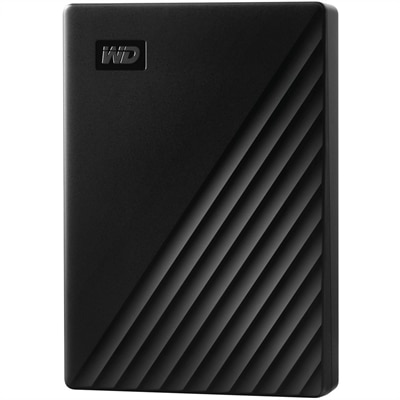
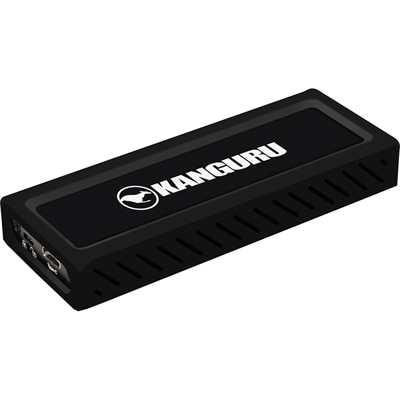
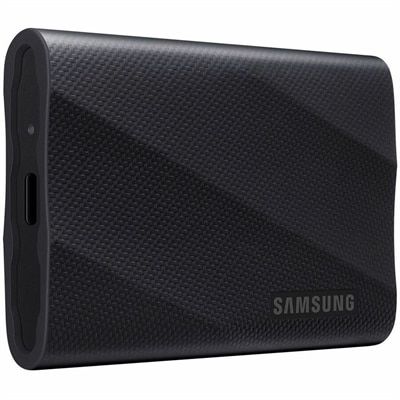
A black portable solid-state drive delivering 2,000 MB/s speeds, broad compatibility, and three-meter drop resistance.
External USB drives offer a convenient and reliable solution for expanding your digital storage, backing up important files, and transferring data between devices. Whether you're looking to store photos, videos, documents, or large project files, external USB drives provide the flexibility and portability to meet your needs. Explore a wide selection of options designed to help you manage your data with ease and efficiency.
A black portable solid-state drive delivering 2,000 MB/s speeds, broad compatibility, and three-meter drop resistance.
External USB drives offer a practical way to expand a computer’s storage, create a backup copy of important files and move information between compatible devices. They connect through a USB port and typically appear automatically in File Explorer on Windows or Finder on Mac, allowing you to open the drive folder and drag and drop documents, photos, videos and other files. For a straightforward transfer, connect the drive with its included USB cable, wait for the computer to recognize it, open the drive’s folder and copy the selected files. When the transfer is complete, use the operating system’s eject command before disconnecting the cable. This small habit helps finish pending write operations and reduces the chance of file corruption. An external drive can be especially useful for clearing space from a laptop, organizing a growing photo library or carrying a presentation, creative project or school folder between locations. A compact drive tucked into a laptop bag can make a familiar routine feel more manageable: files stay together, the computer’s internal storage has room to breathe and an extra copy is available when a device needs repair or replacement. For more options focused on moving files from one place to another, explore External Hard Drives For File Transfer.
When choosing an external USB drive, start with how you expect to use it, how much space your files require and how often the drive will travel. Hard disk drives, often called HDDs, use spinning internal components and are commonly selected when generous capacity is the priority. They can be a sensible choice for a large collection of photos, downloaded videos, archived documents or older project folders that do not need to be opened every day. Solid-state drives, or SSDs, use flash memory with no moving parts. They are generally faster, quieter and better suited to frequent file access, quick transfers and life in a backpack where bumps and movement are part of the routine. SSDs often cost more for a comparable amount of storage, so the right balance depends on whether speed, durability and portability matter more than maximum capacity. Also check the USB connection type and the computer’s available ports. A drive can still work through an adapter in some setups, but matching the drive connection to the computer can make everyday use simpler. Consider the size of individual files as well as the total number of files. High-resolution photos, recorded video, music libraries and design projects can fill storage more quickly than ordinary documents, while a drive used mostly for spreadsheets and text may need considerably less capacity. Leaving some free space is useful for future files and can make file organization easier. If the drive will be shared between Windows and Mac computers, review its formatting requirements before moving a large collection; reformatting can erase existing data, so copy anything important to another location first. A drive used for backup should also be treated as part of a broader backup routine rather than the only home for irreplaceable files. Keeping one copy on the computer and another on an external drive is helpful, while an additional copy stored separately can provide more protection against loss, damage or accidental deletion.
External USB drives suit a wide range of people because they solve several everyday storage problems without requiring a complicated setup. A remote worker may use one to keep work files separate from personal content, while a student can carry research materials and finished assignments without filling a lightweight laptop. Families often use external storage to gather years of phone photos, scanned documents and home videos in one organized location. A photographer, musician or video editor may appreciate the extra room for large working files, especially when a laptop’s built-in storage is already occupied by applications and active projects. These drives can also make thoughtful gifts for someone setting up a home office, refreshing an older computer or beginning a new creative hobby; the value comes from giving their files somewhere reliable to live, not from adding another complicated device to their routine. Before regular use, create clearly named folders and decide whether the drive is for active files, archived material or backups. Use descriptive names with dates or project titles so that a folder opened during the cooler months is still easy to understand later. Keep the drive on a stable surface during transfers, avoid unplugging it while files are moving and store portable models in a protected compartment when traveling. Password protection or encryption may be appropriate for personal records, financial documents and confidential work, depending on the computer and software being used. Most importantly, remember that an external drive is convenient storage, not a guarantee against every kind of data loss. Check that important files open correctly after copying, maintain more than one copy of valuable information and periodically review what is stored so the drive continues to serve a clear purpose. With the right capacity, connection and storage technology, an external USB drive can become a quiet, dependable part of everyday computing.
Add the products you would like to compare, and quickly determine which is best for your needs.