File Transfer Software For Windows
Effortlessly manage and streamline your data transfers with our selection of file transfer software for Windows. Designed to enhance productivity and ensure secure, efficient file sharing, these solutions cater to both personal and professional needs. Whether you're looking to transfer large files, synchronize folders, or automate backups, our range of software provides reliable performance tailored to the Windows operating system. Explore the possibilities and find the perfect tool to keep your digital life organized and hassle-free.
This product is not available
Check out the following recommendations.
Related Products
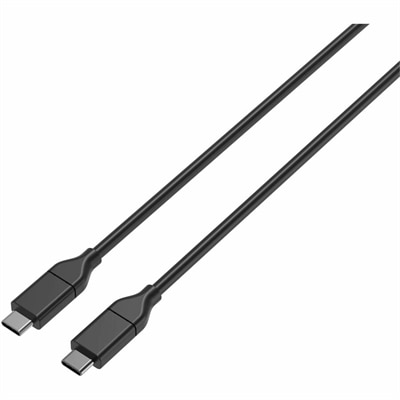
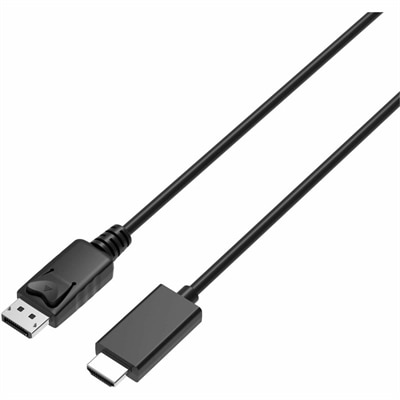
File Transfer Software For Windows
File transfer software for Windows helps make moving digital files more predictable, organized, and efficient than relying solely on basic drag-and-drop commands. The right choice depends first on where the files are going and how much data needs to move. Someone copying photographs from one internal drive to another may need a utility that handles large folders, displays clear progress information, pauses and resumes a transfer, and continues gracefully if an interruption occurs. A person moving documents between two Windows PCs may place greater value on a simple interface, device discovery, folder comparison, and dependable synchronization. Wireless transfers add another set of considerations, especially when sharing files between a Windows computer and a mobile device over Wi-Fi or Bluetooth. For occasional transfers of small documents, a lightweight application may be all that is needed. For video projects, extensive photo libraries, game installations, design assets, or years of archived files, look for software that can create a queue, preserve folder structures, verify that copied files match the originals, and provide useful error messages instead of leaving you to guess what happened. Transfer speed is important, but it is only one part of a dependable experience. Drive performance, cable quality, wireless signal strength, available storage, file count, and the size of individual files can all affect how long a move takes. Software that reports these details clearly can make a long transfer feel less uncertain, particularly when a progress bar stretches across a quiet afternoon.
File transfer tools can serve a wide range of Windows users. A student may use one to organize coursework across a laptop and an external drive, while a photographer may use it to copy a full day of high-resolution images without overlooking a folder. Families can use wireless sharing to move videos and photos between a computer and a phone, and remote workers may rely on secure connections when exchanging files with a trusted computer outside the home. Small offices and creative teams often benefit from queue management, folder synchronization, file filtering, and the ability to compare dates, sizes, or file names before anything is replaced. When evaluating software, check whether it supports the Windows version on the intended computer, whether it works with internal and external drives, and whether it can handle the file systems and connection methods you expect to use. A dual-pane layout can make it easier to see the source and destination at the same time, while a more streamlined design may suit users who prefer a few clearly labeled controls. Security deserves equal attention when files travel over a network or between locations. Features such as encrypted connections, password protection, secure authentication, and privacy-conscious data handling can help protect personal records, work documents, and creative projects. It is also useful to review how the software treats duplicate names, partially transferred files, hidden folders, and files that are open in another application. Some tools are designed for straightforward copying, while others offer advanced synchronization that can mirror changes in both directions. Before enabling automatic synchronization, confirm which location is considered the source and learn how deletions are handled; a setting intended to keep folders identical can also remove a file from one location if the other no longer contains it.
Cost and usability should be considered together when choosing from Windows file transfer software. Free options can be practical for occasional household use, while paid software may be worthwhile for people who transfer large amounts of data regularly and want enhanced verification, automation, technical support, or more capable file management. Review the license terms to understand whether the software covers one computer, several personal devices, or a broader household or workplace setup. A trial period, when available, can reveal whether the controls feel comfortable with a real folder rather than a small sample. Try transferring a mixture of file types, including a few large files and many small ones, because performance and feedback can vary considerably between those two situations. Look for clear settings, sensible default behaviors, readable status messages, and recovery options that let you retry a failed item without starting an entire batch again. Compatibility with external drives, memory cards, mobile devices, and common network locations can also extend the usefulness of the application as your needs change. For someone setting up a new home office, replacing a computer, or preparing a creative workstation during the cooler months, file transfer software can be a practical addition that helps establish an orderly digital routine. It may also be a thoughtful gift for a student, photographer, freelancer, or family member who regularly manages files across several devices, especially when paired with a reliable external drive or other compatible accessory. Explore related options through Windows Software, and compare each listing by transfer method, security features, file-size handling, device compatibility, and ease of use. A well-matched tool can reduce repetitive steps, help preserve important folders, and make everyday file movement feel as dependable as opening and saving a document.
FAQs:
When selecting file transfer software for Windows, consider features such as compatibility with your operating system, support for large or multiple files, secure transfer protocols, user-friendly interfaces, and options for automation or scheduling. Advanced tools may also offer error checking, transfer resumption, and integration with cloud storage or network drives.
Yes, many file transfer solutions are designed to facilitate data migration between different versions of Windows, including Windows 10 and Windows 11. These programs help move documents, photos, applications, and settings, making the transition to a new device or operating system smoother and more efficient.
A data share app is typically designed for quick and easy sharing of files between devices, often over a wireless connection or the cloud. Traditional file transfer software may offer more advanced features, such as bulk transfers, automation, backup options, and compatibility with different file systems or network environments.
To keep your files secure during transfer, choose software that supports encrypted transfers and secure authentication methods. Many advanced file transfer tools provide end-to-end encryption and detailed logging to help ensure your data is protected from unauthorized access.
Absolutely. Many file transfer programs include backup functionality, allowing you to create copies of your important files and folders on another device, external drive, or cloud storage. This feature provides an extra layer of protection against data loss due to hardware failure or accidental deletion.