$169.99
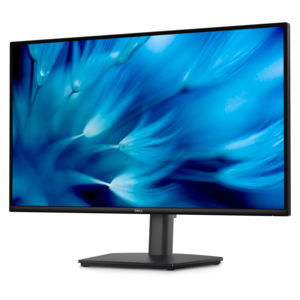
A fast IPS monitor with FHD resolution, 240Hz refresh rate, adjustable stand, and certified eye comfort.
Elevate your gaming setup with flat panel gaming monitors designed to deliver an immersive experience for every level of player. Whether you’re building a new rig or upgrading your current display, these monitors offer sleek designs that fit seamlessly into any space. Explore a wide selection of sizes and styles to find the perfect match for your gameplay preferences. Discover how flat panel gaming monitors can transform your visuals and enhance every session.
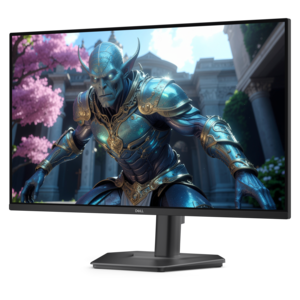
A fast IPS monitor with FHD resolution, 240Hz refresh rate, adjustable stand, and certified eye comfort.
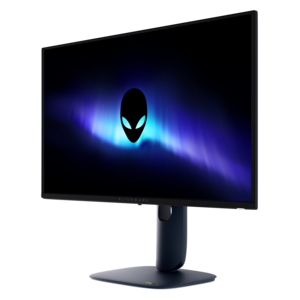
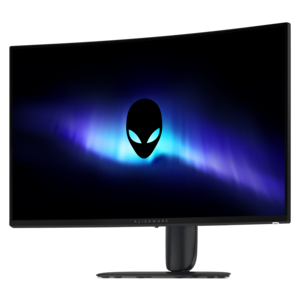
A flat QD-OLED gaming monitor delivering spectacular visuals and an ultra-smooth 280Hz refresh rate.
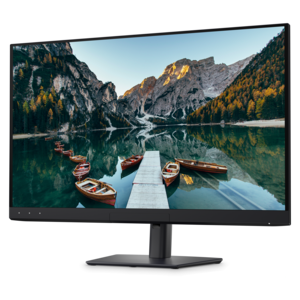
A crisp FHD monitor with smooth 144Hz visuals, built-in speakers, and TÜV 4-star eye comfort certification.
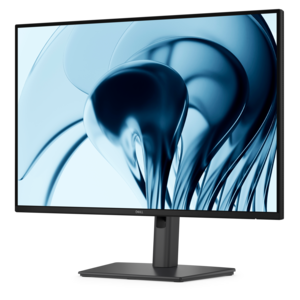
A height-adjustable QHD monitor certified by TÜV Rheinland for 3-star eye comfort and productive work.
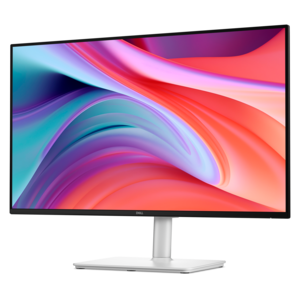
A productivity-focused 16:10 monitor with extensive connectivity, high refresh rate, and TÜV-certified four-star eye comfort.
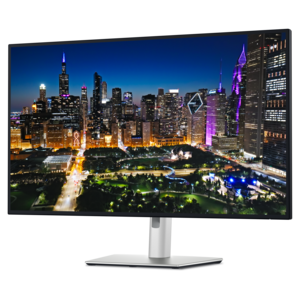
A 4K monitor with enhanced IPS Black, 3000:1 contrast, 120Hz refresh, eye comfort, and ambient sensing.
Flat panel gaming monitors have a flat rather than curved viewing surface, with screen sizes, resolutions, and panel technologies suited to different games and desk setups. Their straight profile works well for a single-screen station or a side-by-side arrangement where a second display holds chat, streaming controls, or a walkthrough. For players who move between gaming, schoolwork, and creative projects, the same screen can show a sprawling game landscape in the evening and spreadsheets or photo-editing tools during the day. Screen size and resolution work together to shape that experience. A 24-inch display with Full HD resolution, or 1920 x 1080 pixels, can keep the action within a compact field of view while leaving room for speakers and a full-size keyboard. Around 27 inches, QHD resolution, or 2560 x 1440 pixels, offers more detail and workspace than Full HD without the graphics demands of 4K. Larger flat screens can give maps, cockpit instruments, and distant scenery more room, although seating distance becomes especially important when the screen fills much of the desk. A 4K display, with 3840 x 2160 pixels, can render fine textures and small interface elements sharply, provided the connected system can deliver the desired performance. Resolution alone does not determine picture quality: contrast, color accuracy, brightness, and the way the screen handles movement all contribute. IPS panels generally provide consistent color across wider viewing angles, while VA panels often deliver stronger native contrast for shadowy corridors and nighttime scenes. Panel behavior varies by implementation, so these characteristics are useful context rather than guarantees. Flat describes the screen’s shape, not its underlying display technology. For shoppers interested in self-emissive pixels, deep blacks, and fast pixel transitions, OLED Gaming Monitors represent another display category that can include flat-screen designs. The intended use matters as much as the specification sheet, whether the monitor will support quick competitive matches, cinematic adventures, detailed simulations, or a mix of everyday tasks.
Motion performance is a defining consideration for gaming, especially when a camera pans quickly or an opponent crosses the edge of the screen. Refresh rate, measured in hertz, describes how many times a display can update its image each second. A 144Hz or 165Hz screen can make movement appear smoother than a 60Hz screen when the connected computer supplies enough frames, while higher refresh rates can suit players who prioritize rapid visual updates. A monitor’s maximum refresh rate does not increase the frame rate produced by a computer or console; the graphics hardware, game settings, connection, and game itself remain part of the equation. Pixel response time describes how quickly pixels change, which affects visible trails and motion clarity. It is different from input lag, the delay between an action and its visible result. Response-time figures measured under different conditions are not always directly comparable, and aggressive overdrive settings can introduce bright or dark outlines around moving objects. Adaptive synchronization can reduce screen tearing and uneven motion by coordinating display updates with compatible graphics hardware within a supported range. These distinctions become tangible in familiar moments: tracking a ball across a stadium, reading roadside markers in a racing game, or turning sharply through a crowded arena. For slower-paced exploration, rich contrast and convincing color may matter more than the highest refresh-rate figure. High dynamic range can add impact to bright reflections and dark environments, but HDR input support alone does not establish the quality of the effect. Peak brightness, black levels, color capability, and local dimming on LCD screens influence the result. Connections also shape intended use. HDMI and DisplayPort capabilities vary, and reaching a particular resolution and refresh rate depends on support across the monitor, source device, port, and cable. Console players benefit from checking supported display modes, while laptop users may value a compatible USB-C connection with video and power delivery where supported. Audio outputs, built-in speakers, and USB hubs are separate features rather than standard inclusions across the category.
Physical fit determines how comfortably a flat panel gaming monitor becomes part of a room. Screen diagonal is only one measurement; the cabinet width, stand depth, and adjustment range affect how much usable space remains for a mouse, controller, notebook, and other accessories. A wide stand can be stable yet occupy the area where a low-sensitivity player sweeps a mouse, while a compatible monitor arm can free desk space if the display’s mounting pattern and weight match the arm’s requirements. Height, tilt, swivel, and pivot adjustments vary by design. Positioning the screen roughly an arm’s length away, with the top at or slightly below eye level, is a useful starting point, then distance and text scaling can be adjusted for comfortable viewing. Larger screens may need more distance to keep the corners easy to see without repeated head movement. Matte or anti-glare finishes help diffuse reflections, although no coating removes the effect of a bright window directly behind the viewer. Softer room lighting and a screen placed away from direct glare can make dark scenes easier to follow. Typical construction combines a coated display surface with a plastic enclosure and a stand that may incorporate metal for support. Durability depends on careful handling as well as construction: a slim bezel is not a carrying handle, and pressure on the panel can cause permanent damage. Routine care usually calls for powering down the monitor and gently removing dust with a clean, dry microfiber cloth. For marks that require more attention, the manufacturer’s cleaning directions take priority; liquid should not be sprayed directly onto the screen, and abrasive materials or harsh household cleaners can damage its finish. Clear ventilation and loosely routed cables help keep the setup tidy without straining connectors. OLED panels also warrant attention to built-in panel-care features and prolonged static content. As a gift for a college student, a dedicated player, or someone refreshing a shared home workspace, a gaming monitor is most useful when its dimensions and connections suit the recipient’s existing equipment. A comfortable fit, readable detail, and motion performance appropriate to favorite games give the screen a lasting role beyond any single gaming session.
Add the products you would like to compare, and quickly determine which is best for your needs.