Flatbed Scanners For Windows 10
Flatbed scanners for Windows 10 offer a reliable solution for digitizing documents, photos, and artwork with ease. Designed to integrate seamlessly with modern operating systems, these scanners help streamline your workflow whether you're working from home, in the office, or managing creative projects. Explore a variety of flatbed scanners for Windows 10 to find the ideal option that fits your scanning needs and enhances productivity.
This product is not available
Check out the following recommendations.
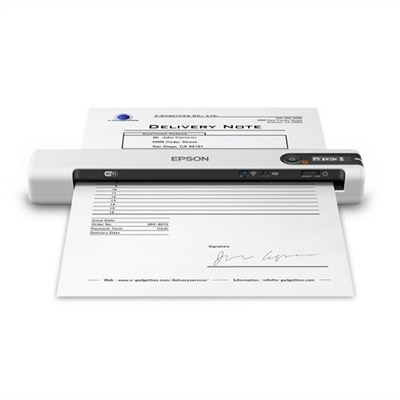
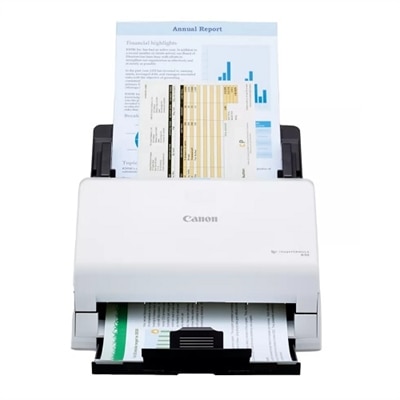
Flatbed Scanners For Windows 10
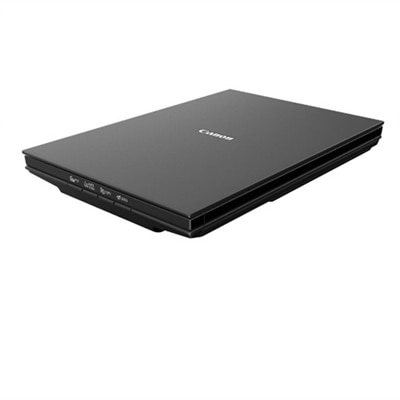
Flatbed scanners for Windows 10 offer a dependable way to turn paper documents, printed photographs, book pages, receipts, artwork, and other physical items into organized digital files. Unlike compact sheet-fed designs that are built primarily for loose pages, a flatbed scanner uses a glass scanning surface, making it well suited to delicate originals, bound books, magazine pages, identification documents, and papers that cannot be separated easily. The lid typically lifts to accommodate thicker materials, while the glass provides a steady, even surface for accurate image capture. For a home office, a flatbed scanner can help preserve family photographs, digitize school records, save handwritten recipes, or create searchable copies of household paperwork. In a small business or classroom, it can support forms, illustrations, signed documents, and reference materials without requiring a trip to a copy shop. Many models connect to a Windows 10 computer through USB and include drivers or scanning utilities that help the operating system recognize the device. Compatible scanners may also work with the Windows Scan app, allowing users to choose a source, select color or grayscale, set a resolution, and save files in common formats. Checking Windows 10 compatibility before purchase is important, especially when choosing an older scanner, because driver availability can affect setup, button controls, and access to advanced features.
Image quality is one of the most important considerations when comparing flatbed scanners. Optical resolution, measured in dots per inch, describes how much detail the scanner can capture from an original. A resolution around 300 dpi is often sufficient for everyday documents, while 600 dpi or higher can be helpful for photographs, fine line drawings, certificates, and images that may be enlarged or cropped later. Some scanners advertise much higher maximum resolutions, but the useful quality of the optical system matters more than a software-enhanced number. Color depth also affects the subtle shades and gradations captured from photographs, artwork, and lightly printed pages. Users scanning mostly black-and-white paperwork may place greater value on speed, automatic image straightening, and easy PDF creation, while anyone preserving photos may prefer stronger color reproduction, dust reduction, and multiple resolution settings. A transparent materials adapter may be useful for film or slides, although it is not included with every flatbed scanner. Oversized books and thick binders can be easier to scan with a raised or removable lid, and stitching software can combine overlapping scans when an original is larger than the glass. Those who have limited desk space may prefer a slim design with a built-in stand for upright storage. Power and connectivity are worth reviewing as well: a single USB connection may handle both data and power on some compact models, while others use a separate power adapter. Before placing the scanner, leave enough room to lift the lid fully and open books without bumping nearby monitors, laptops, or accessories. A stable, dust-free surface also helps maintain clean results and reduces the chance of marks appearing across every scan.
The right flatbed scanner depends on the materials being preserved, the desired image quality, and the way files will be used after scanning. Someone building a digital family archive may want photo-friendly resolution, color adjustment tools, and straightforward file naming so albums can be organized by person, place, or occasion. A remote worker or household administrator may prioritize quick letter-size scans, searchable PDFs, automatic cropping, and one-touch controls for sending files to a computer or cloud folder. Artists, crafters, and students can benefit from a scanner that captures subtle pencil marks, fabric textures, painted details, and layered paper without forcing the original through a feeder. A flatbed scanner can also make a thoughtful gift for a relative sorting boxes of photographs or for a small-business owner moving paper records into a digital filing system. When comparing options, consider the maximum scan area, lid flexibility, resolution range, scanning speed, included software, cable requirements, and the availability of Windows 10 drivers. It is also useful to review whether the scanner supports the preferred file types, such as PDF for documents, JPEG for everyday images, or TIFF for higher-quality photo archiving. Scanning in color can preserve information that is easy to miss in grayscale, while grayscale or black-and-white settings can keep document files smaller. For additional options that fit a home office or workspace, browse Desktop Scanners. With the right setup, a flatbed scanner can quietly become part of a practical routine: photographs can move from an attic box to a family folder, signed forms can be stored beside related emails, and treasured pages can remain accessible even as the original paper grows fragile.
FAQs:
When selecting a flatbed scanner for Windows 10, prioritize models that offer TWAIN or WIA driver support for seamless integration with the Windows Scan app. Consider additional features such as high optical resolution (2400-4800 DPI), USB connectivity for easy setup, and bundled OCR software to convert scanned documents into editable text.
Yes, a flatbed scanner is ideal for digitizing bound books, delicate photographs, and fragile documents. The flat glass surface allows you to gently place items without bending or damaging them, and many models have removable or adjustable lids to accommodate thicker materials.
To ensure smooth operation, check that the scanner's drivers are compatible with Windows 10 and install any manufacturer-recommended software updates. Most modern flatbed scanners support plug-and-play installation, but downloading the latest drivers from the manufacturer’s website can further enhance compatibility and performance.
OCR (Optical Character Recognition) software is included with many flatbed scanners and allows you to convert scanned documents into editable, searchable text. This feature is especially useful for students, professionals, and anyone managing large volumes of paperwork, as it streamlines digital organization and text editing.
Yes, many flatbed scanners are designed to be compatible with both Windows and Mac operating systems. If you need a scanner for use with multiple platforms, look for models that specifically mention cross-platform support or explore our selection of Mac-compatible flatbed scanners for more options.