$369.99
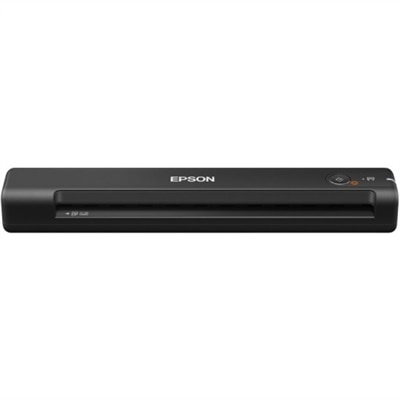
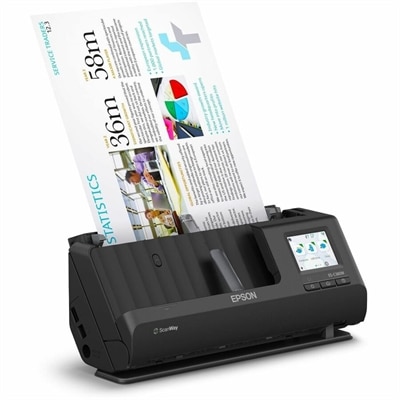
A wireless sheetfed scanner with 600-dpi optical resolution, duplex scanning, 20-page ADF, and 30-ppm performance.
Desktop scanners offer a convenient and efficient way to digitize documents, photos, and more, making them an essential addition to any home office or workspace. Designed to streamline your workflow, desktop scanners help you organize paperwork and preserve important files with ease. Explore a wide selection of desktop scanners to find the perfect solution for your scanning needs.
A wireless sheetfed scanner with 600-dpi optical resolution, duplex scanning, 20-page ADF, and 30-ppm performance.
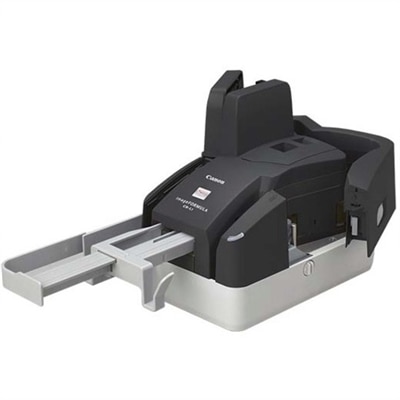
A compact 300 dpi sheetfed scanner delivering precise MICR accuracy and reliable high-volume check processing.
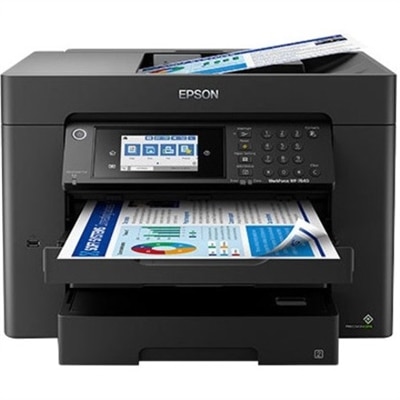
A high-speed duplex document scanner with 600-dpi imaging, touchscreen, Wi-Fi, USB connectivity and 60-sheet feeder.
Desktop scanners provide a practical way to turn paper documents, photographs, receipts, forms, and handwritten notes into organized digital files. Designed to remain on or beside a desk, these scanners are a convenient fit for home offices, classrooms, reception areas, small businesses, and shared workspaces where reliable document capture matters. Compared with taking a picture of a page with a phone, a dedicated scanner can produce more consistent alignment, sharper text, cleaner backgrounds, and easier-to-manage files. Many models are built for everyday batches, making it simpler to digitize invoices, insurance paperwork, school records, contracts, tax documents, and other pages that tend to collect in drawers or stacked trays. A desktop scanner can also help preserve family photographs, recipes, letters, and children’s artwork before paper fades, tears, or gets misplaced. For shoppers comparing options, scanning volume is one of the most useful places to begin. Someone who scans a few pages each week may prefer a compact model with straightforward controls, while a busy home office or workplace may benefit from a faster scanner that can process larger batches with less hands-on attention. Pages-per-minute ratings offer a helpful point of comparison, but real-world performance also depends on document size, image quality settings, connection type, and whether both sides of a page are captured in one pass. Duplex scanning can save considerable time when working with double-sided forms or multi-page documents, while an automatic document feeder can keep a stack moving without requiring each sheet to be placed on the glass individually. A feeder capacity of around 30 to 50 pages may suit many routine tasks, though users who regularly process lengthy packets may appreciate a larger capacity. Look for models that can handle mixed batches when your paperwork includes different page sizes, thicknesses, or orientations. Reliable paper feeding, automatic cropping, blank-page removal, deskewing, and background cleanup can make a noticeable difference when the goal is to create tidy files with minimal correction.
Connectivity and software features are equally important when selecting a desktop scanner. USB connections are often a dependable choice for a dedicated computer, with a simple setup that works well in a fixed workspace. Wi-Fi-enabled scanners can provide more flexibility for households or offices where several computers and mobile devices need access, and some support direct scanning to cloud storage or network folders. Before choosing, consider where scanned files need to go: a local computer folder, a shared drive, an email inbox, a cloud account, or an application used for accounting, archiving, or document management. Compatibility with common scanning standards and document software can help the scanner work smoothly with existing computers rather than requiring a completely new workflow. Optical character recognition, often called OCR, can convert the words in a scanned page into searchable and editable text. This is particularly useful for finding a specific invoice, copying details from a form, or searching a folder of archived records without opening every file. Image enhancement tools can improve legibility by adjusting contrast, reducing speckles, correcting uneven edges, and recognizing page orientation. Resolution should match the intended task: standard office documents usually need less detail than photographs, artwork, or fine print, while excessively high settings can create larger files and slower processing. Color capability is useful for preserving highlighted notes, logos, signatures, charts, and photographs, even when most routine paperwork is black and white. Shoppers who expect to digitize artwork, family keepsakes, or richly colored documents can also explore Color Scanners for additional options. Size deserves attention as well. A compact desktop scanner can fit neatly beside a monitor or printer, while a larger unit may offer a more substantial feeder, faster throughput, or a sturdier design for frequent use. Check the available desk space, cable reach, operating system compatibility, and included software before completing a purchase so the scanner fits naturally into the workspace instead of becoming another device that needs to be rearranged.
Desktop scanners can be useful for a wide range of people, from remote workers and students to photographers, medical offices, real estate professionals, educators, and families managing household records. A remote worker may use one to archive signed forms, receipts, and project notes without filling a home office with folders. A student can scan reading annotations, worksheets, and reference pages into a searchable study collection. A small business may use a document feeder to process purchase orders, customer forms, expense records, or shipping paperwork while keeping the original documents organized. For creative work, a flatbed design can be especially helpful when scanning photographs, delicate paper, pages from books, or items that should not be fed through rollers. Families may appreciate a scanner during periods of home organization, when old school drawings, keepsakes, and important records are being sorted and stored during the cooler months. These products can also make thoughtful gifts for someone establishing a home office, preserving family history, or preparing for a new academic or professional routine, particularly when the recipient values practical tools that reduce clutter. A useful setup includes clearly named folders, a consistent file format, and a backup location so scanned documents remain easy to find and protected from device failure. PDF files are convenient for multi-page paperwork, while JPEG or TIFF formats may be better suited to photographs and visual projects. Consider security as well: sensitive records may need password protection, encrypted storage, or a private local destination rather than automatic sharing. The best desktop scanner is the one that matches the rhythm of the workspace—simple enough for occasional use, capable enough for recurring batches, and compatible with the way files are already stored and shared. By weighing scanning volume, feeder capacity, duplex capability, resolution, color performance, connectivity, software support, and available desk space, shoppers can choose a dependable addition to their home or office and make the transition from paper stacks to organized digital files feel far more manageable.
Add the products you would like to compare, and quickly determine which is best for your needs.