Flight Games
Flight games offer an immersive experience for those who dream of soaring through the skies from the comfort of home. Whether you’re a seasoned pilot or just starting your aviation adventure, the right technology can elevate every takeoff and landing. Explore a wide selection of computers, monitors, and accessories designed to bring flight games to life with stunning visuals and responsive controls. Equip your setup for smooth navigation and enjoy every moment in the virtual cockpit.
This product is not available
Check out the following recommendations.




Flight Games
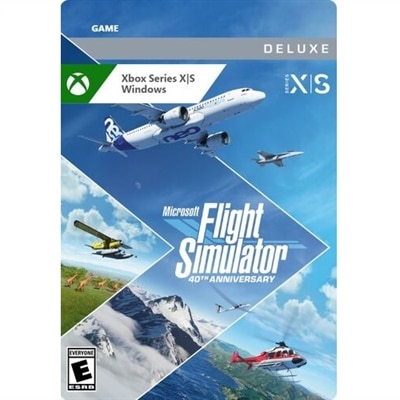
Flight games bring the experience of flying to a screen, from relaxed sightseeing above a coastline to precise runway approaches and fast-moving aerial combat. The category includes realistic flight simulators, arcade-style flying games, mission-based adventures, and aerial exploration experiences, each with a different balance of authenticity, accessibility, and action. Realistic simulations emphasize how an aircraft responds to power, control inputs, weight, and weather, often making the journey as important as the destination. Arcade flight games generally simplify those systems so players can concentrate on maneuvering, objectives, and the excitement of being airborne. Combat-focused experiences may add targeting systems, defensive maneuvers, and fictional campaigns, while exploration-oriented games leave more room to follow a river through a valley or watch city lights appear at dusk. These distinctions matter more than visual style alone: a detailed cockpit does not necessarily mean complex controls, and a streamlined presentation can still offer satisfying flight physics. Depending on the title, activities may include navigation, landing challenges, cargo missions, formation flying, or open-ended travel across a virtual landscape. Some games feature changing weather, day-and-night cycles, or scenery based on real locations; others build imaginary environments around dramatic terrain and tightly paced missions. A short session might involve a single landing attempt in a crosswind, while a longer one could follow a planned route between distant airports. For aviation enthusiasts, the appeal often lies in understanding the relationship between instruments, aircraft behavior, and the view outside the cockpit. For casual players, it may simply be the pleasure of banking over a mountain ridge with approachable controls. Flight games can also make thoughtful gifts for adults interested in travel, geography, engineering, or aviation history, provided the platform, content rating, and preferred style of play fit the recipient. The most useful distinction is whether someone enjoys learning procedures, exploring at an unhurried pace, or reacting quickly to a changing mission.
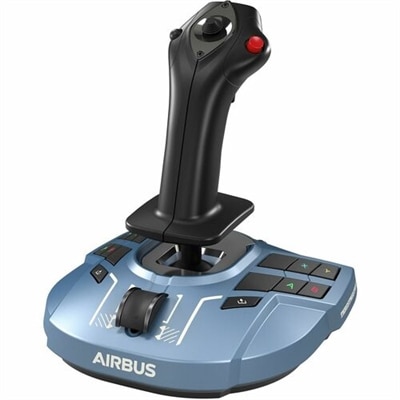
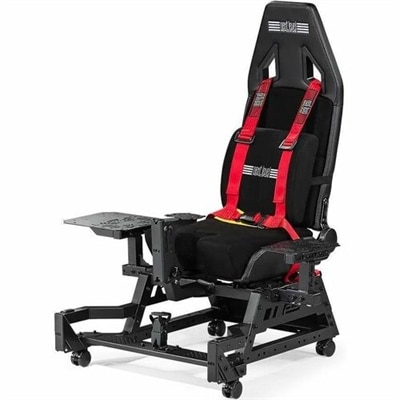
The feel of a flight game depends on both its design and the equipment used to play it. PC flight games can support a broad range of control setups, although compatibility varies by title, operating system, and device. A keyboard and mouse may handle menus and cockpit interactions, while a controller can make basic steering and camera movement more comfortable in games designed for it. Dedicated flight controls introduce a more physical connection to the aircraft: a joystick can translate small hand movements into pitch and roll, a separate throttle can give power adjustments more travel, and rudder pedals can provide independent yaw control where supported. Not every flying game recognizes every accessory, and additional buttons or axes are useful only when the software allows them to be assigned appropriately. For players interested in the wider relationship between software, controls, and a dedicated flying space, Home Flight Simulators provides a related category to explore. Gaming laptops suit spaces where the computer needs to move between rooms or serve other purposes, while desktops can anchor a more permanent cockpit-style arrangement. In either case, the game's published system requirements establish the starting point for processor, graphics, memory, and installation-space needs. Detailed terrain, busy airport environments, and complex aircraft systems can place different demands on a computer, so performance depends on more than a single specification. Display resolution and graphics settings also affect how much work the system must do. A larger monitor may make instrument markings easier to distinguish, while a wider view can provide more visual context during turns if the game supports the chosen screen format. Multiple displays and virtual reality introduce additional compatibility and performance considerations rather than universal improvements. Virtual reality can make looking toward a runway or checking a wing feel more natural, but headset comfort, readable cockpit text, and individual sensitivity to motion remain important. Headphones can help separate engine sounds, radio dialogue, and environmental audio, especially in a shared room, without requiring a large permanent setup.
Comfort and durability become particularly noticeable during longer flights, when small adjustments happen repeatedly and equipment stays within reach for an extended period. The fit of a flight controller is less about its appearance than whether the grip, button placement, and range of movement suit the player's hands and seating position. A tall stick on a high desk can leave the wrist bent awkwardly, while a throttle placed too far away can turn routine power changes into a repeated stretch. Compact accessories can work well on a multipurpose desk, provided there is enough clearance for full movement and a stable surface underneath. Heavier bases, nonslip feet, and compatible mounting options can help controls stay put, though the effectiveness of each depends on the desk material and the forces applied during play. Molded plastic housings can be lightweight and practical, while metal components may add rigidity or weight; neither material alone establishes the quality of the internal mechanisms. Smooth travel, consistent centering, secure connections, and accessible controls all contribute to everyday usability. Care usually involves keeping dust away from moving parts, managing cables so connectors are not pulled sideways, and following the manufacturer's cleaning directions rather than applying liquids directly to the equipment. Removable accessories benefit from a protected place between sessions, particularly where dust, pets, or drinks share the desktop. Software deserves similar attention to intended use: offline play, online requirements, multiplayer features, accessibility settings, and support for additional content differ among games. Someone who wants a quiet evening of sightseeing may value adjustable difficulty and flexible session length more than a lengthy campaign. A player drawn to procedural flying may prefer interactive instruments, navigation tools, and aircraft systems with room to learn over time. Friends flying together may care most about compatible platforms and supported cooperative modes. Although realistic flight simulators can build familiarity with aviation vocabulary and basic concepts, entertainment software is not a substitute for professional flight instruction. Across these different uses, flight games offer a distinctive combination of movement, concentration, and perspective, whether the memorable moment is a smooth touchdown, a carefully flown turn, or the first glimpse of a destination through broken clouds.
FAQs:
Flight games are video games that simulate the experience of piloting aircraft. These games can range from realistic flight simulators to arcade-style action games, allowing players to control planes, helicopters, or other flying vehicles in various environments.
Flight games can be played using a variety of controls, including keyboards, mice, game controllers, and specialized flight sticks or yokes. Many enthusiasts prefer using dedicated flight simulation hardware for a more immersive experience.
Many modern flight games offer multiplayer modes where players can fly together cooperatively or compete against each other online. These features often include team missions, dogfights, and large-scale aerial battles.
The system requirements for flight games vary depending on the game's graphics and complexity. While some highly detailed simulators may benefit from powerful hardware, there are also many flight games designed to run well on standard computers.
Flight games cater to all skill levels. Many titles offer adjustable difficulty settings, tutorials, and assistive features that make them accessible to beginners while still providing depth and realism for experienced players.