Home Flight Simulators
Experience the thrill and precision of aviation from the comfort of your home with our selection of home flight simulators. Designed to cater to both novice enthusiasts and seasoned pilots, these advanced simulators offer an immersive experience that brings the skies to your fingertips. Whether you're looking to practice your piloting skills or simply enjoy the exhilaration of virtual flying, our range of home flight simulators provides a realistic and engaging way to explore the world of aviation. Dive into a new dimension of interactive entertainment and elevate your at-home adventures with cutting-edge flight simulation technology.
This product is not available
Check out the following recommendations.




Home Flight Simulators
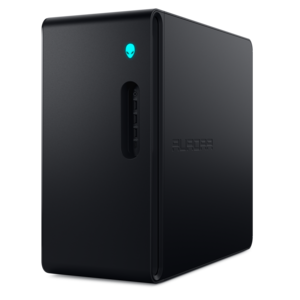
A home flight simulator combines a computer, flight simulation software, a display, and compatible controls to recreate aspects of flying in a home setting. Setups range from a laptop with a compact joystick to a desktop computer connected to multiple monitors, rudder pedals, and dedicated cockpit controls. The experience can be as relaxed as an evening flight along a familiar coastline or as involved as navigating through cloud cover while monitoring instruments and managing an approach. For aviation enthusiasts, the appeal lies in the connection between physical inputs and the aircraft’s response: a small adjustment to engine power, a gentle turn toward a runway, or a careful correction against a simulated crosswind. Gaming laptops, desktops, monitors, and accessories provide the foundation, with the right combination depending on the software, the available room, and the type of flying that interests the user. A laptop suits a shared space where equipment needs to be put away after a session, while a desktop can anchor a permanent cockpit-style arrangement. Processor performance and graphics capability both influence the experience, particularly around detailed airports, complex aircraft, and densely populated scenery. Memory requirements also vary by application, so the software’s recommended specifications provide a more useful reference than the appearance of a computer alone. Higher display resolutions and wider fields of view generally increase graphics demands, making balanced hardware important for smooth motion and readable instruments. Consistent performance can feel more convincing than maximum visual detail interrupted by frequent stutters, especially during the final moments before touchdown. Home flight simulation appeals to curious beginners, experienced virtual pilots, and people with an interest in geography, weather, or aircraft systems. Pilots may also use suitable software to rehearse selected procedures, but an ordinary home setup does not replace flight instruction or automatically qualify for loggable training. Its value is in repeatable practice and exploration, with the freedom to revisit a difficult approach or enjoy a quiet flight without leaving the desk.
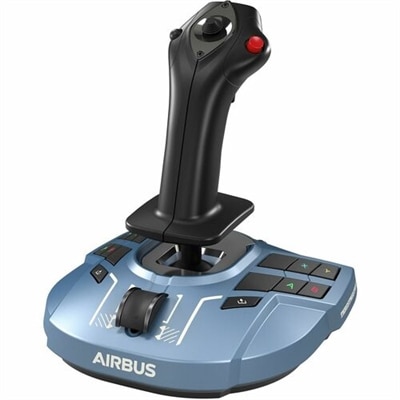
Flight controls shape how a home simulator feels, and their layout matters as much as the number of buttons. A joystick offers a compact way to control pitch and roll, while a yoke provides a familiar arrangement for many general aviation aircraft. Neither is necessary for every kind of simulated flight, and some users prefer the simplicity of a compatible game controller. Separate throttle controls make engine-power adjustments more tactile, while additional levers can represent propeller or mixture settings when the software and aircraft support them. Rudder pedals provide foot-operated yaw control and may include separate toe-brake inputs, giving taxiing and crosswind corrections a different feel from a twist-grip joystick. For a desk used throughout the day, a control base that attaches securely and releases without a lengthy rearrangement can be more practical than a large permanent frame. Desk thickness, underside clearance, keyboard position, and chair height all affect fit. A clamp that interferes with a drawer or a pedal unit that slides across a smooth floor can interrupt an otherwise convincing session. Materials and construction also influence comfort and durability: molded housings can keep equipment manageable to move, while metal mounting components can provide rigidity under repeated inputs. Smooth control travel, a predictable center position, and secure attachment points matter more than weight alone. Reach is another consideration, particularly when several people share a setup; controls should remain accessible without raised shoulders or an awkward stretch beneath the desk. Care usually involves keeping moving parts free of dust, wiping touch surfaces according to the manufacturer’s directions, and checking fasteners and cables periodically. Cleaning fluid should not run into switches or control mechanisms, and lubricants should only be used when specified by the manufacturer. As a gift for an aviation enthusiast, a flight-control accessory is most useful when it matches the recipient’s computer, simulation software, preferred aircraft, and physical setup. Connector type alone does not establish compatibility, and support can differ between computers and consoles.
Monitors and other viewing accessories establish the visual setting, from the instrument markings directly ahead to the runway lights appearing through simulated dusk. A larger screen can make cockpit details easier to read, while a wide display can show more of the surrounding scene when supported by the software. Multiple monitors can extend the view or separate instruments from the main window, although they also require sufficient desk space, suitable video connections, and enough graphics capability for the combined workload. Screen size should be considered alongside viewing distance and resolution: a display positioned too far away can make small labels difficult to distinguish, even when the scenery looks impressive. Adjustable stands and compatible monitor mounts help place the main view at a comfortable height without forcing controls into an awkward position. Virtual reality offers another approach, using a compatible headset to create a stronger sense of cockpit scale and depth. That immersion comes with its own considerations, including headset fit, eyewear clearance, ventilation, graphics demands, and individual sensitivity to motion discomfort. A conventional monitor can be more convenient for longer sessions, reading reference material, or finding physical switches without removing a headset. Audio contributes to the atmosphere, too, with headphones making engine changes and simulated radio calls easier to follow without filling a shared room with sound. Clearly labeled controls and accessible USB connections help keep the surrounding workspace manageable, while cable routing should leave room for pedal movement and normal chair adjustments. For a console-centered alternative, XBOX Flight Simulators offers a related category to explore, with platform compatibility remaining important for every accessory. A thoughtfully matched home flight simulator can suit a spare-room cockpit, a compact apartment desk, or a family computer used for occasional virtual trips. The most satisfying arrangements support the intended experience without making everyday use cumbersome: clear instruments for procedural flying, responsive controls for hand-flown approaches, and a comfortable seat and viewing position for longer journeys. Together, those details help turn a collection of computer equipment into a coherent space for exploring aviation.
FAQs:
A basic home flight simulator setup typically includes a computer capable of running flight simulation software, a monitor or multi-monitor display, and flight controls such as a joystick or yoke and rudder pedals. Enthusiasts often enhance their experience with throttle quadrants, touchscreen tablets for virtual instrument panels, and even VR headsets for a more immersive environment.
Home flight simulators are suitable for a wide range of users, including aviation enthusiasts, students preparing for pilot training, gamers seeking a realistic flying experience, and individuals interested in learning more about navigation and aircraft operations. They also make thoughtful gifts for anyone fascinated by aviation or looking for a new, engaging hobby.
To enhance realism, consider adding peripherals like dedicated yokes, rudder pedals, throttle controls, and multi-monitor or ultra-wide displays. Integrating VR headsets or using tablets as virtual instrument panels can also elevate the experience. Upgrading your computer’s graphics card and memory will help ensure smooth, lifelike visuals and responsive controls.
Both laptops and desktops can be used for flight simulation, provided they meet the recommended system requirements of your chosen software. Many modern laptops offer high-performance graphics and processing power, making them suitable for complex simulations. However, desktops remain popular for their upgradability and ability to support more extensive hardware setups.
Absolutely. Home flight simulator setups are highly modular, allowing you to start with the basics and add components as your interest grows. You can upgrade your computer, add new flight controls, expand your display configuration, or integrate advanced accessories like VR headsets and custom panels. For more ideas and the latest gear, visit our Flight Simulator Upgrades page.