$119.99
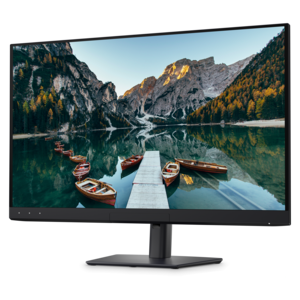
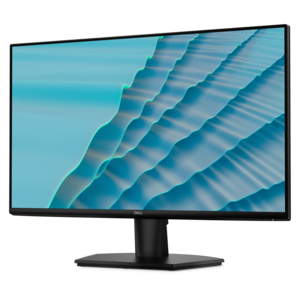
A 27-inch monitor with TÜV-certified eye comfort, 144Hz refresh rate, low blue light, and compact design.
Elevate your virtual flying experience to new heights with our comprehensive range of flight simulator upgrades. Designed to enhance the realism and performance of your flight simulation setup, these premium enhancements cater to both novice pilots and seasoned aviation enthusiasts. Whether you're looking to improve your hardware, software, or accessories, our selection of flight simulator upgrades offers everything you need to create a more immersive and responsive cockpit environment. Discover the best tools to refine your skills and enjoy a truly captivating flight simulation journey.
A 27-inch monitor with TÜV-certified eye comfort, 144Hz refresh rate, low blue light, and compact design.
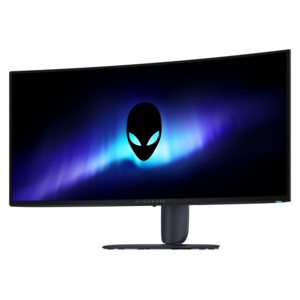
An ultrawide QD-OLED gaming monitor with 280Hz refresh, Penta Tandem technology, and vibrant RGB stripe color.
A color-critical 4K QD-OLED monitor with DisplayHDR True Black 500, anti-glare coating, and built-in colorimeter.
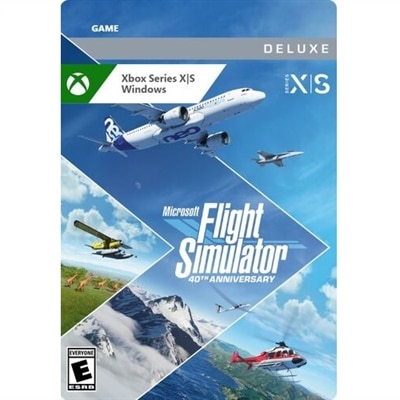
Flight simulator upgrades can transform a familiar virtual cockpit into a more responsive, immersive, and personal flying environment. For some users, the best place to begin is with a software edition upgrade that expands the available aircraft, airports, missions, or visual detail. Others may prefer downloadable aircraft and scenery add-ons that focus on a favorite type of flying, from short regional hops and general aviation routes to long-distance airline operations. Enhanced scenery can add recognizable terrain, detailed runways, and more atmospheric approaches, while specialized aircraft can introduce new systems, cockpit layouts, and performance characteristics to learn. Before choosing an upgrade, check the required platform, operating system, storage space, and available memory. A capable desktop or laptop with a suitable graphics processor can help maintain smooth frame rates, particularly when detailed airports, dense urban areas, weather effects, and multiple displays are used together. A monitor with a sharp resolution, generous screen size, or curved design can also broaden the view across the instrument panel and outside scenery. For users who move between a home office and another room, a laptop offers flexibility, while a desktop may provide more room for expanded graphics performance, additional USB connections, and future accessories. Thinking about the kind of flying that feels most engaging helps keep an upgrade practical: a casual pilot may value easier setup and broader scenery, while a dedicated enthusiast may prioritize detailed aircraft systems, realistic controls, or a cockpit layout that can grow over time.
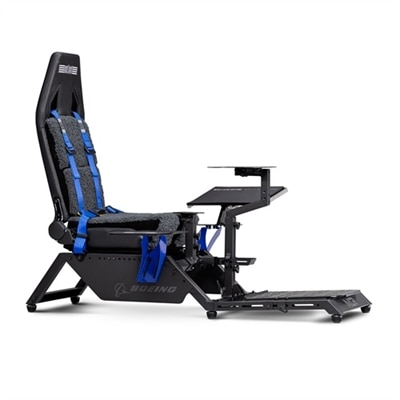
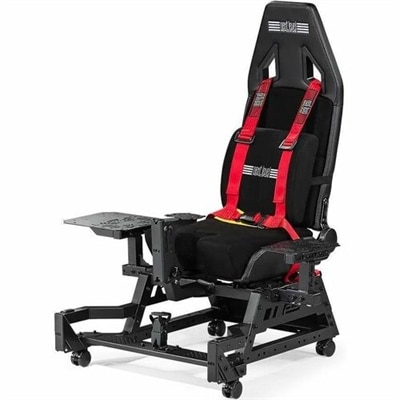
Physical controls are among the most noticeable flight simulator upgrades because they replace small keyboard movements with deliberate, tactile input. A flight yoke or joystick can make pitch and roll feel more natural, while a throttle control gives each engine or power setting its own physical range. Expanded throttle quadrants may also include controls for flaps, mixture, propeller pitch, or other frequently adjusted functions, reducing the need to reach for a keyboard during takeoff, approach, and landing. Rudder pedals add another layer of control for coordinated turns, taxiing, crosswind correction, and directional steering on the ground. Switch panels and button boxes can place landing gear, lights, trim, autopilot, engine start, and radio functions within easy reach, helping the desktop feel more like a working flight deck. Compatibility deserves careful attention: confirm whether each accessory supports the chosen PC or console platform, whether it connects through USB or another interface, and whether the simulator recognizes all available controls. A crowded desk can make even excellent equipment uncomfortable, so measure the available surface and consider mounting options, cable routing, adjustable stands, and storage between sessions. The Flight Simulator Cockpit Accessories category can help shoppers compare the types of controls and add-ons used to build a more complete setup. A modular approach is often the most comfortable path. Starting with one primary control, then adding pedals, a throttle, or a monitor as habits develop can make the experience feel intentional rather than overwhelming. It also allows a setup to serve more than one simulator or aircraft style, whether the user prefers a single-engine cockpit, a commercial flight deck, or relaxed sightseeing above detailed landscapes.
Flight simulator upgrades can suit a wide range of users, from someone discovering aviation through a home computer to an experienced virtual pilot who has spent many evenings refining approaches and practicing instrument procedures. They can also make thoughtful gifts for aviation enthusiasts, students exploring potential careers, and families looking for an interactive activity during cooler months when more time is spent indoors. A beginner may appreciate straightforward controls and a clear desktop arrangement, while a more experienced user may enjoy equipment that supports finer adjustments and a higher degree of cockpit realism. Consider ergonomics as closely as technical specifications. Hands should rest comfortably, controls should remain stable during use, and the monitor should sit at a height that avoids neck strain during longer flights. Headsets, speakers, webcams, and other computer accessories can complement the experience, but they should fit the available ports and workspace without creating unnecessary clutter. It is also useful to review software mapping options, firmware requirements, included cables, and the number of simultaneous inputs supported by the computer or console. For households with shared spaces, compact or detachable accessories may be easier to store; for a permanent setup, a dedicated desktop, wide monitor, and organized control layout can create a convincing cockpit feel. The most satisfying upgrade is rarely the one with the longest feature list. It is the one that matches the pilot’s preferred aircraft, available room, technical setup, and time for learning. With the right combination of software, display, and responsive controls, routine practice flights can become memorable journeys, from a quiet sunrise departure over familiar terrain to a carefully managed arrival through changing weather.
Add the products you would like to compare, and quickly determine which is best for your needs.