$149.99
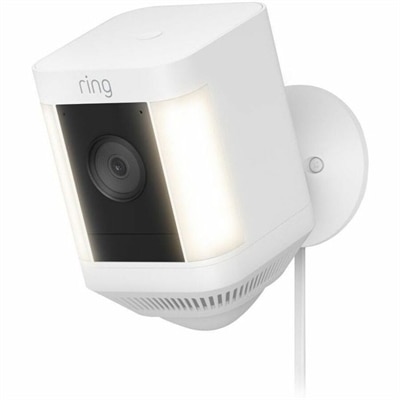
A white outdoor security camera with 1080p HD video, built-in spotlights, motion alerts, and two-way talk.
Full HD webcams offer a reliable solution for clear, vibrant video calls, online meetings, and content creation. Whether you're connecting with colleagues, friends, or followers, these webcams help ensure you look your best in every frame. Explore a wide selection of full HD webcams designed to enhance your virtual presence and deliver a smooth visual experience across all your favorite platforms.
A white outdoor security camera with 1080p HD video, built-in spotlights, motion alerts, and two-way talk.
An intelligent 4K webcam delivering vibrant, full-spectrum clarity for secure, next-level collaboration.
A Full HD conferencing monitor with built-in webcam, speakers, and microphone for seamless everyday collaboration.
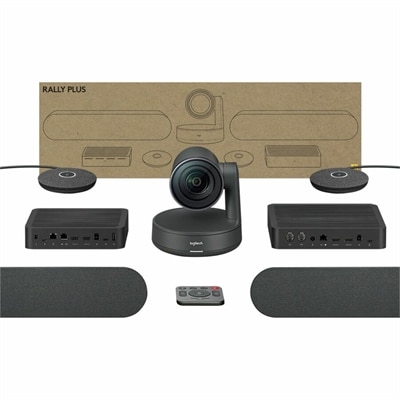
A 1080p conference camera with full-duplex speakerphone audio, autofocus, remote pan-tilt-zoom, and echo cancellation.
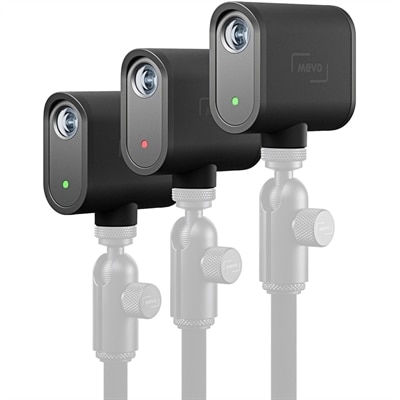
A three-camera black webcam kit delivering 1080p streaming, 12-megapixel capture, USB-C connectivity, and smartphone control.
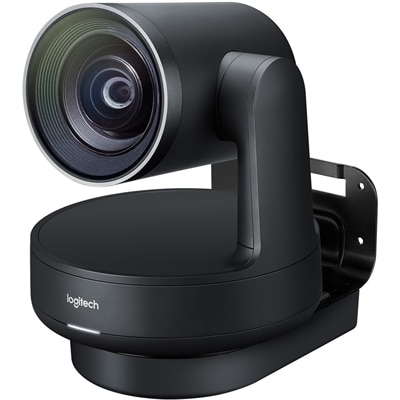
A matte-black Ultra HD PTZ camera with 4K imaging, 15X zoom, 90° coverage, and automatic framing.
Full HD webcams are designed to make everyday video communication look clearer, more natural and more professional, whether you are joining a work meeting, attending an online class, catching up with family or creating video content at home. A Full HD webcam typically captures video at 1920 x 1080 resolution, also known as 1080p, giving viewers a sharper image than standard 720p cameras. That extra detail can make facial expressions easier to see, text on a nearby whiteboard more legible and presentations feel more polished. For remote workers, a webcam can help create a more engaging presence during calls, especially when the built-in camera on a laptop produces a soft, grainy image. Students can use one for virtual lessons, tutoring and study groups, while streamers, hobbyists and content creators may appreciate the flexibility of positioning a separate camera above a monitor or on a tripod. A webcam can also be a thoughtful gift for someone starting a new remote role, taking online courses, building a streaming setup or staying connected with loved ones from a distance. When comparing options, begin with true 1080p resolution, then consider the camera’s image processing, lens quality and performance in the lighting available in the intended space. Resolution alone does not determine image quality. A camera with automatic light correction can help balance a bright window, a dim office or uneven illumination from a desk lamp, reducing harsh shadows and helping the subject remain visible as natural light changes during the day. A physical privacy shutter or lens cover adds a simple layer of reassurance by blocking the camera when it is not in use. Some webcams also include indicator lights that show when the camera is active, making it easier to understand when video is being captured. For shoppers who want a computer with an integrated camera rather than a separate accessory, Laptops With HD Webcam can offer a convenient all-in-one approach for calls, classes and everyday communication.
The webcam’s field of view is another important consideration because it determines how much of the surrounding space appears in the frame. A narrower view, often around 58 degrees, can keep attention on one person and work well at a desk where the camera sits close to the user. A wider field of view, often around 78 degrees or more, may be useful for showing a second person, a small presentation area, a whiteboard or more of a creative workspace. Wider framing can be helpful for demonstrations and group calls, but it may also reveal more of the room, so placement and background remain important. Think about where the webcam will sit before choosing a lens angle. A monitor-mounted camera is typically positioned at eye level, which creates a more natural perspective than a camera placed far below the face. Adjusting the screen or raising the webcam slightly can help avoid an unflattering upward view and can make conversation feel more direct. A stable mounting clip is valuable for keeping the image level, while a tripod-compatible design provides additional flexibility for a standing presentation, craft demonstration or recording session. Many webcams are plug and play, allowing them to connect through USB without complicated setup. USB-A remains a familiar choice for a broad range of desktop computers and laptops, while USB-C can be convenient for newer systems and may reduce the need for an adapter. Before purchasing, check the available ports on the computer and consider cable length if the display or desk setup is spacious. It is also worth confirming compatibility with the video calling, conferencing or streaming software that will be used most often. Most modern webcams work with widely used platforms, but a quick review of operating system requirements and software features can help avoid surprises.
Audio quality can make as much difference as video quality during a call. Built-in microphones are convenient for casual meetings, online appointments and family conversations, particularly when they include noise reduction that helps soften keyboard clicks, air conditioning and other everyday background sounds. In a busy home office or shared room, however, a headset or dedicated microphone may provide more consistent voice clarity. When evaluating a webcam’s microphones, consider whether they are designed to capture sound from a single user at close range and whether the camera includes automatic mute or microphone controls. A privacy shutter protects the lens but does not always disable the microphone, so users who want complete privacy should also check the computer’s microphone settings or use a separate mute control. Lighting remains one of the easiest ways to improve results. Place a soft light in front of the user rather than directly behind them, and avoid sitting with a bright window at your back unless the webcam has strong exposure adjustment. A small lamp positioned slightly to the side can add dimension without creating strong glare, while a tidy, uncluttered background keeps attention on the conversation. During warmer weather or the cooler months, webcams can support flexible routines that move between a home office, guest room, kitchen table or shared workspace. They are useful for daily check-ins, interviews, virtual appointments, creative projects and long-distance conversations, with Full HD detail helping each setting feel more connected. The best choice balances resolution, light correction, field of view, privacy features, microphone performance, connection type and mounting flexibility with the way the webcam will actually be used.
Add the products you would like to compare, and quickly determine which is best for your needs.