Gaming PC Upgrades
Unlock new levels of performance and immersion with gaming PC upgrades designed to elevate your experience. Whether you’re aiming for smoother gameplay, faster load times, or enhanced visuals, the right components can make all the difference in your setup. Discover a wide selection of options tailored to meet the demands of every gamer, from casual players to dedicated enthusiasts. Take your system to the next level and enjoy more responsive, powerful gaming with expertly chosen gaming PC upgrades.
This product is not available
Check out the following recommendations.




Gaming PC Upgrades
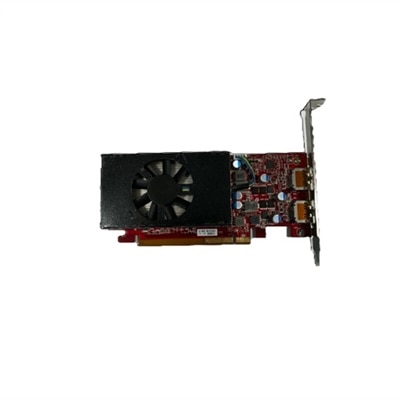
Gaming PC upgrades can refresh the way a familiar system feels, whether the goal is smoother gameplay, shorter loading screens, sharper visuals, or a more comfortable setup for longer sessions. The best upgrade depends on the parts already inside the computer, the games being played, the display resolution, and the performance target. For many players, the graphics card delivers the most noticeable change because it has a direct effect on frame rates, image quality, lighting, textures, and support for advanced rendering features. A stronger graphics card can make it possible to move from basic visual settings to higher presets or from standard high-definition gaming to a sharper 1440p experience, but compatibility matters before making a choice. Check the available space inside the case, the required power connectors, the recommended power supply capacity, and the outputs needed for the monitor. It is also important to compare the graphics card with the processor already installed. A major graphics upgrade paired with an older processor may not reach its full potential in every game, particularly at lower resolutions where the processor has more influence. A fast NVMe solid-state drive is another practical improvement, especially for a PC that still relies on a traditional hard disk or an older solid-state drive. It can shorten system startup, reduce game loading screens, and make large applications feel more responsive. Before installation, confirm that the motherboard includes the correct M.2 slot and supports the drive’s interface, then plan for operating system migration or a fresh installation if needed. Keeping adequate free capacity also helps maintain consistent performance, since a nearly full drive can be less convenient to manage. These upgrades suit dedicated players, streamers, and creative users who want one desktop to handle gaming, recording, editing, and everyday work without feeling sluggish.
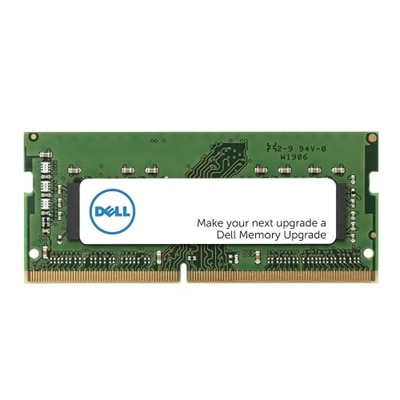
Memory upgrades are often among the simplest ways to improve a gaming PC’s flexibility. Moving from 16GB to 32GB can help reduce stuttering when a game runs alongside voice chat, a browser, recording software, or other background applications. The correct memory must match the motherboard’s generation, supported speed, form factor, and maximum capacity. Desktop memory and laptop memory are not interchangeable, and mixing modules with different specifications may prevent the system from operating at its best. Check the existing configuration before purchasing, including the number of occupied slots and whether the computer uses DDR4 or DDR5. Installing matched modules is generally a straightforward path to stable dual-channel performance, but the computer should be powered down, unplugged, and handled carefully to avoid static discharge. The power supply deserves equal attention whenever a graphics card or other high-performance component is added. Its wattage, efficiency rating, physical dimensions, cable connections, and age should all be considered; a system that starts reliably with its original configuration may need more electrical headroom after an upgrade. A graphics card that requires a particular connector should never be forced into an incompatible cable, and a power supply should not be selected solely by the number printed on the box. Cooling is another part of the performance picture. Additional case fans, a more capable CPU cooler, or improved airflow can help components maintain their intended speeds during long gaming sessions, while regular dust removal keeps vents and filters from becoming blocked. Compatibility checks are especially valuable for compact desktops, where graphics card length, cooler height, and cable routing can limit the available options. Players building a system around competitive titles may prioritize consistent frame rates and low latency, while those who enjoy open-world adventures or visually demanding releases may place greater emphasis on graphics capability, capacity, and quiet cooling. For portable gaming and work setups, browse Laptop Upgrades to consider memory, drive, display, and accessory options designed for compatible notebooks.
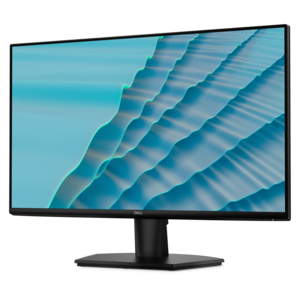
A gaming PC upgrade can also extend beyond the components inside the case. A monitor with a higher refresh rate can make fast movement look cleaner and give competitive players a more immediate view of on-screen action, while a sharper resolution or wider display can add detail and immersion to exploration-heavy games. Match the monitor to the graphics card so the computer can consistently drive the chosen resolution and refresh rate; an impressive display may be underused if the system cannot produce enough frames. A comfortable keyboard and responsive mouse can improve control, and a gaming headset can make directional audio easier to follow while keeping communication clear during cooperative play. A suitable webcam, microphone, or controller may be useful for people who stream, record gameplay, or switch between genres. Accessories can be thoughtful gifts for a college student settling into a new room, a family member updating a well-used desktop, or a player preparing a shared gaming space during the cooler months. The most useful gift is usually based on the recipient’s habits: someone who plays at a desk may appreciate a monitor or input device, while a frequent traveler may benefit from a compact accessory or compatible laptop enhancement. Before giving a component, discreetly confirm the recipient’s computer model and existing specifications, since even an attractive upgrade may not fit every system. It helps to write down the processor, graphics card, memory type and capacity, motherboard model, power supply details, available expansion slots, and display connection before comparing options. Consider the complete experience rather than one benchmark number: quieter operation, reliable cooling, faster loading, comfortable controls, and a screen that suits the player’s favorite games can matter as much as peak frame rates. With careful compatibility checks and a clear performance goal, gaming PC upgrades can make a trusted setup feel fresh again, support new ways to play, and provide useful improvements that remain enjoyable across long evenings and changing seasons.
FAQs:
For most gaming PCs, upgrading the graphics card (GPU) provides the most noticeable improvement in performance, particularly for higher resolutions and demanding modern games. However, it’s important to ensure your CPU and power supply can support a new GPU to avoid any performance bottlenecks.
To determine if your CPU will bottleneck a new GPU, you can use a cpu upgrade checker or online compatibility tools. Compare your current processor’s performance with the requirements of the graphics card you intend to install. If your CPU is several generations old or struggles with current games, an upgrade may be necessary for optimal performance.
Upgrading to an NVMe SSD can drastically reduce game load times, speed up system boot, and improve overall responsiveness. This is especially beneficial for open-world games with large assets and frequent loading screens, making the gaming experience smoother and more enjoyable.
While 16GB of RAM is sufficient for most modern games, upgrading to 32GB can be beneficial for users who multitask, stream, or run background applications while gaming. It also helps future-proof your system as games and software become more demanding.
Absolutely. Upgrading to a high-refresh-rate monitor can provide smoother visuals, while mechanical keyboards and precision mice offer improved control and comfort. These accessories can significantly enhance gameplay, especially for competitive gamers seeking every advantage.