Gigabit Ethernet SFP Modules
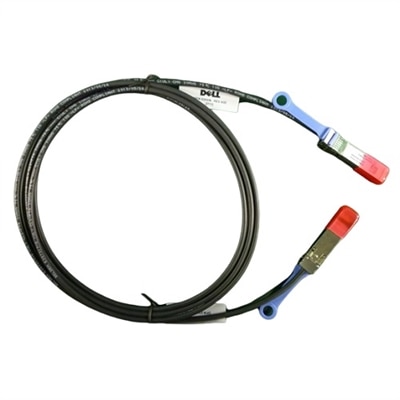
Gigabit Ethernet SFP modules provide a reliable and flexible solution for expanding network capabilities across a wide range of environments. Designed to support high-speed data transmission, these modules make it easy to optimize connectivity and streamline network infrastructure. Whether upgrading an existing setup or building a new network, gigabit ethernet SFP modules help ensure seamless communication between devices while supporting future growth. Explore options that fit your networking needs and experience enhanced performance with the right gigabit ethernet SFP modules.
This product is not available
Check out the following recommendations.




Gigabit Ethernet SFP Modules
Computer accessories help laptops and desktops fit the way a workspace is actually used, whether that means a quiet corner for focused writing, a shared desk for household tasks, or a dedicated setup for creative projects. The most useful additions address a clear need: a monitor that gives documents more room, a keyboard that feels comfortable through extended typing, or a compatible adapter that connects an existing peripheral. Compatibility begins with the exact computer model and the specifications of its ports, not simply the shape of a connector. Two ports that look alike may support different functions, and an accessory that fits physically may still require a particular operating system, driver, or power connection. For a laptop carried between rooms or locations, compact dimensions and manageable cable lengths can matter as much as functionality. A desktop that stays in one place may benefit more from accessible connections, secure cable routing, and accessories that do not crowd the keyboard or mouse. Picture the everyday routine: setting a laptop beside a monitor in the morning, plugging in a headset before a meeting, and clearing space for a notebook in the afternoon. Each accessory should make those transitions easier without adding unnecessary clutter. Materials also influence how a product suits that routine. A metal enclosure can feel sturdy and may help dissipate heat, while a well-designed plastic housing can reduce carrying weight. Neither material alone establishes durability; connector construction, cable strain relief, assembly quality, and the intended operating environment deserve equal attention. Compact accessories can be convenient for travel, but their smaller size sometimes leaves less room between adjacent connections. Checking dimensions and connector placement helps avoid a setup in which one attached cable blocks another port. Product specifications are particularly important when matching an accessory to specialized software or a particular display configuration. A clear match between the computer, the accessory, and the intended task is more useful than a long list of features that will rarely be used.
Monitors, keyboards, mice, and headsets shape the parts of a computer setup that people interact with most often. For monitors, screen size should be considered alongside resolution, desk depth, and comfortable viewing distance. A large display can provide useful room for comparing documents or arranging several application windows, but it needs enough space to remain comfortable to view. Higher resolution can make text and images look more detailed, although operating system scaling may be needed to keep menus and labels comfortably readable. Someone reviewing photographs may place greater importance on color performance, while someone working mainly with spreadsheets may prioritize clear text, an adjustable stand, and room for multiple columns. Refresh rate and response characteristics can matter more for fast-moving entertainment, but those specifications should be considered with the capabilities of the connected computer. Monitor connections, supported resolutions, and cable requirements need to align across the whole setup. A display with an adjustable stand offers flexibility as seating positions change, and a compatible mounting option can free desk space when the desk and mounting hardware support the installation. Keyboards and mice deserve similarly practical consideration. A compact keyboard leaves more room for mouse movement, while a full-size layout provides a dedicated number pad for frequent numerical entry. Key spacing, key travel, and the force required to press a key contribute to typing feel, so personal preference remains important. Mouse size and shape should suit the hand and the available surface rather than being chosen by appearance alone. A headset for regular conversations should balance intelligible microphone pickup with comfortable ear cushions and convenient controls. In a shared room, a microphone designed to reduce background pickup may help make speech clearer, though results depend on placement and the surrounding noise. For students, remote workers, creative hobbyists, and people managing everyday household tasks, these details can make a desk feel more coherent. Accessories can also be thoughtful gifts when the recipient’s computer model, preferred layout, and existing setup are known. When those details are uncertain, physical fit and technical compatibility warrant checking before choosing something that depends on a specific connection.
Care and placement help computer accessories remain dependable through everyday use. Cables should have enough slack to reach their connections without pulling against a laptop or hanging under tension from a desktop port. Routing them away from chair wheels, sharp desk edges, and frequently opened drawers reduces avoidable wear. At a frequently rearranged desk, disconnecting a cable by holding its plug rather than pulling its cord helps protect the connection. A carrying sleeve or separate compartment can keep portable accessories from rubbing against keys and other hard objects inside a bag. Protective caps and cases, where supplied, should be retained for transport. Cleaning methods depend on the product and its finish, so manufacturer care instructions take precedence over a general routine. A soft, lint-free cloth is often suitable for removing surface dust, while screens and coated surfaces may require more specific treatment. Spraying liquid directly onto electronics can allow moisture to enter seams or openings; any permitted cleaning solution should be applied as directed. Ventilation matters as well. Powered accessories and computers need the clearance specified for their design, and heat-producing components should not be covered by papers or tucked into tightly packed fabric compartments during use. Durability is best assessed through the conditions an accessory is designed to withstand, rather than assumptions based on weight or appearance. Frequent travelers may value protected connectors and a cable that packs neatly, while a permanent desk setup may call for a stable base and easily reached controls. Intended use also determines which features deserve attention over time. A lightweight mouse may be convenient in a laptop bag, but a comfortable grip can be more important during a full day at a desk. A small adapter may solve an occasional connection need, while regular use calls for careful attention to supported functions and cable placement. Matching accessories to real habits, checking compatibility, and allowing room for comfortable operation creates a workspace that is practical to use and straightforward to maintain.
FAQs:
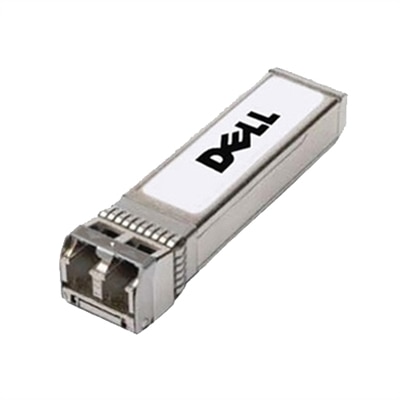
A Gigabit Ethernet SFP module is a compact, hot-swappable transceiver that plugs into the SFP port of a compatible network device such as a switch or router. It converts electrical signals from the host device into optical signals for fiber connections or electrical signals for copper connections, enabling flexible and scalable 1 Gbps network links over various distances and media types.
The choice between multimode and single-mode SFP modules depends on the distance and type of cabling in your network. Multimode fiber (MMF) SFP modules, such as 1000BASE-SX, are ideal for short-range connections within buildings, while single-mode fiber (SMF) modules like 1000BASE-LX, EX, or ZX are designed for longer distances, often spanning several kilometers. Always match the module to your existing fiber type for optimal performance.
Yes, many network switches and routers with SFP ports support both copper and fiber SFP modules simultaneously. Copper SFP modules use standard RJ45 connectors and Cat5e/Cat6/Cat6a cables for short-range Ethernet connections, allowing you to mix and match module types in the same device to suit your network’s layout and requirements.
SFP modules are hot-swappable, which means you can insert or remove them from compatible devices without powering down the switch or router. This feature allows for quick upgrades, replacements, or troubleshooting without disrupting the entire network, making maintenance more efficient and less invasive.
When planning for future network needs, consider investing in high-density fiber modules for network scaling and ensure your equipment supports higher-speed transceivers. If you anticipate increased bandwidth demands, look for switches with support for 10GbE SFP+ modules, and explore options like 10GbE SFP+ Transceivers for a seamless upgrade path.