Gigabit Wireless Access Points
Gigabit wireless access points deliver seamless connectivity for homes and businesses seeking fast, reliable network performance. Designed to support the increasing demands of modern devices, these solutions make it easy to expand coverage and enhance productivity across your space. Explore a range of gigabit wireless access points that help create a strong, consistent connection for streaming, collaboration, and everyday online activities.
This product is not available
Check out the following recommendations.
Related Products
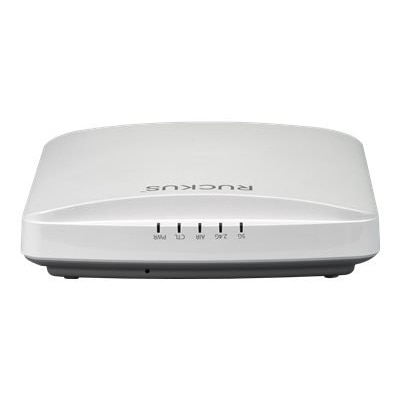
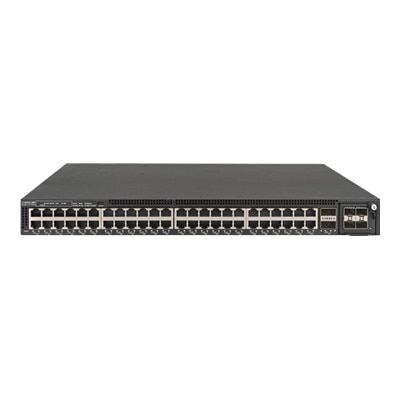
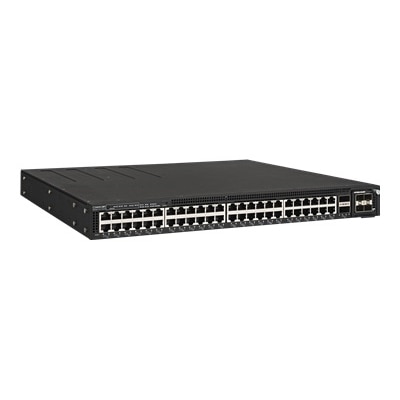
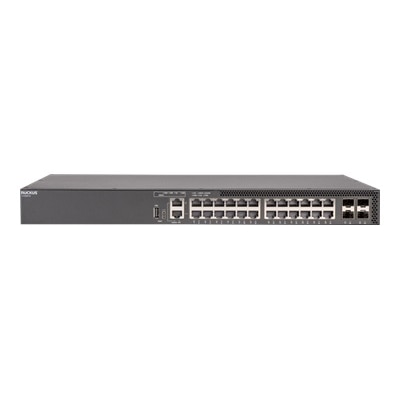
Gigabit Wireless Access Points
Gigabit wireless access points are designed for homes, offices and workspaces that need dependable Wi-Fi performance across multiple rooms, users and connected devices. Unlike a basic wireless router placed beside a modem, an access point can be positioned where coverage is needed most, helping extend a wired internet connection into bedrooms, meeting rooms, studios, classrooms or areas separated by thick walls. The term “gigabit” generally refers to the high-speed capacity of the wireless connection or the wired Ethernet uplink, although actual results depend on the internet plan, connected device, distance, building materials and the number of people sharing the connection. A full-gigabit internet plan can support smooth video meetings, high-resolution streaming, cloud applications, online gaming and large file transfers, but the access point should be selected as part of the entire setup rather than as an isolated speed upgrade. Check the Ethernet port carefully: a basic Gigabit Ethernet port may be adequate for many 1 Gbps connections, while a 2.5 GbE or faster uplink can help prevent a wired bottleneck when internet service exceeds 1 Gbps or when several wireless users are active at the same time. Wi-Fi generation is another important consideration. Wi-Fi 6 access points are well suited to busy homes and small offices because they manage many simultaneous connections more efficiently than older standards, while Wi-Fi 7 models can offer greater capacity, lower latency and additional room for newer devices. Compatibility is generally straightforward because newer access points support earlier Wi-Fi generations, though older laptops, phones and printers will not receive every benefit available from the latest standard. For a household where one person works from a home office, another streams in the living room and smart devices remain connected throughout the day, a modern access point can make coverage feel more consistent and reduce the need to move close to the main router.
The physical design and installation method matter just as much as advertised wireless speeds. Dual-band access points use the 2.4 GHz and 5 GHz bands, with 2.4 GHz offering broader reach through walls and 5 GHz typically providing faster performance nearby. Tri-band models add another wireless band, which can be useful in crowded homes, shared workspaces or small businesses with many active devices. A newer band does not automatically make every connection faster, so consider the capabilities of the laptops, desktops, phones and other accessories that will connect to it. Placement has a noticeable effect: mounting an access point in an open, central location at a moderate height is often more effective than hiding it behind a television, inside a cabinet or near large metal objects. For larger spaces, multiple access points can create broader coverage, provided they are planned with sensible overlap and connected through a reliable wired backhaul when possible. Many professional models use Power over Ethernet, or PoE, which carries power and data through one Ethernet cable. This can simplify installation on a ceiling or wall where a nearby electrical outlet is unavailable, but it may require a compatible PoE switch or a separate PoE injector. Confirm the power standard before purchasing, since PoE, PoE+ and other variations are not interchangeable in every setup. Also review management options. A local setup may appeal to someone who prefers direct control, while a cloud-managed system can make it easier to monitor several access points, create guest access, apply updates and review connected devices from a browser or mobile application. Security features such as current wireless encryption, automatic firmware updates, guest network support and separate access for smart-home devices are valuable for both personal and professional use. Before choosing, take inventory of your existing equipment, including the modem, router, Ethernet cabling, switch and available power source. Cat 5e cable can support many gigabit connections, while newer multi-gigabit plans may benefit from higher-rated cabling and compatible ports throughout the setup.
These products are a practical choice for people who have outgrown a single-router arrangement, especially households with dead zones, remote workers who rely on steady video calls, gamers who need responsive connections, or small offices where employees share cloud applications and wireless peripherals. They can also help in renovated homes, converted garages and older buildings where thick walls make it difficult for one wireless device to reach every room. A thoughtful setup can make everyday routines less frustrating: a laptop remains connected while moving from a desk to a kitchen table, a streaming device avoids frequent pauses, and guests can use a separate connection without gaining access to work files or personal devices. For an office, look for capacity suited to the expected number of users, support for multiple wireless bands, centralized management and a wired uplink that matches the speed of the broader system. Businesses with dense meeting spaces or regularly changing visitors may benefit from features that distribute connections more efficiently and provide easy guest access. For a home, prioritize stable coverage, straightforward installation and compatibility with the devices already in use rather than choosing solely by the highest theoretical speed. Those comparing options for a workplace can also browse Office Wireless Access Points to explore access points intended for professional environments. As cooler months bring more time indoors, reliable wireless coverage becomes especially useful for shared entertainment, online learning, telework and connected household routines. The best choice is the one that fits the space, supports the available internet service, works with existing equipment and leaves enough capacity for the devices likely to be added over time.
FAQs:
When selecting a gigabit wireless access point for a home office, consider features such as dual-band or tri-band support for optimal performance, Power over Ethernet (PoE) for flexible placement, MU-MIMO technology for multiple device connectivity, and centralized management options for easy network configuration. These features help ensure strong, stable connections and simplify setup and maintenance.
A gigabit wifi access point enhances network performance by supporting higher data transfer speeds, reducing congestion, and enabling more devices to connect simultaneously without slowdowns. Advanced technologies like MU-MIMO and beamforming help distribute bandwidth efficiently, making these access points ideal for environments with heavy network usage, such as offices or shared living spaces.
Yes, there are gigabit wireless access points specifically designed for outdoor use. These models often feature weather-resistant enclosures and extended range capabilities, making them suitable for providing high-speed wireless coverage to patios, gardens, or outdoor work areas.
Centralized management allows you to control, configure, and monitor multiple wireless access points from a single interface. This is especially beneficial for larger homes or offices with several access points, as it streamlines network updates, security settings, and troubleshooting, ensuring a seamless and efficient wireless experience throughout the entire space.
A gigabit wireless access point makes a thoughtful gift for remote professionals, students, tech enthusiasts, or anyone looking to upgrade their home or office network. It’s especially useful for those who rely on fast, reliable internet for work, study, gaming, or streaming across multiple devices.