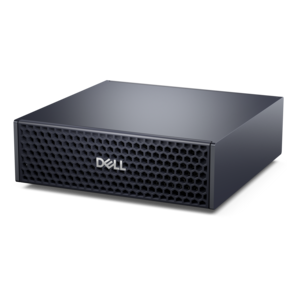
$5903.00
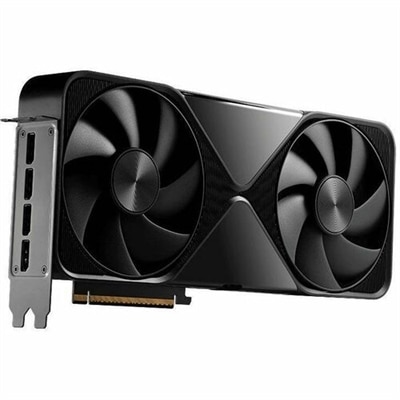
A compact AI accelerator delivering powerful local inferencing, AI development, and versatile edge performance.
Unlock the potential of your computing experience with cutting-edge GPU technology, a cornerstone for enhancing graphics performance and enabling seamless multitasking. Whether you're diving into the latest video games, creating stunning digital content, or optimizing data-intensive applications, GPUs are crucial for delivering high-quality visuals and accelerating processing power. Explore a range of options tailored to meet diverse needs, ensuring your system runs smoothly and efficiently. Embrace the future of digital innovation with advanced GPU technology that supports your most demanding tasks with ease.
A compact AI accelerator delivering powerful local inferencing, AI development, and versatile edge performance.
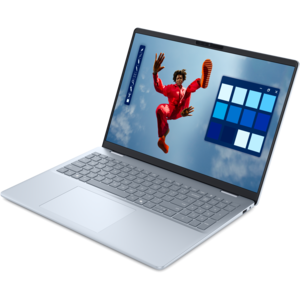
A spacious-display laptop with built-in AI and Intel Arc graphics for creative and development workflows.
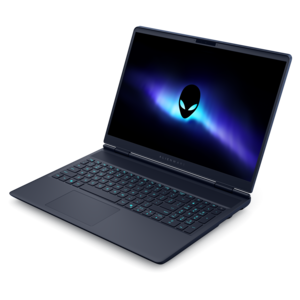
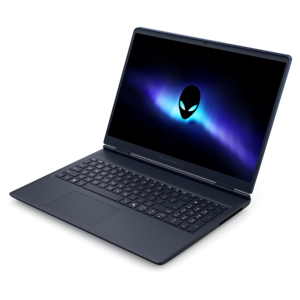
A streamlined gaming laptop delivering powerful performance with NVIDIA GeForce RTX 50 Series graphics.
GPU technology plays a central role in the way modern computers create, process and display visual information. A graphics processing unit, or GPU, is a specialized processor designed to perform many calculations at the same time. This parallel design makes it well suited to rendering game environments, editing high-resolution video, building 3D scenes, enhancing photos, supporting artificial intelligence features and driving multiple displays. A central processing unit, or CPU, is built to handle a broad range of general instructions, often in a more sequential manner. A GPU complements the CPU by taking on workloads that involve large collections of similar operations, such as calculating the color and position of millions of pixels across a screen. Some computers use integrated graphics built into the main processor, while others include a discrete GPU with dedicated processing resources and graphics memory. Integrated graphics can be a practical choice for everyday productivity, streaming, schoolwork and light creative tasks. A discrete GPU is generally better suited to demanding games, detailed design applications, advanced photo and video workflows, local artificial intelligence tools and other visually intensive software. The products collected in this category can help shoppers find a computer or display setup that matches the way they work, create, play and enjoy entertainment, whether that means settling into a favorite chair for an evening game, editing footage from a weekend outdoors or keeping several applications visible during a busy workday.
Several technologies contribute to GPU performance. Compute cores perform the mathematical operations used to shade objects, transform images and manage visual effects. Ray tracing hardware is designed to calculate the path of light, helping supported software produce more realistic reflections, shadows and illumination. Specialized AI processing resources can accelerate machine learning features, image enhancement and intelligent upscaling, which may reconstruct a sharper-looking image from a lower-resolution source while helping maintain a smooth frame rate. Graphics memory, often called VRAM, stores textures, models, frames and other data close to the GPU. More memory and greater memory bandwidth can be valuable when working with large creative files, high-resolution displays, detailed game settings or complex three-dimensional scenes, although performance depends on the full system rather than one specification alone. A GPU also works alongside system memory, the CPU, storage and the display, so balanced components matter. When comparing products, consider the applications you plan to use, the resolution and refresh rate of the monitor, the level of visual detail you prefer, and whether your work involves real-time rendering, color-sensitive editing or artificial intelligence acceleration. A compact laptop may emphasize portability and efficient power use, while a desktop can offer more room for cooling and sustained performance. Monitor features such as resolution, refresh rate, response time, adaptive synchronization and color coverage can make the results of GPU power easier to see. Check the computer’s operating system support, available ports, physical dimensions and power requirements as well, particularly when planning a multi-monitor workspace or replacing an older setup. Browsing options such as NVIDIA GPUs can provide another way to compare graphics-focused configurations within a broader selection of computing products.
GPU-enabled computers and accessories serve a wide range of people. A student may use a capable laptop for coursework, digital illustration, architecture software or a first step into game development, then connect it to a larger monitor at home. A remote professional may value smooth video meetings, fast photo adjustments and enough graphics capability to keep a spreadsheet, presentation and browser windows organized across two screens. A creative hobbyist might use GPU acceleration to trim clips, apply effects, experiment with animation or turn a collection of family photographs into a polished project. Players often look for a GPU that can maintain fluid motion and detailed environments at the resolution of their display, while creators may prioritize memory capacity, application compatibility and reliable performance during long rendering sessions. These products can also make thoughtful gifts for someone building a gaming corner, learning digital art or preparing a new home office, especially when the recipient’s software and display preferences are understood. During the cooler months, a well-planned setup can become a comfortable indoor workspace for exploring new skills, finishing creative projects or enjoying immersive entertainment. Regardless of the use, the most suitable choice is the one that fits the entire experience: the software, screen, desk space, portability needs, connectivity and comfort expectations that shape everyday use. A stronger GPU can make demanding tasks feel more responsive, but thoughtful matching helps ensure that its capabilities translate into practical value rather than unused performance. Examine the specifications for the workload, leave room for future applications when appropriate, and consider the complete computer or display environment to create a dependable visual experience for work, creativity and play.
Add the products you would like to compare, and quickly determine which is best for your needs.