$10.99
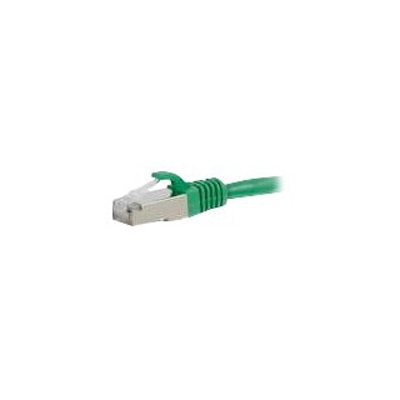
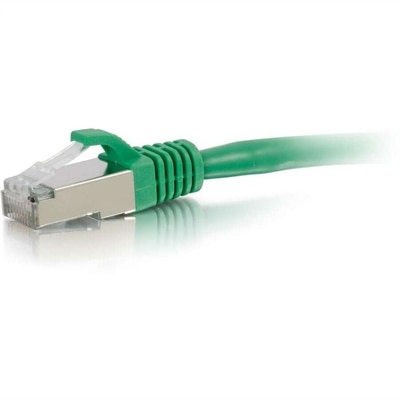
A green shielded Cat6 Ethernet patch cable with snagless design, EMI protection, and high-speed network performance.
Find green Cat6 Ethernet patch cables for wired connections to compatible desktops, laptops, and other devices with Ethernet ports. Compare cable lengths and product specifications to choose the right fit for your setup, with green coloring that helps distinguish these cables from others in your workspace.
A green shielded Cat6 Ethernet patch cable with snagless design, EMI protection, and high-speed network performance.
Green Cat6 Ethernet patch cables bring a recognizable color to wired connections for desktops, compatible laptops, and everyday computer accessories. Their green outer jackets make them easy to distinguish from black power cords and other cables behind a desk, helping a workspace stay understandable even when several devices share the same area. The color identifies the cable visually; it does not change its speed, compatibility, or electrical performance. Inside, a Cat6 cable uses four twisted pairs of conductors arranged to help limit interference and crosstalk, which is unwanted signal coupling between pairs. Category 6 specifications define performance up to 250 MHz, providing a useful baseline when comparing cable descriptions. Cat6 supports Gigabit Ethernet over a properly installed channel of up to 100 meters, including the fixed cabling and patch cords, while 10 Gigabit Ethernet may be supported over shorter channels, generally up to 55 meters depending on installation conditions and interference. These are category capabilities rather than a promise that every connected computer will reach those speeds. Actual performance also depends on the devices, adapters, connection settings, and the rest of the cable path. For a desktop used for video meetings, large file transfers, or online gaming, a wired connection can provide consistent performance without relying on wireless signal strength at the desk. A laptop without a built-in Ethernet port needs a compatible adapter or docking station with an Ethernet connection. Standard Cat6 patch cables typically have RJ45 connectors at both ends, so physical compatibility is determined by the port rather than the green jacket. The connectors also work with compatible Ethernet ports used by earlier cable categories, although the complete connection operates within the capabilities of its components. In a shared home office, using green for a particular computer or workstation can make it easier to follow that connection during cleaning, rearranging, or troubleshooting. This simple visual distinction is especially useful when a cable disappears behind a monitor stand and reappears beneath the desk.
Materials and construction influence how a green Cat6 Ethernet patch cable feels in use and how well it tolerates everyday handling. Copper conductors are an important consideration because conductor material affects resistance and electrical performance. Cables made with copper-clad aluminum are not equivalent to standards-compliant copper category cabling, even when their outer appearance is similar. Checking the stated conductor material helps separate a meaningful construction detail from a color or connector preference. Many patch cords use stranded copper conductors for flexibility, making them suitable for the short, curved routes between a computer and a nearby connection point. Solid-conductor cable is more commonly associated with fixed installations and is usually less accommodating of repeated movement. The outer jacket protects the insulated pairs from ordinary abrasion, but its material and rating still matter. PVC jackets are common for everyday indoor use; specialized installation environments may require different ratings, and a standard patch cord should not be assumed suitable for in-wall, outdoor, or exposed locations. A green jacket alone does not indicate weather resistance, flame performance, or environmental certification. Connector design adds another practical difference. A snagless boot helps protect the RJ45 retaining tab from catching on neighboring cords when the cable is moved, while molded strain relief reduces concentrated bending where the cable enters the connector. That protection can be useful beneath a desk where cords are occasionally repositioned, although a bulky boot may leave less finger room beside closely spaced ports. Slimmer cable profiles can be easier to route through a monitor arm or compact cable organizer, but conductor gauge, supported length, and application ratings should remain part of the comparison. Shielded and unshielded constructions also serve different needs. Unshielded twisted-pair cable is common in ordinary desk setups; shielded cable may help in electrically noisy settings when used with compatible equipment and appropriate grounding. Shielding is not an automatic speed upgrade. For everyday computer use, clear category specifications, sound connector construction, and a cable that fits its surroundings are more meaningful than a higher advertised frequency alone.
Length and routing help determine whether a patch cable becomes an unobtrusive part of the workspace or an awkward loop underfoot. The useful measurement follows the actual path from port to port, including the trip around a desk edge, down a cable tray, or behind a docking station. A little slack allows a laptop stand to shift or a desktop to move forward for access, but a long unused coil can make the area harder to clean and organize. When the connection points are close together, 3 Ft Cat6 Patch Cables offer a compact length to consider, provided the measured route leaves enough room for gentle bends and connector access. A longer route may be necessary for a sit-stand desk, where the cable must accommodate the full travel of the work surface without pulling against either port. Green can serve as a consistent visual marker across a workstation, making the desktop connection easy to distinguish from cords belonging to a printer, dock, or other accessory. Small labels at each end add clarity when several cables share the same color. Durability depends partly on avoiding preventable strain: tight knots, sharp folds, chair wheels, pinched doorways, and heavy furniture can damage the jacket or disturb the internal pair geometry. Loose curves and gently fastened reusable straps help preserve the cable’s shape without squeezing it. During disconnection, pressing the retaining tab and holding the connector body is preferable to pulling on the cord. Routine care is straightforward: disconnect the cable before cleaning, wipe the jacket with a soft, dry cloth, and keep moisture away from the contacts. A cracked jacket, loose connector, broken retaining tab, or recurring connection interruption warrants inspection and potentially replacement. For remote workers, students, and households with a dedicated computer area, the right length and construction support a tidy, dependable setup. The green finish contributes organization and a deliberate touch of color, while the underlying Cat6 specifications, copper conductors, connector fit, and careful routing do the practical work.
Add the products you would like to compare, and quickly determine which is best for your needs.