$16.99
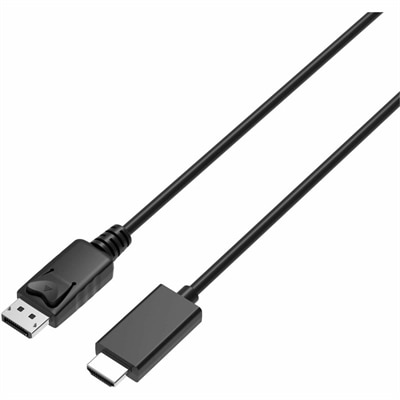
A 2-meter DisplayPort-to-HDMI cable delivering 4K resolution at 60Hz with backward-compatible HDMI support and plug-and-play connectivity.
Discover the perfect connection solution for your home entertainment and office setups with our extensive range of HDMI cables. Whether you're looking to enhance your gaming experience, improve your home theater system, or streamline your workspace, our selection offers a variety of options to meet your needs. HDMI cables are essential for transmitting high-quality audio and video signals between devices, ensuring seamless connectivity and optimal performance. Explore our collection to find the right cable that fits your requirements and enjoy crisp visuals and clear sound every time you plug in.
A 2-meter DisplayPort-to-HDMI cable delivering 4K resolution at 60Hz with backward-compatible HDMI support and plug-and-play connectivity.
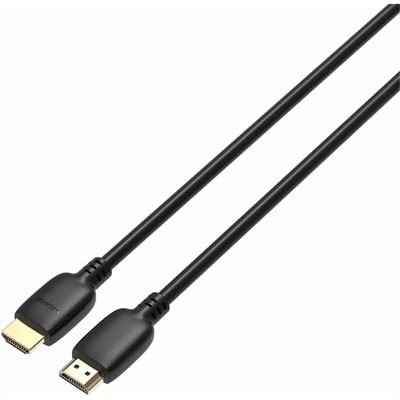
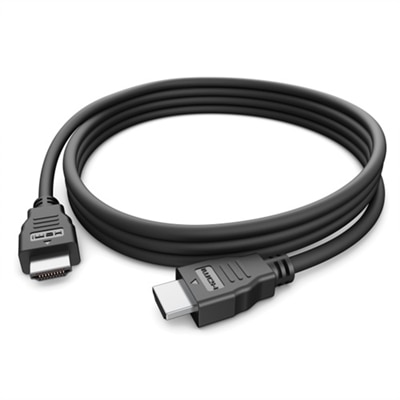
A high-speed HDMI cable delivering 48Gbps, 8K at 60Hz, 4K at 120Hz, HDR, and eARC.
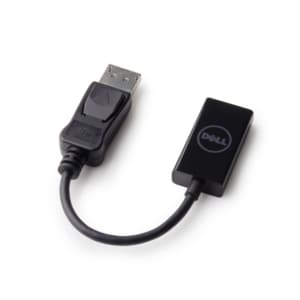
A DisplayPort-to-HDMI adapter delivering seamless 4K resolution at 60 Hz for compatible computers and monitors.
HDMI cables provide a simple way to carry digital video and audio between compatible electronics, helping create a clean connection with a single cable. They are commonly used with televisions, computer monitors, laptops, desktop computers, gaming consoles, streaming devices, Blu-ray players, soundbars and audio receivers. A cable can send a picture to a larger screen while also carrying sound, which reduces the number of wires running behind a desk or entertainment center. For a home office, an HDMI cable can connect a laptop or desktop computer to a monitor for a larger workspace, sharper text and more comfortable multitasking. In a living room, it can link a streaming device or disc player to a television for movies, shows and live programming. In a gaming setup, the right cable helps a compatible console and display work together at the resolution and refresh rate selected in the device settings. HDMI cables can also make thoughtful gifts for students setting up a dorm room, remote workers improving a workstation, families arranging a new entertainment area or anyone replacing a misplaced cable before a gathering. A spare is especially useful in households where electronics move between rooms, such as a laptop that sometimes connects to a desk monitor and sometimes to a television. For additional connection options and related components, explore HDMI Accessories.
Choosing an HDMI cable starts with the capabilities of the devices being connected. Standard HDMI connectors, also called Type A connectors, fit most televisions, monitors, desktop computers, laptops with full-size ports, gaming consoles and home theater equipment. Smaller Mini HDMI and Micro HDMI connectors are designed for select compact electronics, including certain cameras and tablets, so checking the port on both devices is important before placing an order. Adapters and other accessories can help with unusual port combinations, but a direct cable with the correct connectors is often the simplest arrangement. Next, compare the cable’s speed or bandwidth rating with the screen’s resolution and refresh rate. High-Speed HDMI cables can support many everyday setups, including Full HD and a range of 4K configurations, while Premium High-Speed HDMI cables are intended for more demanding 4K video with higher bandwidth requirements and features such as HDR when the connected equipment supports them. Ultra High-Speed HDMI cables offer up to 48 Gbps of bandwidth and are designed for advanced configurations such as 4K at 120Hz, 8K video and gaming features that require greater data throughput. The cable alone cannot create a higher resolution or refresh rate than the connected devices support, but choosing a cable with enough capacity helps prevent it from becoming the limiting part of the setup. Check the specifications for both the source device and display, paying attention to resolution, refresh rate, HDR support and gaming features. For a typical monitor used for documents, web browsing and video, a High-Speed option may be sufficient. A newer display paired with a high-performance computer or gaming console may benefit from Ultra High-Speed capability, particularly when smooth motion and low-latency features are priorities.
Length and construction also deserve attention. Measure the distance between the source device and the display, then allow enough room for gentle bends and cable management without leaving a tight pull on either connector. A short cable can keep a compact desk tidy, while a longer cable may be useful when a television is mounted on a wall or positioned across a room. Excess length can be coiled loosely and secured with a reusable tie; sharp bends, heavy furniture pressing on the cable and repeated pulling from the connector can lead to intermittent performance over time. Look for clearly stated specifications and recognized certification where available, especially when using 4K, high refresh rates or HDR. Certification does not mean a cable must be expensive, and a properly rated, certified cable can deliver the intended digital signal without paying extra for decorative features. HDMI sends digital information, so a more expensive cable does not automatically produce a clearer picture or richer sound than an affordable cable with the same verified capabilities. When a screen shows a black image, flickers, loses audio or drops the connection, begin with practical checks: make sure each connector is fully inserted, select the correct HDMI input, confirm that the source device is powered on, and test another port or cable if possible. Some advanced audio features, including Audio Return Channel and enhanced Audio Return Channel, require compatible ports on both connected devices and may need to be enabled in their settings. A well-matched HDMI cable can then help keep the setup straightforward, whether it is supporting a bright presentation on a monitor, a movie in a dimly lit room or a fast-moving game during the cooler months.
Add the products you would like to compare, and quickly determine which is best for your needs.