Imaging Solutions
Imaging solutions are essential for bringing clarity and precision to your digital workspace, whether you're focused on creative projects, professional presentations, or everyday tasks. Explore a range of options designed to support efficient workflows and enhance visual experiences across various applications. From high-resolution displays to versatile accessories, imaging solutions help you achieve optimal results in both home and office environments. Discover the tools that can elevate your productivity and streamline your imaging needs.
This product is not available
Check out the following recommendations.




Imaging Solutions
Imaging solutions bring together the computing power, displays, and compatible accessories used to capture, view, refine, and share visual information. In a home office, creative workspace, or small business, that can mean turning paper documents into readable digital files, preparing photographs for print, or reviewing detailed artwork on a larger screen. The right combination depends on what happens to an image after it is created. Family photographs need pleasing color and enough detail to preserve expressions and textures; product photography benefits from consistent lighting and accurate representation; architectural drawings require crisp lines and legible annotations. Laptops support image work that moves between locations, while desktops suit a more permanent workspace with room for larger displays and connected peripherals. Monitors give photographs, illustrations, and documents a dedicated viewing surface, making screen size, resolution, and color performance important parts of the overall experience. Resolution describes the number of pixels in an image or display, but it does not tell the whole story: sharpness also depends on screen dimensions, viewing distance, and the quality of the original file. A high-resolution photograph viewed on a small screen may reveal much more detail when opened at full size on a larger display. Likewise, a scanned receipt needs clear lettering more than dramatic color, while a portfolio image may depend on subtle differences between neighboring shades. Imaging equipment can support students assembling visual presentations, remote professionals sharing concepts, designers checking layouts, and households organizing years of photographs and paperwork. For a hobbyist, a thoughtfully chosen accessory can also make a useful gift, especially when its connections and software compatibility match an existing setup. Across these different uses, effective imaging is less about a single specification than about how comfortably each part supports the next, from the first captured image to the finished file, presentation, or printed page.
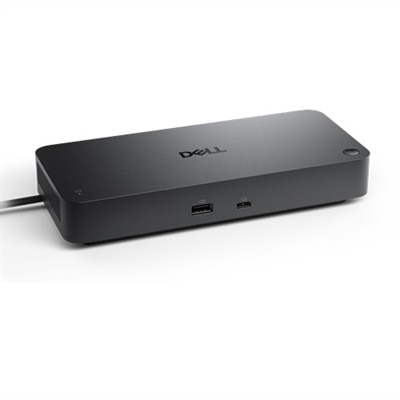
Display quality and computer performance shape much of the everyday experience with imaging solutions. A screen with ample workspace can keep an image, editing controls, and reference material visible together, reducing the need to switch constantly between windows. Higher pixel density can make fine text and delicate edges look smoother, although interface scaling may need adjustment to keep menus comfortable to read. For color-sensitive work, consider the color spaces supported by the display and the requirements of the intended output. Images prepared for everyday web viewing have different needs from photographs moving through a carefully managed print workflow. Broad color coverage alone does not guarantee accuracy; display settings, calibration, application support, and room lighting all influence the result. A matte screen surface can soften distracting reflections near a window, while adjustable brightness helps maintain comfortable viewing as daylight changes. Positioning the screen away from direct glare often makes more difference than simply increasing brightness. Physical fit matters, too. A large monitor needs sufficient desk depth for a comfortable viewing distance, and an adjustable stand can help align the screen with a relaxed seated posture. When connecting a laptop, check that the available ports, cable specifications, and any adapter or dock support the display resolution and refresh rate intended for use. Some connections can carry video and power together, but that capability depends on the equipment at both ends. The computer itself should suit the complexity of the work: reviewing documents places different demands on a system than editing layered photographs, processing batches of large images, or producing detailed three-dimensional visuals. Processor capability, memory capacity, graphics performance, and application requirements all deserve consideration. A portable computer may be easier to carry to a class or client meeting, while a desktop can provide a consistent place for longer editing sessions. Quiet operation, comfortable input accessories, and a layout that keeps frequently used controls within easy reach help make that workspace practical for sustained use rather than merely impressive on paper.
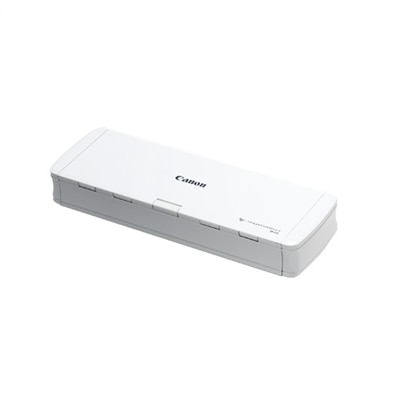
Capture quality, construction, and routine care are equally important when choosing imaging accessories and building a dependable setup. For document capture, the size and condition of the original material influence the most suitable approach. A stack of clean, loose pages is different from a bound notebook, a delicate photograph, or a receipt with faint lettering. Features that support two-sided capture or text recognition can simplify paperwork, but recognition accuracy still depends on clear originals, appropriate settings, and a review of the resulting text. For photographic and video accessories, stable positioning and controlled light help preserve detail before any editing begins. A steady mount can keep framing consistent across a series of images, while softer, more even illumination can reduce harsh shadows on a face or reflective object. Materials and construction should match the environment: lightweight housings are convenient for travel, sturdy bases help keep desktop equipment steady, and well-supported hinges or adjustment mechanisms matter when positioning changes frequently. Check dimensions, mounting requirements, cable reach, and carrying-case fit rather than assuming that accessories will work together because they serve similar purposes. Durability also depends on handling. Screens and optical surfaces benefit from gentle cleaning according to the manufacturer's directions, with suitable cloths and cleaners rather than abrasive materials or liquid sprayed directly onto the surface. Keep ventilation openings unobstructed, protect connectors from repeated sideways pressure, and allow enough cable slack for normal adjustments. In shared spaces, a simple arrangement with clearly accessible connections can make transitions between users easier. Software compatibility deserves the same attention as physical compatibility, particularly when older peripherals meet a newer operating system or when several people exchange editable files. Common file formats, consistent naming, and a separate backup copy help keep completed work usable beyond the current project. Imaging also fits into a broader digital workspace, and Technology Solutions provides a related starting point for considering the technology around it. Whether the goal is a polished presentation, a carefully edited photograph, or an orderly collection of digital documents, well-matched equipment helps make visual work clearer, more comfortable, and easier to repeat.
FAQs:
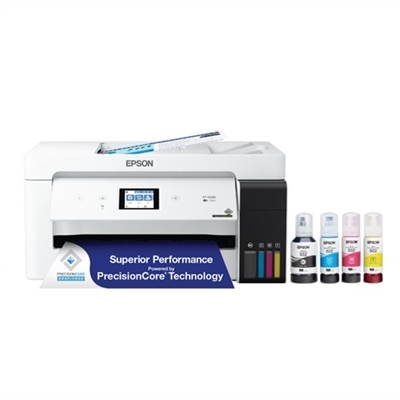
Imaging solutions for businesses include multifunction printers, document scanners, large format printers, and digital imaging software. These tools help streamline document management, enhance productivity, and support high-quality printing and scanning needs.
Imaging solutions automate repetitive tasks such as scanning, copying, and archiving documents. They also enable easy sharing and storage of digital files, reducing manual paperwork and improving collaboration among team members.
Key features to consider include print and scan resolution, speed, connectivity options (such as wireless or networked capabilities), compatibility with operating systems, and integration with cloud services or document management platforms.
Yes, many modern imaging solutions offer seamless integration with popular office software suites and cloud storage services. This allows users to scan directly to email, save files to the cloud, or manage documents within their preferred workflow applications.
Many imaging devices now feature energy-saving modes, duplex printing to reduce paper usage, and support for recycled materials. Look for products with certifications such as ENERGY STAR or EPEAT for environmentally conscious choices.