Keyboard Hardware

Elevate your typing experience with our wide selection of keyboard hardware, designed to meet the needs of every user, from gamers to professionals. Discover an array of options that blend functionality and style, ensuring seamless integration into your workspace or gaming setup. Whether you're looking for enhanced precision, ergonomic design, or customizable features, our collection offers something for everyone. Explore the possibilities and find the perfect keyboard hardware to complement your tech lifestyle.

Filters

$19.99

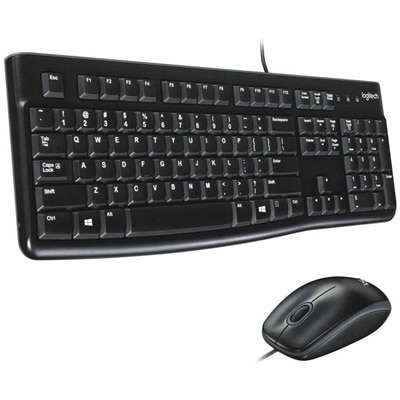
A reliable wired keyboard and ambidextrous optical mouse combo featuring USB plug-and-play connectivity and comfortable full-size designs.
$19.99
$24.99

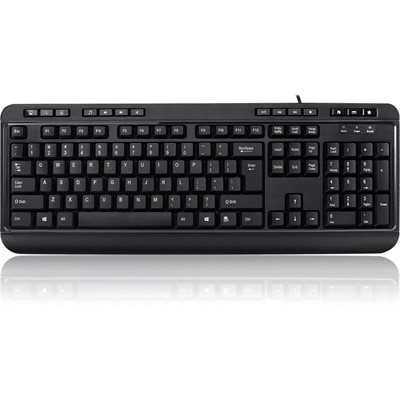
A full-size keyboard with three USB ports, multimedia controls, fluorescent yellow keys, and quiet membrane switches.

$24.99
$27.99

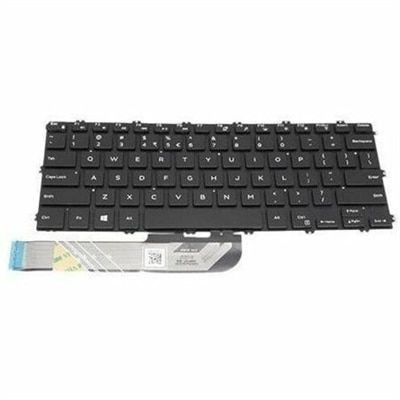
A refurbished laptop keyboard assembly with genuine OEM components, tested for reliable fit and functionality.

$27.99
$39.99

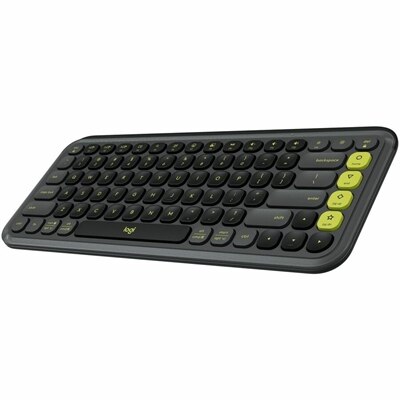
A graphite-and-green keyboard featuring quiet low-profile typing, programmable Action Keys, and switching between three devices.

$39.99
$159.99

A tri-mode wireless gaming keyboard with magnetic snap-on charging and customizable controls for enhanced performance.

$159.99
$249.99

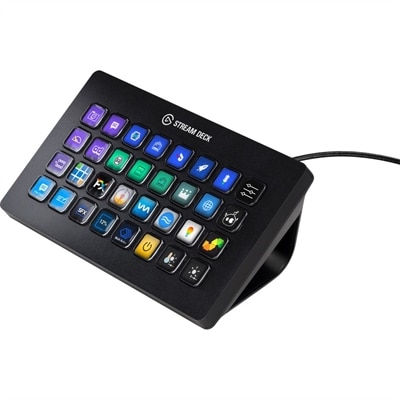
A customizable streaming control pad with 32 LCD keys, dynamic icons, tactile commands, and workflow integrations.

$249.99
$404.00

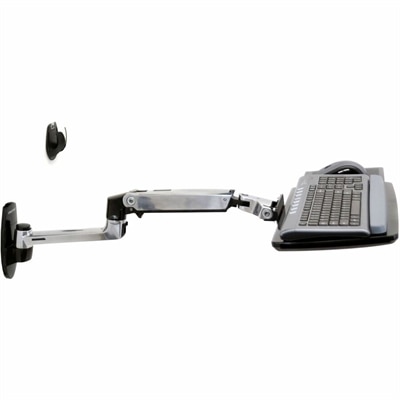
An adjustable wall-mounted keyboard arm with back-tilt tray promotes neutral wrists and comfortable, ergonomic typing.

$404

Keyboard Hardware

Keyboard hardware includes the physical components that turn a keypress into an electrical signal a computer can recognize. The main parts are the enclosure, circuit board, key mechanisms, keycaps, and connection hardware, with each contributing to how a keyboard feels, sounds, and performs. The enclosure holds the assembly together, while the printed circuit board carries the circuitry that detects input. A small controller processes key activity and communicates with the connected device. Keycaps provide the surfaces touched by the fingers and display letters, numbers, and symbols; their shape and spacing influence how easily fingers move across the layout. Beneath them, several mechanisms can register a press. Mechanical keyboards use individual switches, commonly described as linear, tactile, or clicky. Linear switches move without a deliberate tactile bump, tactile switches provide a noticeable change in resistance, and clicky switches add an audible click. These distinctions matter during everyday use: a quiet shared workspace has different needs from a private desk where pronounced feedback is welcome. Membrane keyboards typically use flexible circuit layers and rubber domes that compress beneath the keys, creating a cushioned feel. Scissor mechanisms stabilize low-profile keys and are commonly paired with rubber domes, giving many slim keyboards and laptop keyboards their shallow, controlled movement. Optical switches detect changes in light, while Hall effect switches use magnetic sensing rather than traditional electrical contacts to register movement. Some magnetic designs support adjustable actuation, although this depends on the keyboard’s hardware and software. Actuation is the point at which a press registers, while total travel describes how far the key can move. Neither a shorter travel distance nor a lighter switch is automatically better; preference depends on typing habits, finger pressure, and intended use. A person drafting long documents may appreciate clear tactile feedback, while someone moving between spreadsheets and video calls may prefer a softer, quieter response. Even within one switch category, keycap shape, internal construction, and the desk surface can noticeably change the experience.

Size and layout determine how keyboard hardware fits into a workspace as much as its external dimensions do. A full-size layout includes a dedicated number pad, making repeated numerical entry convenient for accounting, scheduling, and spreadsheet work. A tenkeyless layout removes that section while retaining a familiar navigation area, leaving more room for a mouse. Smaller layouts reduce the footprint further, sometimes placing function keys or navigation commands on secondary layers. That tradeoff can suit a narrow desk or a frequently packed laptop bag, but dedicated keys may be preferable for someone who uses shortcuts all day. Key spacing, keycap height, adjustable feet, and the position of the keyboard relative to the chair also affect comfort. A low front edge can make a slim design feel less intrusive, while a steep typing angle may not suit every wrist position. Materials contribute to both fit and durability. Plastic enclosures keep weight manageable, while aluminum construction can provide greater rigidity and a more substantial feel. Overall construction matters more than material alone: a well-supported assembly should resist excessive flex during ordinary typing. Keycaps commonly use acrylonitrile butadiene styrene, known as ABS, or polybutylene terephthalate, known as PBT. ABS can provide a smooth surface and crisp molded details, while PBT often retains a textured feel longer; thickness, finish, and manufacturing quality also influence wear. Legends formed from a second molded plastic can resist fading because the characters are part of the keycap rather than printed only on its surface. Connection choices add another practical consideration. Wired keyboards avoid battery charging, while wireless designs can reduce cable clutter and make repositioning easier. Wireless connections may use Bluetooth or a dedicated USB receiver, with compatibility depending on the host device and supported connection method. USB connector type, operating system support, shortcut behavior, and access to configuration features deserve attention, especially when a keyboard will move between a desktop and a laptop. Backlighting can improve legend visibility in a dim room, but its usefulness depends on whether the characters themselves are illuminated.

Everyday use brings smaller hardware details into focus. Stable larger keys, including the space bar and Enter key, help maintain a consistent feel across the layout, while secure feet and nonslip pads keep the enclosure from shifting during a busy afternoon. For gaming or shortcut-heavy work, support for registering multiple simultaneous keypresses can matter more than decorative lighting. Sound also comes from more than the switch: stabilizers, keycaps, the enclosure, and the surface beneath the keyboard all contribute to the noise heard in a room or through a nearby microphone. A quieter mechanism can be particularly useful during remote meetings, late-night study sessions, or work at a shared table. Durability depends on the complete assembly, not just a switch’s advertised lifespan. Cable strain relief, connector strength, keycap wear, and resistance to everyday movement all affect how well a keyboard holds up. Hot-swappable mechanical designs can allow compatible switches to be replaced without soldering, but switch formats and socket requirements vary. Removable keycaps do not mean that every switch underneath is replaceable. Routine care helps protect the hardware: disconnecting the keyboard or switching it off before cleaning reduces the chance of unintended input, and a soft brush can lift crumbs and dust from between keys. A lightly dampened cloth is generally more appropriate for exterior surfaces than spraying cleaner directly onto the assembly. Manufacturer care instructions remain important, especially before removing keycaps or using cleaning solutions. Spill resistance, when specified, should not be confused with waterproof construction. For a coordinated workspace, Desktop Keyboard Accessories can complement the keyboard’s footprint and daily use. A keyboard can also be a thoughtful gift for a college student, home-office worker, or gaming enthusiast when the recipient’s layout preferences and device compatibility are known. Familiar key placement, an appropriate sound level, and a comfortable fit often make a more meaningful everyday difference than an elaborate appearance.

FAQs:

Add the products you would like to compare, and quickly determine which is best for your needs.

Add the products you would like to compare, and quickly determine which is best for your needs.