$65.99
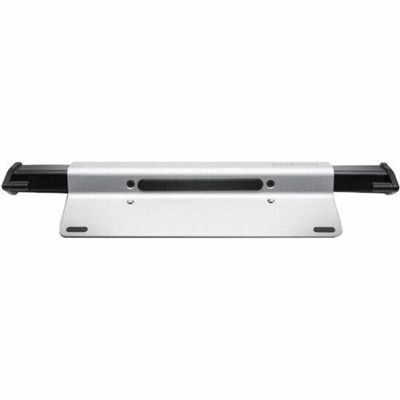
A brushed aluminum laptop locking station with adjustable arms, slim resettable combination lock and protective bumpers.
Keyboard locks offer an effective way to help secure your computer setup, whether at home, in the office, or on the go. With a variety of options available, keyboard locks are designed to provide peace of mind by helping prevent unauthorized access to your devices. Explore different styles and configurations to find the right keyboard lock that fits your needs and complements your workspace.
A brushed aluminum laptop locking station with adjustable arms, slim resettable combination lock and protective bumpers.
Keyboard locks can serve two different purposes: limiting unwanted keystrokes or helping keep a physical keyboard in place. An input lock temporarily blocks typing, while a physical security lock helps deter someone from removing a compatible keyboard or connected workstation accessory. That distinction matters in everyday settings, from a home office where a cat walks across the desk to a reception counter used by several people throughout the day. Keyboard locking accessories belong to the broader category of desktop and laptop accessories, with their usefulness depending on the equipment, workspace, and type of protection needed. A cable attached to a keyboard does not stop someone from pressing its keys, and a keyboard input lock does not prevent the device from being carried away. Neither replaces locking a computer session when stepping away from private documents or messages. Similarly, Caps Lock, Num Lock, and Scroll Lock change particular typing or navigation behaviors; they do not disable the entire keyboard. Accessibility features that filter brief or repeated keystrokes are also different from a complete input lock. Holding the right Shift key may open an accessibility prompt on some computers, but that shortcut should not be treated as a universal way to lock or unlock a keyboard. For shoppers, these differences help separate physical security accessories from input-control features and protective covers. A shared study desk may call for a way to secure a removable keyboard, while a household computer may benefit more from a supported control that temporarily ignores accidental input. A fitted keyboard cover serves another purpose, helping shield the spaces around keys from everyday dust or debris without necessarily preventing typing. Understanding what each category actually protects makes it easier to match keyboard-related accessories to the task rather than relying on the word “lock” alone.
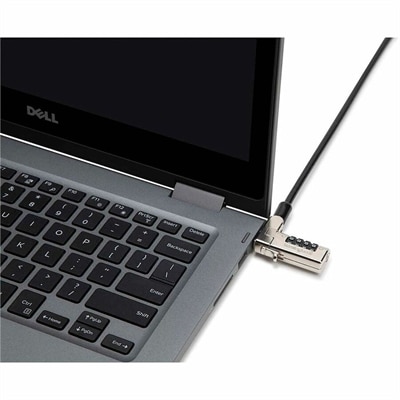
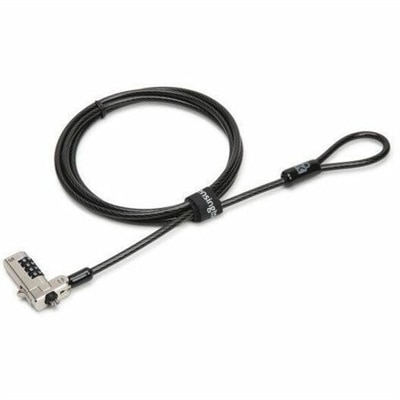
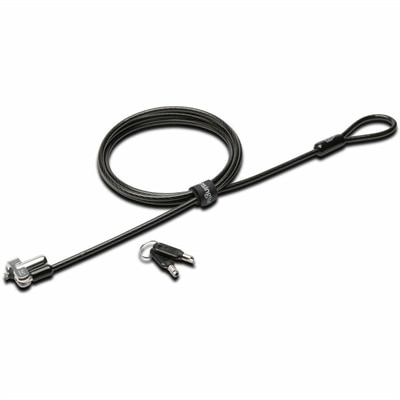
For physical keyboard locks and related security accessories, fit begins with the attachment point. Not every keyboard has a security slot, and an opening in a keyboard housing is not automatically designed to accept a locking mechanism. Compatibility depends on the exact slot type, a manufacturer-supported mounting provision, or a purpose-built enclosure that fits the device. A connector that looks close in size may still be unsuitable, especially on a slim keyboard with little clearance around its edges. Compact layouts, full-size keyboards with number pads, split designs, and models with integrated wrist rests all occupy different footprints. The security arrangement needs to leave charging ports, switches, adjustable feet, and everyday controls accessible while allowing a comfortable typing position. On a desk that changes between sitting and standing, cable length and routing also affect whether the keyboard can move naturally with the work surface. A cable pulled taut across the back of a desk can interfere with repositioning, while excess slack can catch on a chair arm or hang into legroom. Common construction considerations include a metal locking body, a steel security cable, and a protective outer coating that helps reduce rubbing against finished surfaces. Overall strength depends on the complete setup, including the anchor, connector, and equipment housing, rather than cable thickness alone. A substantial cable attached to a weak mounting point cannot provide the same restraint as a correctly matched assembly secured to a suitable fixed anchor. Where a laptop shares the workspace, Keyed Laptop Locks address the separate need to secure a compatible portable computer. A laptop lock should not be assumed to fit a keyboard, even when both accessories use similar-looking connectors. Key-operated mechanisms also bring practical considerations: who holds the key, where a spare is kept, and whether authorized users can remove equipment when maintenance or desk changes are necessary. In a shared workspace, those details can matter as much as the lock’s dimensions.
Durability and care become especially important when keyboards move frequently or pass between users. At a busy front desk, a keyboard may slide forward for typing and back again to make room for paperwork dozens of times a day. In a classroom or shared computer area, repeated repositioning can put strain on an attachment point if the security cable is too short or routed around a sharp edge. A well-matched accessory accommodates normal use without forcing the keyboard into an awkward angle or placing constant tension on its housing. Protective coatings, smooth contact surfaces, and accessible lock mechanisms can make the arrangement easier to live with, though no physical lock makes equipment theft-proof. Over time, frayed cable coverings, loose anchors, damaged housings, or a mechanism that becomes difficult to operate deserve attention according to the manufacturer’s care and replacement recommendations. Cleaning requirements vary by material and finish, so a security accessory should not be assumed to tolerate the same liquids used on a desk surface. Liquid entering a keyway or pooling near an adhesive-mounted attachment can create problems, and aggressive cleaners may affect coatings or surrounding plastics. For the keyboard itself, an input lock is not a substitute for powering down or disconnecting the device when its cleaning instructions require that step. Fitted covers also need material-specific care and enough drying time before being placed back over keys. Intended use helps bring these considerations together. Remote workers may value a tidy setup that leaves room for a notebook and mouse; reception staff may need equipment to remain positioned on a public-facing counter; students may need accessories that suit a small desk without tangling around other cables. For households with young children or curious pets, preventing accidental typing is a different priority from deterring removal, and a physical tether alone will not accomplish it. Keyboard security accessories can also be a practical addition to a new workspace or a thoughtful gift for someone setting up a study area, provided the keyboard’s attachment options and the recipient’s needs are known. The most useful choice supports the way the desk is actually used, with an appropriate fit, manageable care requirements, and a clear distinction between protecting equipment and controlling keyboard input.
Add the products you would like to compare, and quickly determine which is best for your needs.