KVM Switches
Enhance your workspace efficiency with KVM switches, the essential solution for managing multiple computers using a single keyboard, video monitor, and mouse. Ideal for both home offices and professional environments, KVM switches streamline your setup, reducing clutter and simplifying control. Whether you're an IT professional or a tech enthusiast, these versatile devices offer seamless switching between systems, optimizing productivity and ensuring smooth operations. Explore our selection to find the perfect KVM switch that meets your needs and elevates your computing experience.
This product is not available
Check out the following recommendations.
Related Products
KVM Switches
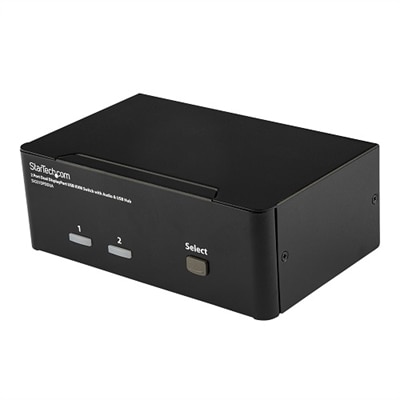
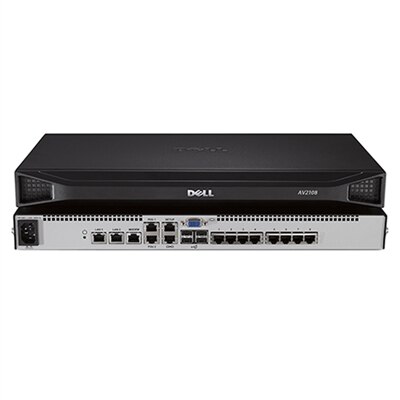
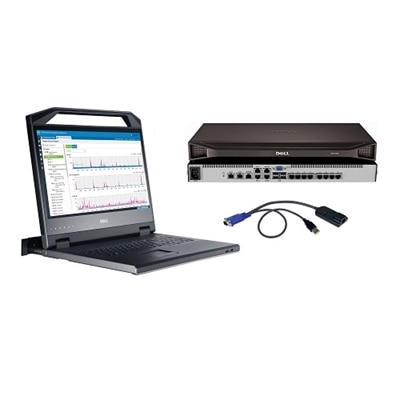
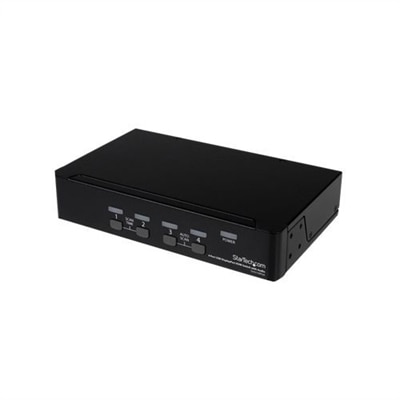
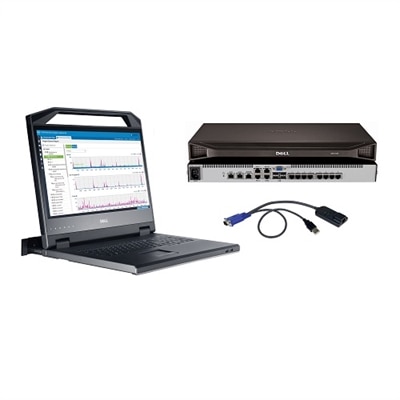
A KVM switch, short for keyboard, video and mouse switch, helps you control two or more computers with one monitor, keyboard and mouse. Instead of filling a workspace with duplicate screens and input devices, you connect your display and USB accessories to the switch, then connect the switch to each computer. Selecting a connected computer routes the video signal and USB controls to that system, allowing you to move from one device to another without unplugging cables or rearranging your desk. Switching may be handled with a button on the unit, a keyboard shortcut, or a wired remote, depending on the design. This setup can be especially useful when one computer is dedicated to work and another is used for creative projects, testing, schoolwork, or entertainment. A laptop user might keep a primary computer open for video calls and documents while connecting a second computer for specialized applications. Someone working at a compact desk can keep a single monitor centered in front of the chair, with cables organized behind the display rather than spread across the entire workspace. KVM switches are also useful for households where more than one person shares a monitor, keyboard, and mouse at different times, or for anyone who alternates between a desktop and a laptop throughout the day. When comparing options, begin with the number of computers you need to connect. Two-port models are suited to a simple two-computer setup, while four-port designs can accommodate a larger collection of devices. Consider how many monitors you want to use as well, since some switches are designed for one display while others support multiple displays. A single-monitor arrangement is often enough for everyday productivity, but a multi-monitor setup can be valuable for editing, programming, research, and other tasks that benefit from seeing several windows at once. For more options in this category, browse Computer Switches.
Port compatibility is one of the most important details to review before choosing a KVM switch. Match the switch connections with the video ports on your computers and monitor, such as HDMI, DisplayPort, USB-C, or VGA. If your laptop uses USB-C for video and your desktop uses DisplayPort, confirm that the switch supports both the required video connections or plan for compatible adapters. Adapters can be useful, but a direct connection is often simpler and may help avoid limitations involving resolution, refresh rate, audio, or charging. Resolution and refresh rate should also be considered together. A switch that supports a high-resolution display may not support every available refresh rate at that resolution, so check the specifications against your monitor and the type of work you do. Standard office tasks, web browsing, writing, and video meetings may work comfortably at common resolutions and refresh rates, while gaming, animation, design, and fast-moving video can benefit from support for higher refresh rates. USB support matters when you want to share more than a keyboard and mouse. Certain KVM switches provide additional USB ports for accessories such as a webcam, headset, printer, flash drive, or other compatible device. Check whether those ports support the transfer speeds your accessories require, particularly when moving files or using a high-resolution webcam. Audio support may also be important if your monitor, speakers, or headset is connected through the switch. Some setups draw power through USB, while others use an external power adapter, so review the power requirements and cable lengths before setting up. A little planning can make the finished workspace feel noticeably calmer: label each cable, leave enough slack to switch or service a computer, and place the selection button where it can be reached without stretching behind the monitor. If you use keyboard shortcuts, look for a design with controls that are easy to remember and unlikely to conflict with shortcuts in your everyday applications.
KVM switches can suit professionals who move between a work computer and a personal computer, students managing research and coursework, creators working across different software environments, and families making the most of a shared desk. They may also be a thoughtful gift for someone building a cleaner home office, updating a gaming area, or settling into a new study space during the cooler months. The gift is less about adding another gadget and more about giving the recipient back a little room: one monitor instead of two, one keyboard within reach, and fewer cables gathering dust along the edge of the desk. Before purchasing, count the computers and displays, identify every video and USB connection, and note whether the setup needs audio, webcam access, charging, high refresh rates, or more than one monitor. Make sure the included cables match the planned connections, since a switch may require separate cables for each computer even when the switch itself includes some accessories. Think about the physical layout too. A compact unit may fit neatly beside a monitor stand, while a wired remote can be helpful when the switch is tucked out of sight. If a computer uses a password, docking arrangement, or specialized keyboard, confirm that the KVM switch is compatible with the way you intend to work. Some computers may take a moment to recognize a display after switching, while other setups transition almost instantly; checking technical specifications and user requirements can help set realistic expectations. With the right port selection and display support, a KVM switch can make a busy desk feel more like a well-organized workstation, keeping two or more computers ready while reducing the clutter between you and the screen.
FAQs:
A KVM switch allows you to control multiple computers with a single keyboard, monitor, and mouse, reducing desktop clutter and streamlining your workspace. This is especially beneficial for users who manage both work and personal devices, enabling seamless switching between systems and improving overall productivity.
Yes, many modern KVM switches, such as a dell usb switch, support sharing additional USB peripherals like printers, webcams, and audio devices between connected computers. This feature makes it easy to use essential accessories across multiple systems without the need to constantly unplug and reconnect devices.
A dell kvm docking station is ideal for professionals, students, and gamers who frequently switch between laptops and desktops. It’s especially useful for those who want to maximize desk space and minimize cable management while ensuring quick transitions between different devices.
A dell monitor kvm allows creative professionals to switch between computers while maintaining high-resolution displays and fast refresh rates. This seamless transition is crucial for tasks like graphic design, video editing, and animation, where image quality and workflow efficiency are paramount.
When selecting a KVM switch, consider the number and type of devices you want to connect, the supported video resolutions and refresh rates, and the types of ports available (HDMI, DisplayPort, USB-C, etc.). It’s also important to use high-quality cables and ensure the switch meets the power requirements of your setup for optimal performance.