$169.99
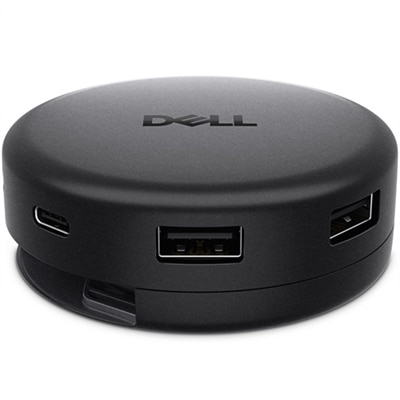
A professional docking station delivering 130W power and versatile connectivity for streamlined productivity.
Laptop charging stations offer a convenient solution for keeping devices powered and organized, whether at home, in the office, or in shared workspaces. Designed to support multiple laptops simultaneously, these stations help reduce cable clutter and streamline charging needs. Explore a range of laptop charging stations that make it easy to maintain productivity and ensure your devices are always ready for use.
A professional docking station delivering 130W power and versatile connectivity for streamlined productivity.
A smart docking station offering up to 130W USB-C power delivery and remote management capabilities.
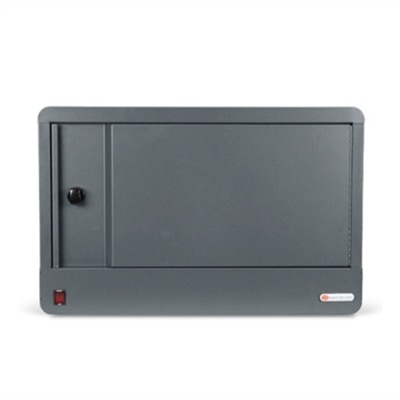
Laptop charging stations help keep multiple computers powered, organized and ready for the next class, meeting, shift or work session. These solutions generally fall into two broad categories: compact desktop charging hubs and larger multi-device cabinets or carts. A desktop hub is designed for a desk, reception counter, shared workspace or home office where several laptops, phones or other personal electronics need power in one place. It can reduce the familiar tangle of adapters and cables that collects behind a monitor or along the edge of a conference table, while making it easier to see which ports are available. Larger charging cabinets and rolling carts are intended for schools, training rooms, libraries, offices and other shared environments that manage a group of computers. Shelves or vertical slots keep devices separated, while built-in power connections allow several laptops to charge together between uses. Some designs include locking doors or other access controls for added peace of mind when equipment is left in a classroom or common area. Ventilation is also important, particularly when many devices are charging at once. A well-designed station should allow air to circulate around the computers and power components rather than enclosing them in a cramped, overheated space. Open racks can be useful when quick access matters, while enclosed cabinets and carts can help keep a larger fleet together and make it easier to move equipment from one room to another. For households, a smaller desktop unit can create a dependable landing place for the family’s laptops, tablets and phones. For an educator, it can turn a crowded counter into a predictable end-of-day routine: plug in each device, check the indicator lights and have a full set ready when the room fills again. During the cooler months, when more work, study and entertainment may take place indoors, a dedicated charging area can make shared spaces feel calmer and more functional.
Choosing the right laptop charging station starts with the number and type of devices it needs to support. Count the laptops that will be connected at the same time, then consider whether phones, tablets, monitors or other USB-powered accessories will share the station. A setup for two or three computers may only need a compact multi-port unit, while a classroom, lab or office team may benefit from a cabinet or cart with capacity for 10, 20 or more devices. Power output deserves close attention. USB-C Power Delivery ports may provide anything from modest charging for lightweight computers to higher output suitable for performance-oriented laptops, so check the charging requirements for each device and look for a station that can deliver sufficient wattage across the ports being used. Many laptop users should look for support in the range of 65 watts or more per compatible connection, while some demanding systems may require 100 watts, 140 watts or higher for charging during intensive work. The total wattage of the station matters as well; a unit with many ports may divide available power among connected devices. Port selection can affect everyday convenience. A combination of high-output USB-C ports and standard AC outlets accommodates newer laptops alongside existing power adapters, and longer cables can help devices reach a station without bending connectors or blocking neighboring slots. Safety features are essential when several power-hungry devices operate together. Look for protections such as temperature monitoring, overload protection, surge protection and safeguards against short circuits. Reset controls, clear status indicators and accessible cable routing can make routine use easier for staff and reduce troubleshooting. Physical construction is another practical consideration. A lightweight desktop block may be ideal for a hot desk or a home study area, while a heavy-duty cabinet with lockable access, durable casters and reinforced surfaces may be better suited to a busy school or workplace. Measure the available floor, shelf or counter space before selecting a station, and account for room to open doors, connect cables and move the unit safely. Compatibility with laptop size is equally important: wider computers may not fit comfortably in narrow slots, and devices with protective cases may need additional clearance.
Laptop charging stations can support many different routines without requiring a complicated setup. In a school, an instructor can assign each student a numbered slot, creating a simple return process that reduces misplaced chargers and last-minute searching. In an office, a shared station can support loaner laptops, hot desks, training sessions and meeting rooms where computers need to be ready before attendees arrive. Libraries, community centers and public agencies may use them to keep shared equipment available for the next group, while small businesses can use a desktop charging hub to maintain a tidy front desk or collaborative workspace. They can also be useful for families with several students or remote workers who alternate between rooms throughout the day. A station placed near an entryway, worktable or central desk gives each device a consistent home, much like a row of labeled hooks makes it easier to find coats during a busy morning. When evaluating options, consider how often devices will be moved, who will have access, how many outlets are available nearby and whether the station needs to remain in one location. A cabinet or cart may be preferable for organized, secure charging of many computers; a desktop hub may be the better fit for flexible personal use. Those comparing laptop and tablet charging needs may also find related options in Tablet Charging Stations. The right choice should match the device count, charging standards, available space and daily habits of the people using it. With suitable power delivery, practical cable management, ventilation and dependable safety protections, a laptop charging station can turn scattered devices into a ready-to-use collection that fits naturally into classrooms, offices, shared homes and other connected spaces.
Add the products you would like to compare, and quickly determine which is best for your needs.