$7.99
A genuine OEM replacement cable designed for reliable display connectivity and compatibility with select systems.
Elevate your computing experience with the latest in laptop upgrades, designed to enhance performance, boost productivity, and keep you ahead of the curve. Whether you're looking to increase storage capacity, improve processing speed, or enhance graphics capabilities, our selection offers a range of options to meet your needs. Dive into a world where seamless multitasking and efficient workflows are just an upgrade away, ensuring your laptop keeps pace with your dynamic lifestyle. Explore our comprehensive collection of cutting-edge components and accessories that redefine what your laptop can do.
A genuine OEM replacement cable designed for reliable display connectivity and compatibility with select systems.
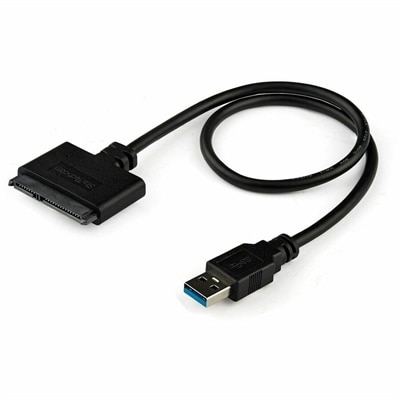
A USB-A to SATA adapter supporting 5Gbps transfers, UASP, plug-and-play connectivity, and SSD or HDD upgrades.
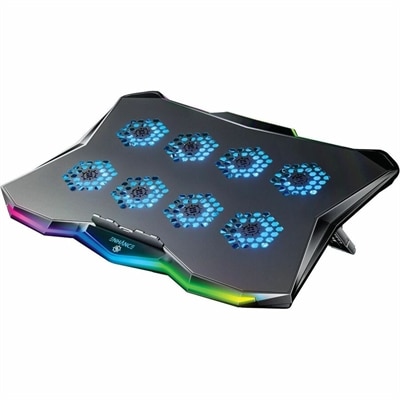
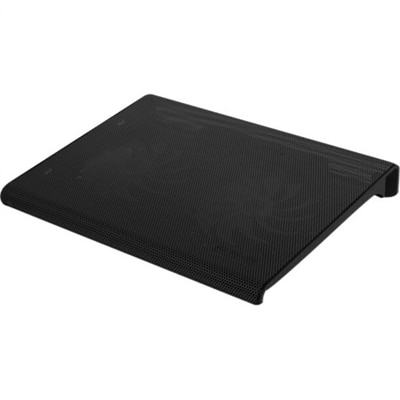
A slim metal laptop cooling pad featuring eight quiet fans, adjustable angles, and customizable RGB lighting.
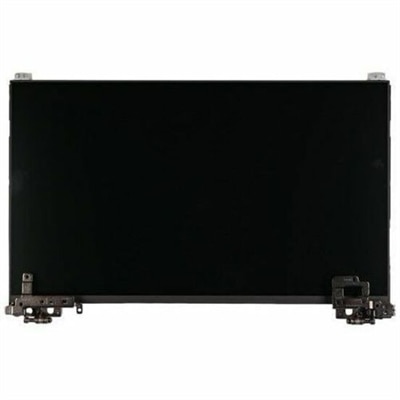
An OEM-grade replacement screen rigorously tested for compatibility, reliability, and backed by a limited one-year warranty.
An OEM-grade palmrest assembly featuring a smart card reader, touchpad, NFC, and USH board.
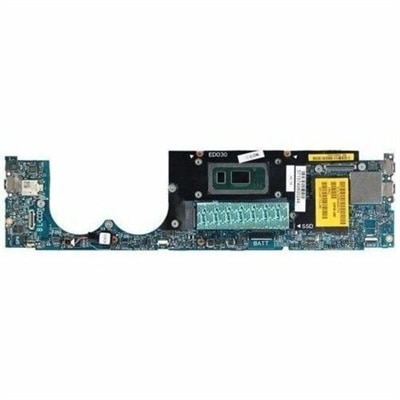
A genuine OEM-grade notebook motherboard replacement, rigorously tested for compatibility and backed by one-year warranty.
Laptop upgrades can improve everyday responsiveness, expand room for files, and make a familiar computer more comfortable to use without replacing the entire system. Common options include compatible memory, internal solid-state drives, replacement batteries, and external accessories, although the possibilities depend on the laptop’s design. More random-access memory, or RAM, can help when several applications compete for limited working space. A compatible solid-state drive, or SSD, can provide additional capacity and, when replacing a mechanical hard drive, noticeably shorten startup and application loading times. These improvements serve different needs: memory supports active tasks, while a drive holds the operating system, applications, and saved files. A student moving between lecture recordings, research tabs, and a presentation may benefit from additional memory if the existing capacity is regularly exhausted. A photographer working with large image libraries may need more drive capacity, while someone using an older computer for household paperwork may appreciate faster access to documents and applications. Neither upgrade automatically fixes every slowdown. Processor limitations, excessive background activity, overheating, and an unreliable internet connection can produce symptoms that new memory or a larger drive will not resolve. Laptop processors and graphics chips are usually soldered to the motherboard in modern designs, so they generally are not practical replacement upgrades. Memory may also be soldered, and some thin laptops have no replaceable internal drive. That makes the exact model and its service documentation more useful than the laptop’s age or screen size when assessing what fits. For a computer that still has a comfortable keyboard, a clear display, and enough processing power for its intended work, a supported upgrade can extend its useful life. For shared family computers, study laptops, and portable workstations, the most meaningful improvement is often the one that removes a specific daily frustration, such as applications pausing during multitasking or a drive that no longer has enough space for important files.
Compatibility is the defining consideration for internal laptop upgrades because parts that look similar can have different electrical and physical requirements. Laptop memory must match the supported generation, module format, capacity limits, and configuration specified for the computer. Different memory generations are not interchangeable, and desktop memory modules do not fit laptop memory slots. Some systems have two replaceable modules, others combine soldered memory with an expansion slot, and others offer no memory expansion at all. A supported paired configuration may improve memory bandwidth, but the benefit depends on the system and workload. Drive compatibility involves equally specific details. A laptop may support a 2.5-inch SATA drive, an M.2 SATA drive, an M.2 NVMe drive, or only a particular subset of these formats. M.2 describes a physical form factor rather than a guarantee of interface compatibility; connector support, module length, and available internal clearance all matter. Even an otherwise compatible high-performance drive may operate below its advertised maximum speed when connected through an older interface. For everyday documents and video calls, consistent responsiveness can matter more than peak benchmark figures. Large creative projects place greater emphasis on usable capacity, sustained performance, and endurance ratings. Internal components use compact circuit boards and exposed connectors that need careful handling, and a drive with a tall heat sink may not fit beneath a laptop’s bottom cover. Proper fit includes any required mounting screw, bracket, cable, or thermal pad specified by the manufacturer. Installation also has consequences for existing files: a replacement system drive needs an appropriate operating system installation or migration, and a separate backup protects important work during that transition. Manufacturer service instructions govern safe handling, power isolation, battery disconnection, and precautions against static electricity. Professional installation may be appropriate when internal access is complicated or unfamiliar. Durability depends on more than the component alone; unobstructed ventilation, a secure installation, and protection from liquid spills and rough handling help maintain dependable operation. A faster drive or additional memory should work within the laptop’s supported thermal and electrical design rather than introduce a new source of instability.
Other laptop upgrades address mobility, connectivity, and the physical experience of using a computer throughout the day. A compatible replacement battery can restore useful unplugged runtime when the original battery has worn down, although actual runtime still depends on screen brightness, workload, power settings, and battery capacity. Battery fit involves the exact supported design, connector, voltage, and dimensions, not simply a similar shape. A swollen or damaged battery requires qualified service rather than continued use. Wireless card replacements can improve connectivity in some laptops, but only when the system supports the card, its interface, and the existing antenna arrangement; internet service and router capabilities still set important limits. External upgrades offer another route when internal components are fixed. A monitor can give a spreadsheet more breathing room or place a reference document beside a draft, while a separate keyboard and mouse make a raised laptop easier to use at a desk. A docking station can simplify connections for a home office, provided the laptop port supports the required display output, data features, and charging capabilities. A USB-C connector alone does not guarantee all of those functions. Display resolution, refresh rate, cable capability, and power requirements need to align across the setup. For readers considering improvements beyond a portable computer, Computer Upgrades provides a broader context for related component and accessory categories. Physical construction matters in these everyday additions: a stand needs a stable base, a suitable weight rating, and contact points that hold the laptop without blocking its vents. Smooth edges and sturdy hinges help accessories withstand repeated packing and adjustment, while cable strain relief helps protect connections that move between desks. Routine care generally includes dry, gentle cleaning and following the manufacturer’s instructions for surfaces and connectors. For a college student, remote worker, or relative receiving an upgrade as a gift, knowing the exact laptop model and typical routine helps distinguish a useful addition from an incompatible one. The right combination supports how that person actually works, whether that means carrying less between classes, keeping a desk orderly, or moving through a busy afternoon with fewer interruptions.
Add the products you would like to compare, and quickly determine which is best for your needs.