$629.99
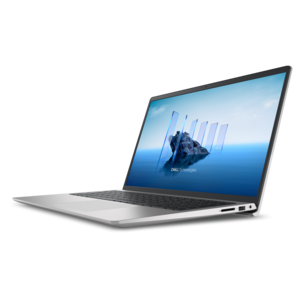
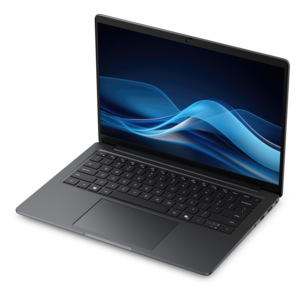
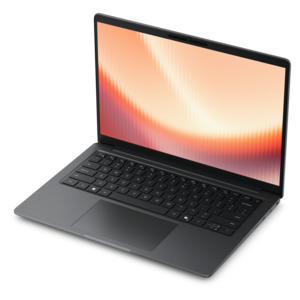
A laptop featuring an FHD camera, enlarged ergonomic keyboard, and AMD Ryzen™ processing.
Laptops for animation are designed to meet the unique needs of creative professionals and aspiring artists alike. Whether you're crafting detailed 2D illustrations or bringing 3D characters to life, finding the right device is essential for a smooth and productive workflow. Explore a diverse selection of laptops for animation that offer the performance and reliability required to tackle demanding projects, so you can focus on unleashing your creativity with confidence.
A laptop featuring an FHD camera, enlarged ergonomic keyboard, and AMD Ryzen™ processing.
A thin, lightweight laptop crafted from eco-friendly materials with Series 3 Intel Core processors for productivity.
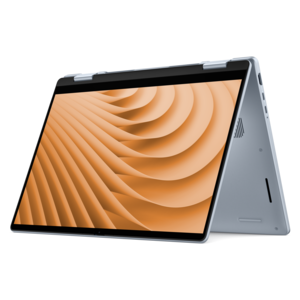
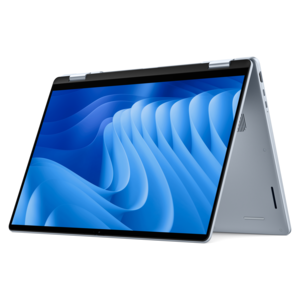
A versatile 2-in-1 laptop with Intel Core processors, DDR5 memory, and multiple modes for creative work.
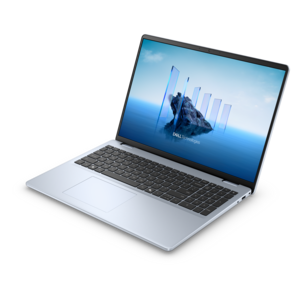
A laptop featuring an FHD camera, enlarged ergonomic keyboard, and Intel 13th Gen processors.
A durable, serviceable laptop designed specifically for demanding education environments.
A portable laptop with a sleek design, 16:10 display, and AI PC options for productivity anywhere.
A durable productivity laptop featuring an expansive 16:10 display and convenient numeric keypad.
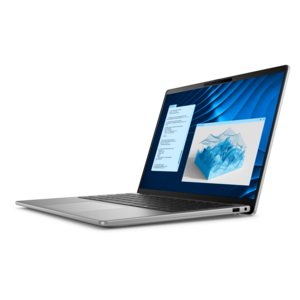
A slim, lightweight laptop with Intel® Core™ processors and graphics for productive work anywhere.
A modern laptop with AMD Ryzen™ processors delivers effortless productivity and captivating entertainment.
A modern laptop with Intel Core processors and graphics for effortless productivity and captivating entertainment.
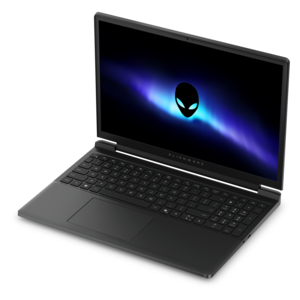
A streamlined gaming laptop powered by AMD Ryzen 200 Series processors and NVIDIA GeForce RTX graphics.
A lightweight AI-powered laptop designed for creative professionals and small businesses.
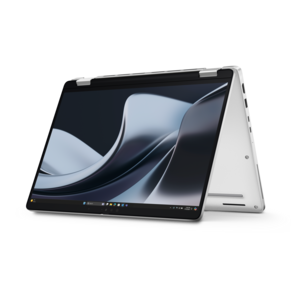
A versatile 2-in-1 laptop designed for AI experiences and seamless multitasking on the go.
An AI-powered, lightweight laptop with Intel Arc graphics, ideal for creative professionals and small businesses.
An AI-ready laptop with a spacious display, designed for creators and developers seeking high performance.
A sleek laptop delivering smooth AI experiences and accelerated creative workflows for demanding high-performance users.
A secure, scalable commercial AI laptop featuring a durable aluminum design and productivity-focused display.
A versatile 2-in-1 laptop with built-in AI and a spacious display for creative work.
A high-performance professional laptop with on-device AI and exceptional battery life for unplugged productivity.
A remarkably thin laptop powered by AMD Ryzen AI PRO 400 Series processors for professional performance.
A powerful gaming laptop with Intel Core processors and NVIDIA GeForce RTX graphics for immersive gaming.
A remarkably thin and lightweight laptop designed for ultimate mobility and everyday productivity.
A productivity-focused Copilot+ PC powered by a capable AMD CPU, GPU and NPU combination.
A remarkably thin laptop powered by AMD Ryzen AI PRO 400 Series processors for professional performance.
Laptops for animation need to balance creative flexibility with the processing power required to move, render and revise detailed scenes. A suitable laptop can support a student learning the fundamentals of character design, a freelance artist building a portfolio, an illustrator creating frame-by-frame sequences or a professional working with 3D models, visual effects and motion graphics. For 2D animation, a responsive processor, ample memory and a color-accurate display can make a noticeable difference as you sketch, arrange layers and preview a sequence. For 3D animation, look for a system with a high-performance multi-core processor and dedicated graphics, since complex models, lighting effects, physics simulations and final renders can place sustained demands on the laptop. A current processor with multiple cores can help projects open smoothly and shorten processing tasks, while a dedicated graphics processor can improve viewport performance and accelerate supported rendering applications. Memory is equally important when animation software is open alongside reference images, audio tracks, editing tools and communication apps. A laptop with 16GB of RAM can suit foundational 2D work and lighter projects, while 32GB or more provides additional headroom for larger scenes, high-resolution assets, 3D workflows and multitasking. Storage should also be considered carefully. A fast solid-state drive helps applications launch quickly and makes large project files, image sequences and video assets easier to access. At least 512GB can be a practical starting point, though creators who keep extensive libraries of textures, source footage and finished exports may appreciate greater capacity or a dependable external drive for archiving. Since animation files can grow quickly, organizing active projects separately from completed work can help preserve available space and keep the creative process moving.
The display is where animation takes shape, so screen quality deserves as much attention as internal performance. A high-resolution panel can make fine linework, facial expressions and small interface controls easier to see, while a wide color gamut and reliable color accuracy help artwork appear more consistent from the first sketch through the final export. Brightness, contrast and viewing angles matter when a laptop is used in different rooms or near a window during the changing light of the cooler months. A touchscreen can add a natural way to navigate timelines, zoom into artwork or make quick adjustments, although artists who draw directly on the screen should also consider stylus compatibility, palm rejection and the overall feel of the display surface. For conventional workflows, a separate drawing tablet may be preferred, making available ports and wireless connectivity useful details to review. Screen size involves a practical tradeoff: a larger display gives timelines, tool panels and animation canvases more breathing room, while a more compact laptop is easier to carry between a studio desk, classroom, library or client meeting. Hinge flexibility, keyboard comfort and touchpad responsiveness can affect long working sessions just as much as benchmark performance. Animation often involves repeated passes over the same sequence, and a comfortable keyboard with clearly spaced keys can make shortcuts feel natural after hours of editing. A backlit keyboard can be helpful for working in a dim room, while a sturdy chassis and a well-designed cooling system can provide confidence when the laptop is transported in a backpack and used for extended rendering sessions. Battery life is another consideration for mobile creators, but demanding graphics work can draw power quickly, so a capable charger and a convenient charging setup remain valuable parts of a portable workflow.
When choosing from laptops for animation, start by matching the system to the applications and projects it will handle most often. Someone focused on hand-drawn 2D animation, storyboards and animated illustrations may prioritize a sharp display, accurate color, pen support and a comfortable creative workspace. A creator developing 3D characters, environments or effects should place greater emphasis on dedicated graphics, higher memory capacity, strong multi-core performance and efficient thermal management. Students and first-time animators may benefit from a flexible configuration that leaves room to grow as skills develop, while professional artists may prefer additional performance for client deadlines, high-resolution exports and more elaborate scenes. Compatibility with preferred animation, compositing, editing and audio software should be confirmed before purchase, along with support for the operating system and accessories already used in the workflow. Useful connections may include USB ports for storage and input devices, display connectivity for a second monitor and wireless support for peripherals. A larger monitor can provide more room for a timeline and canvas, while a reliable headset or external speakers can help with dialogue, sound effects and timing. These laptops can also make thoughtful gifts for art students, aspiring storytellers and creative family members who spend free time sketching characters or experimenting with short films. The best fit is less about choosing the most powerful configuration in every situation and more about selecting balanced performance for the intended style of animation, the software involved and the way the laptop will be used each day. For additional creative-computing ideas, explore Best Laptops For Artists. A well-matched animation laptop can become a portable studio: ready for rough thumbnails at a kitchen table, detailed scene work at a desk and final revisions wherever inspiration arrives.
Add the products you would like to compare, and quickly determine which is best for your needs.