$490.00
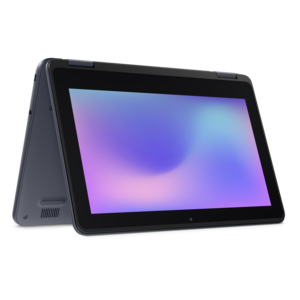
A durable, serviceable Chromebook laptop or 2-in-1 designed specifically for K–12 learning environments.
Laptops for elementary students are designed to support young learners as they explore new subjects, complete assignments, and develop essential digital skills. Whether used for classroom activities or creative projects at home, these devices provide a reliable platform for educational growth. Explore options that offer the right balance of durability, simplicity, and performance to help students thrive in their early academic journey.
A durable, serviceable Chromebook laptop or 2-in-1 designed specifically for K–12 learning environments.
A durable, serviceable Chromebook designed specifically for education environments.
A durable, serviceable Chromebook designed for K–12 learning environments.
A laptop featuring an FHD camera, enlarged ergonomic keyboard, and AMD Ryzen™ processing.
A durable, serviceable Chromebook designed specifically for education environments.
A laptop featuring Intel® 13th Gen processors, a built-in FHD camera, and an enlarged ergonomic keyboard.
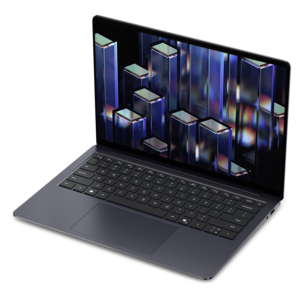
A thin, lightweight laptop crafted from eco-friendly materials with Series 3 Intel Core processors for productivity.
A durable, serviceable laptop or 2-in-1 designed specifically for demanding education environments.
A durable, serviceable laptop designed specifically for demanding education environments.
A portable laptop with a sleek design, 16:10 display, and AI PC options for productivity anywhere.
An exceptionally thin and lightweight laptop designed for ultimate mobility.
A sleek, portable laptop with an expansive 16:10 display for reliable productivity anywhere.
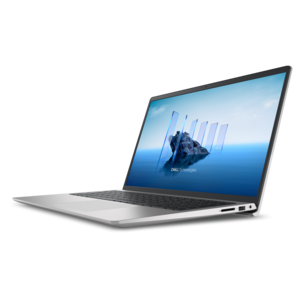
A slim, lightweight laptop with Intel® Core™ processors and graphics for productive work anywhere.
A modern laptop with AMD Ryzen™ processors delivers effortless productivity and captivating entertainment.
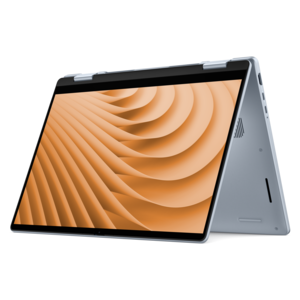
A versatile 2-in-1 laptop with multiple modes, Intel Core processors, and DDR5 memory for mobile creativity.
A lightweight AI-powered laptop designed for creative professionals and small businesses.
A stylish laptop with built-in AI and a spacious display for creators and developers.
A versatile 2-in-1 laptop designed for AI experiences and seamless multitasking on the go.
A sleek laptop powered by AMD Ryzen AI 400, designed for smooth, capable multitasking.
A sleek laptop powered by the latest AMD Ryzen AI 400 Series processors for demanding everyday performance.
A versatile 2-in-1 laptop with AI experiences, all-day battery life, and seamless multitasking.
A durable productivity laptop featuring an expansive 16:10 display and convenient numeric keypad.
A sleek laptop with a stylish modern design, built for multitasking and powerful everyday performance.
A lightweight AI-powered laptop with Intel Arc graphics, ideal for creative professionals and small businesses.
Choosing a laptop for an elementary student means balancing simplicity, durability, portability and price. Children in the early grades commonly use computers for web-based assignments, reading practice, educational applications, classroom portals, video lessons, research projects and basic document creation. A device does not need to be built for demanding professional software to support these activities, but it should feel responsive when several browser tabs are open and remain easy for a child to understand. For many families, a Chromebook with ChromeOS is a practical choice because the interface is straightforward, security updates are handled automatically and most schoolwork can be completed through a web browser. Windows laptops may be the better fit when a school specifically requires Windows applications, downloadable programs or compatibility with a particular learning platform. Before choosing, check the school’s technology requirements, including the operating system, browser, accessories, storage expectations and support for video calls. A budget-friendly laptop is often sufficient for elementary assignments, and many families look for options below $300 when the primary needs are web browsing, educational apps, online reading and simple video classes. Price should still be considered alongside construction, battery life and warranty support rather than treated as the only deciding factor. A laptop that starts quickly, connects reliably to school websites and has enough battery for a full day of classes can make the morning routine noticeably calmer, especially when a child is moving between the kitchen table, a classroom desk and an after-school study area. Families comparing options for school environments can also explore Laptops For Classroom Use for additional context on features that support learning in shared or individual classroom settings.
Size has a meaningful effect on how comfortable a young student feels using a laptop. An 11-inch to 14-inch display generally offers a useful balance: the screen is large enough for reading instructions and viewing diagrams, while the overall device remains light enough for a small backpack. An 11-inch or 12-inch model can be especially convenient for children who carry several books, a lunch container and art supplies, although text and on-screen controls may feel more compact. A 13-inch or 14-inch screen gives worksheets, presentations and split-screen activities more breathing room without becoming difficult to transport. A touchscreen can make educational games, drawing activities and interactive lessons feel natural, while a traditional display may be a good fit for children who mainly type, read and navigate with a touchpad. A comfortable keyboard matters just as much. Look for clearly spaced keys, a responsive touchpad and a layout that does not feel cramped when a child is learning to type. Younger students may benefit from a spill-resistant keyboard and a sturdy outer construction, since laptops can encounter tipped water bottles, crumbs, crowded desks and the occasional hurried trip from one room to another. Drop-resistant designs, reinforced hinges and durable materials can provide extra confidence, though careful handling and a protective sleeve remain worthwhile. Weight is another detail parents often notice after the first week of school: a laptop that feels manageable in a child’s hands is more likely to be carried safely and set up independently. Battery life should cover a substantial portion of the school day, with enough reserve for homework or a short video call at home. Fast charging can also help when a student forgets to plug in after returning from school.
Elementary students often use laptops with guidance from teachers and family members, so features that support independence are especially valuable. A simple login process, dependable Wi-Fi, an integrated webcam and a clear microphone can help a child join virtual lessons or speak during a classroom presentation without needing extensive technical assistance. Built-in storage may be less important for students who save assignments through cloud-based school services, but enough local space is useful for downloaded reading materials, photos, presentations and offline work. Parents should consider how the device handles multiple browser tabs, educational videos and word-processing documents at the same time; smooth everyday performance is more important than advanced graphics capability for most elementary workloads. Parental controls, separate user profiles and automatic security updates can help families create a more focused learning environment, while a privacy cover or a habit of closing the camera when it is not in use can offer added peace of mind. Accessories can make a noticeable difference as well. A protective sleeve helps shield the laptop during transportation, headphones can reduce distractions in a busy home, and a compact wireless mouse may be easier for some children to control than a touchpad. For a student receiving a laptop as a birthday, back-to-school or winter gift, choosing a device that leaves room to grow can make it useful beyond a single grade level. A child might begin with phonics exercises and teacher-assigned reading, then move toward slide presentations, collaborative documents, coding fundamentals and independent research. The best fit is usually the laptop that matches the school’s requirements, feels comfortable in small hands, stands up to everyday use and makes common tasks feel approachable rather than complicated.
Add the products you would like to compare, and quickly determine which is best for your needs.