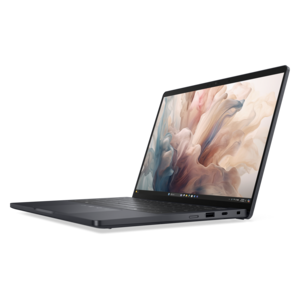
Laptops For Medical Professionals
Laptops for medical professionals are designed to support the demanding needs of healthcare environments, offering reliable performance for everything from telemedicine consultations to managing patient records. Whether working in a hospital, clinic, or on the go, medical professionals require devices that keep pace with their busy schedules and dynamic workflows. Explore a wide selection of laptops tailored to help streamline tasks, enhance productivity, and ensure seamless connectivity throughout your day. Find the right solution to empower your practice and elevate your efficiency with laptops for medical professionals.
This product is not available
Check out the following recommendations.


Laptops For Medical Professionals
Laptops for medical professionals need to keep pace with demanding schedules, varied workspaces and the responsibility of handling sensitive patient information. A physician moving between examination rooms, a nurse documenting care at a workstation, a medical student reviewing notes between lectures or a researcher analyzing clinical data may all value a different balance of portability and performance, but dependable everyday use is a common priority. A lightweight 13-inch or 14-inch laptop can fit comfortably in a work bag or on a mobile cart without adding unnecessary bulk, while a larger 15-inch or 16-inch display may make chart review, multitasking and detailed visuals more comfortable at a desk. Consider how the laptop will move through the day: a sturdy chassis, a comfortable keyboard, a responsive touchpad and a hinge that opens smoothly can matter just as much as processor specifications when the device is used during early rounds, in a quiet office or beneath bright clinical lighting. Battery life is another practical consideration. A laptop offering roughly 8 to 12 hours of real-world use can help support a long shift, a full day of classes or travel between facilities without constant searches for an available outlet. Actual battery performance varies with display brightness, wireless connections, video calls and demanding applications, so it is helpful to review tested battery estimates and choose a model with charging options that fit the user’s routine. A compact charger, USB-C connectivity and a selection of useful ports can also reduce the need to carry several adapters from one location to another.
Performance requirements depend on the type of medical work involved. Everyday electronic health record use, secure messaging, research, telehealth appointments and office productivity typically benefit from a current processor, sufficient memory and a fast solid-state drive that can open applications and large files without sluggish pauses. Users working with medical imaging, diagnostic visuals, three-dimensional models or specialized DICOM applications may need more capable graphics, additional memory and a higher-resolution display. A crisp screen can make fine details easier to inspect, while an anti-glare finish and brightness of around 400 nits or more may improve readability under strong overhead lighting. Color accuracy can be important for certain clinical, design or research tasks, although the appropriate display depends on the software and professional workflow. A comfortable keyboard deserves attention as well; clinicians and administrative staff may enter notes for hours at a time, and well-spaced keys with clear feedback can make repetitive documentation less tiring. Touchscreen capability, a flexible hinge or pen support may help with annotating documents, signing forms or navigating information while standing, but these features should be weighed against added cost, weight and battery impact. Before choosing from laptops for medical professionals, confirm that the operating system and hardware support required EHR platforms, imaging tools, virtual desktop environments, accessibility software and institution-approved security applications. Compatibility is particularly important when a workplace uses specialized peripherals, smart-card readers, docking stations or external monitors.
Security and privacy should remain central to the purchase decision because a medical laptop may access protected health information, research records or confidential communications. Look for features such as a fingerprint reader, facial recognition through an infrared camera, a privacy shutter, hardware-based encryption support and a trusted security module. These tools can help create stronger layers of protection, but they work best alongside a unique password, automatic screen locking and careful adherence to organizational policies. Users should follow their employer’s requirements for authentication, remote access, device management, encryption and approved cloud services rather than assuming that a particular feature alone ensures compliance. A bright waiting-room screen, an unlocked laptop left on a cart or an unprotected connection in a public area can create avoidable risks, making privacy screens, secure Wi-Fi practices and thoughtful positioning useful additions to daily habits. Durability also has a place in the decision. A device carried from home to campus, clinic and conference room should withstand regular handling, while a quieter design can be welcome in a consultation room, library or shared office. For professionals whose work extends beyond clinical care, a capable laptop can support continuing education, presentations, writing, scheduling and collaboration after the last appointment ends. Those comparing professional computing needs across fields may also find Laptops For IT Professionals helpful for evaluating portability, security and performance priorities in another demanding workplace. A thoughtfully selected laptop can serve a resident building confidence during long study sessions, a clinician balancing rounds with documentation, or a family member beginning a new healthcare role, providing a reliable workspace wherever the day’s responsibilities lead.
FAQs:
Medical professionals should prioritize laptops that offer strong processing power, ample RAM (at least 16GB), and SSD storage for fast access to patient records and medical imaging. Durability, lightweight design, long battery life, and easy-to-clean surfaces are also important for daily use in clinical settings.
Touchscreen and 2-in-1 convertible laptops are particularly useful in healthcare because they allow for quick note-taking, easy annotation of medical charts, and more interactive patient consultations. These devices can also be used in tablet mode, making them convenient for rounds or bedside care.
For most medical professionals, a minimum of 256GB SSD storage is recommended, but 512GB or higher is ideal for those who handle large medical files, research data, or extensive patient records. SSDs also provide faster boot times and greater reliability compared to traditional hard drives.
A laptop with an Intel Core i5 or i7 processor, or an equivalent, is recommended for running demanding medical software, EHR systems, and multitasking between applications. These processors ensure smooth performance and responsiveness during busy workdays.
While there are no laptops built exclusively for medical billing and coding, professionals in this field benefit from laptops with clear, high-resolution displays, reliable connectivity, and comfortable keyboards. Devices with robust security features are also important to protect sensitive patient information.