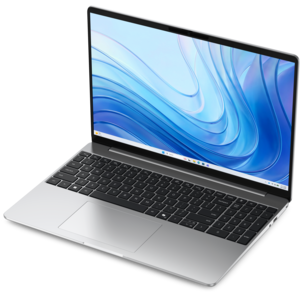
Laptops for Software Engineering

Compare laptops for software engineering based on the demands of your development tools and projects. Consider processor performance, RAM, and storage for coding, compiling, and testing, then weigh screen size and portability to find a laptop that fits how and where you work.

Filters

$699.99

A thin, lightweight laptop crafted from eco-friendly materials with Series 3 Intel Core processors for productivity.
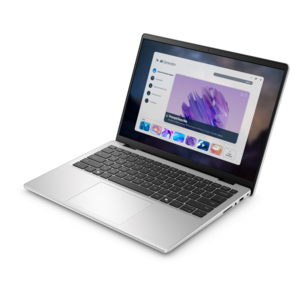
$699.99
$1062.00

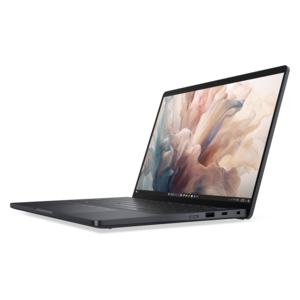
A portable laptop with a sleek design, 16:10 display, and AI PC options for productivity anywhere.

$1062
$570.00

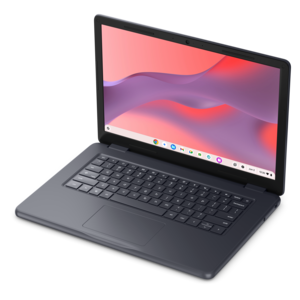
A durable, serviceable Chromebook designed specifically for education environments.

$570
$629.99

A laptop featuring an FHD camera, enlarged ergonomic keyboard, and AMD Ryzen™ processing.

$629.99
$1339.99

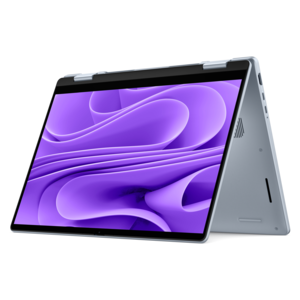
A versatile 2-in-1 laptop with AI experiences, all-day battery life, and seamless multitasking.

$1339.99
$2287.00

A lightweight AI PC delivering outstanding performance and battery life for highly mobile professionals.

$2287
$849.99

A thin, lightweight laptop made with eco-friendly materials and Series 3 Intel Core processors for productivity.
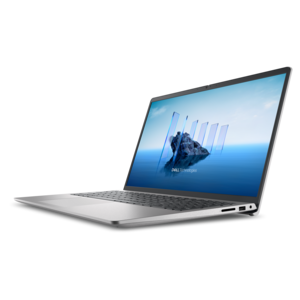
$849.99
$1249.99

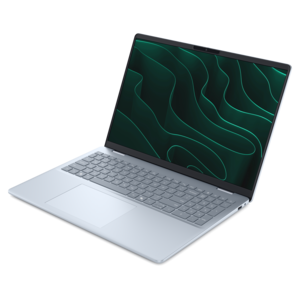
An AI-ready laptop with a spacious display, designed for creators and developers seeking high performance.

$1249.99
$1099.99

A slim, lightweight laptop with Intel® Core™ processors and graphics for productive work anywhere.

$1099.99
$4190.00

A powerful productivity laptop with scalable performance and advanced on-device AI capabilities.

$4190
$1699.99

A sleek laptop delivering smooth AI experiences and accelerated creative workflows for demanding high-performance users.

$1699.99
$1789.00

A professional laptop delivering powerful on-device AI, impressive unplugged performance, and groundbreaking battery life.

$1789
$799.99

A thin, lightweight laptop crafted with eco-friendly materials and powered by AMD Ryzen 200 Series processors.

$799.99
$2005.00

A remarkably thin laptop powered by AMD Ryzen AI PRO 400 Series processors for professional performance.

$2005
$4152.00

A workstation-class laptop delivering powerful performance in a modern design.

$4152
$1122.00

A sleek, portable laptop with an expansive 16:10 display for reliable productivity anywhere.

$1122
$971.00

A durable, serviceable laptop designed specifically for demanding education environments.

$971
$2133.00

A remarkably thin professional laptop combining portability and performance with Intel Core Ultra Series 3 processors.

$2133
$4211.00

A modern workstation-class laptop delivering cost-effective performance for professional productivity.

$4211
$1149.99

A sleek laptop powered by the latest AMD Ryzen™ AI 400 Series processors for demanding users.

$1149.99
$1966.00

A secure, scalable AI laptop with durable aluminum construction and a spacious productivity-focused display.

$1966
$2135.00

A productivity-focused Copilot+ PC powered by a capable AMD CPU, GPU and NPU combination.

$2135
$3766.00

A lightweight semi-rugged laptop with Intel Core Ultra processors delivering AI performance for demanding fieldwork.

$3766
$852.00

A durable, serviceable laptop or 2-in-1 designed specifically for demanding education environments.

$852

Laptops for Software Engineering

Laptops for software engineering support the everyday rhythm of writing code, running tests, reviewing changes, and turning ideas into working applications. The right configuration depends on the development tools, operating system requirements, and amount of work performed locally rather than through remote computing resources. For coursework, web development, and smaller applications, 16GB of memory can provide room for a code editor, browser tabs, documentation, and routine testing. Moving to 32GB gives larger projects more breathing room, especially when an integrated development environment, containers, a local database, and video meetings share the same machine. Particularly demanding workflows involving several virtual machines, large datasets, or complex simulations may benefit from 64GB or more, depending on software requirements. Processor performance matters in different ways: responsive individual cores help with interactive tasks, while additional cores can shorten builds and support parallel test runs when the tools can use them. Sustained performance is just as important as a short burst of speed, since a lengthy compilation can keep a laptop busy long after a quick benchmark ends. A solid-state drive helps projects open quickly and reduces delays when searching files or loading development tools. A 512GB drive may accommodate a focused setup, while 1TB or more can leave useful space for multiple repositories, application assets, virtual machine images, and downloaded dependencies. Integrated graphics are sufficient for many programming tasks; a dedicated graphics processor becomes more relevant for game development, accelerated computing, certain machine learning workloads, and graphics-intensive applications. Compatibility remains the starting point, including processor architecture, required operating systems, virtualization support, and any restrictions imposed by an employer or academic program. A laptop that closely matches the actual toolchain is more useful than one chosen solely for its highest specification. For a developer moving between a small web project and a substantial application build, balanced processing power, sufficient memory, and responsive file access can make the entire workday feel more consistent.

Comfort and construction shape how a software engineering laptop feels through hours of concentrated work. A clear display makes dense code, terminal output, and documentation easier to read without constantly changing zoom levels. Screens with a taller aspect ratio can show more lines at once, while larger displays provide space for side-by-side windows during debugging or code review. Higher resolution can improve text definition, although scaling settings determine how much usable workspace remains. Brightness and reflections matter in practical settings: overhead classroom lighting, a desk beside a window, or a shared workspace can expose the limitations of a dim or glossy screen. An external monitor can expand a stationary setup, provided the laptop supports the required connection and display configuration. Keyboard feel is equally personal, with key spacing, consistent feedback, and a comfortable layout becoming noticeable during a long afternoon of editing. Frequently used navigation keys and an accurate touchpad can reduce small interruptions that add up across the day. Port selection affects everything from attaching a monitor to using a security key or connecting test hardware; a compact design may require adapters, and not every similar-looking connector supports the same charging or video functions. Chassis materials, hinge construction, and overall rigidity also deserve attention. Metal housings can feel firm and substantial, while well-designed composite housings can offer a practical balance of weight and resilience. Neither material alone guarantees durability, so construction quality and the demands of daily travel matter more than appearance. A padded sleeve and a backpack compartment that keeps pressure off the lid can help protect a laptop between classes, meetings, and commuting. Clear ventilation openings and a hard, stable work surface support cooling during demanding tasks. Routine care includes removing dust gently and cleaning the screen according to the manufacturer’s directions. Battery life varies with screen brightness, background activity, compilation, and graphics use, so a light coding session may last considerably longer than a day spent running intensive tests. Laptop weight, charger size, and fan noise all contribute to comfort when the work moves beyond a permanent desk.

Different software engineering roles place different demands on the same portable format. A student learning programming fundamentals may spend most of the day switching between assignments, reference material, and small projects, making portability and a comfortable keyboard especially valuable. A front-end developer may need room to compare layouts across browser windows and test different screen sizes, while a back-end developer may prioritize memory capacity for local application components and automated tests. Mobile application work can involve resource-intensive emulators, and some target platforms require a particular operating system or access to additional hardware. Game development and data-focused projects can introduce graphics or memory requirements that are less important for general coding. These distinctions make the intended workload more meaningful than a broad label such as “high performance.” For related options centered on everyday coding tasks, Laptops For Computer Programming provides another relevant category to explore. A laptop for a first engineering role or a graduation gift should also fit the recipient’s course requirements, workplace policies, and preferred tools. Security features can matter when projects contain confidential information: supported device encryption, reliable authentication, and timely software updates help protect work during travel and daily use. A built-in camera and clear microphone are useful for remote collaboration, whether the day includes a design review, pair programming, or a discussion with classmates. For longer ownership, the ability to replace a battery or expand memory and drive capacity can be valuable, but those capabilities vary by design and should never be assumed. Some thin laptops have fixed memory, making the initial configuration especially important for future workloads. Repair documentation and compatible replacement components can also influence how practical a machine remains as needs change. Keeping project files backed up separately protects work if a device is damaged or lost. The most suitable laptop for software engineering brings these practical details together: enough computing capacity for the current workload, comfortable controls for sustained use, compatibility with essential tools, and a physical design that fits the places where development happens.

FAQs:

Add the products you would like to compare, and quickly determine which is best for your needs.

Add the products you would like to compare, and quickly determine which is best for your needs.