$1249.99
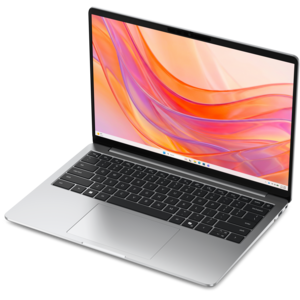
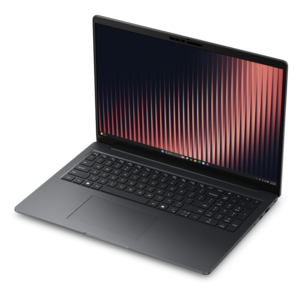
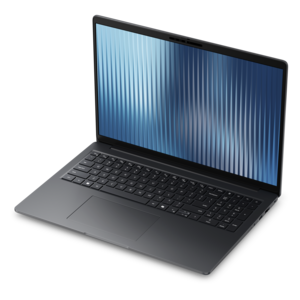
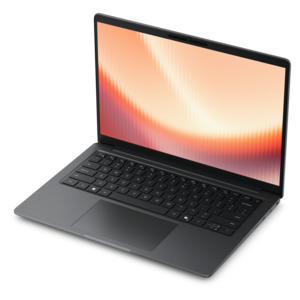
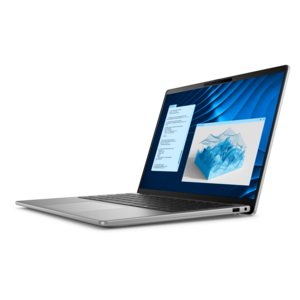
An AI-ready laptop with a spacious display, designed for creators and developers seeking high performance.
Laptops for computer programming are essential tools for developers, coders, and tech enthusiasts who demand performance, reliability, and versatility. Whether you're writing complex algorithms, developing software applications, or diving into the world of AI and machine learning, having the right laptop can significantly enhance your productivity and streamline your workflow. Explore our curated selection of laptops designed to meet the rigorous demands of programming tasks while offering seamless multitasking capabilities and robust processing power. Discover how these laptops can transform your coding experience with cutting-edge technology and ergonomic designs tailored for long hours of development work.
An AI-ready laptop with a spacious display, designed for creators and developers seeking high performance.
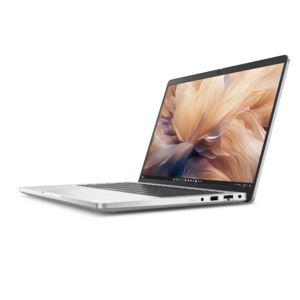
A laptop featuring Intel® 13th Gen processors, a built-in FHD camera, and an enlarged ergonomic keyboard.
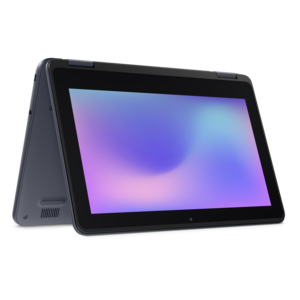
A durable, serviceable laptop or 2-in-1 designed specifically for demanding education environments.
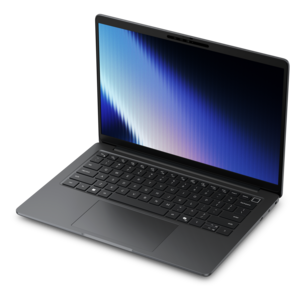
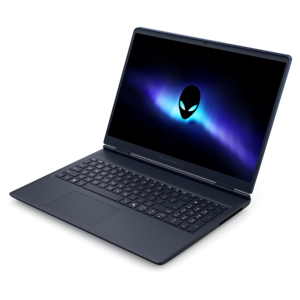
An AI-powered laptop with a spacious display and Intel Arc graphics for creators and developers.
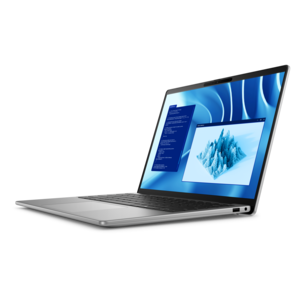
A thin, lightweight laptop crafted with eco-friendly materials and powered by AMD Ryzen 200 Series processors.
A durable, serviceable laptop designed specifically for demanding education environments.
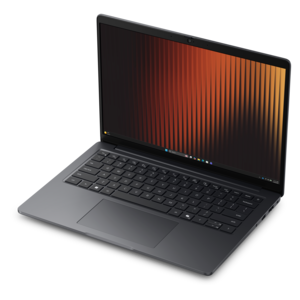
A thin, lightweight business laptop with AMD Ryzen processors, commercial-grade security, and durable, manageable construction.
A slim, lightweight laptop with Intel® Core™ processors and graphics for productive work anywhere.
A sleek, portable laptop with an expansive 16:10 display for reliable productivity anywhere.
A lightweight AI-powered laptop designed for creative professionals and small businesses.
A secure, scalable commercial AI laptop featuring a sleek, durable aluminum body and productivity-focused display.
A remarkably thin laptop powered by AMD Ryzen AI PRO 400 Series processors for professional performance.
A thin, lightweight business laptop with durable design, commercial-grade security, manageability, and AMD Ryzen processors.
A commercial AI laptop with advanced security, scalability, and a sleek, durable aluminum body for productivity.
A remarkably thin professional laptop combining portability and performance with Intel Core Ultra Series 3 processors.
A premium laptop delivering powerful on-device AI, game-changing unplugged performance, and outstanding battery life.
A thin, lightweight business laptop with durable construction and commercial-grade security and manageability.
A remarkably thin laptop powered by AMD Ryzen AI PRO 400 Series processors for professional performance.
A lightweight AI PC delivering outstanding performance and battery life for highly mobile professionals.
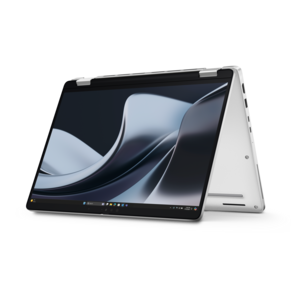
A thin 2-in-1 laptop combining versatility, portability, and performance with Series 3 Intel Core Ultra processors.
A secure, scalable commercial AI laptop in a sleek, durable aluminum body for on-the-go multitasking.
A thin, lightweight business laptop with durable construction, commercial-grade security, and manageable everyday productivity.
A Copilot+ PC combining powerful Intel® CPU, GPU, and NPU performance for productive everyday computing.
A thin, durable laptop delivering reliable performance for professional productivity.
Laptops for computer programming should make it easier to move from an idea to working code without being slowed by long load times, cramped screens, or an uncomfortable keyboard. Developers may use these computers for web development, software engineering, mobile app creation, data analysis, automation, cybersecurity coursework, or learning a first programming language. A student might carry one between classes and a quiet corner of the library, while a professional may use the same laptop in a home office, shared workspace, or while traveling between meetings. The right choice depends on the tools being used, but a modern multi-core processor is a practical starting point for compiling projects, running development environments, and handling several applications at once. Memory is equally important: 16GB of RAM is a sensible minimum for smooth multitasking, while 24GB or 32GB can provide more room for browser tabs, code editors, containers, virtual machines, local databases, and other demanding workloads. A fast solid-state drive helps projects, applications, and files open quickly, and at least 512GB of storage gives many programmers useful working space for software tools, source repositories, test environments, and personal files. Developers working with large media assets, multiple virtual machines, or local machine-learning tools may appreciate additional memory and storage. A capable laptop does not need to be oversized, but it should have enough performance headroom to remain responsive as projects become more complex.
The display, keyboard, battery, and portability deserve as much attention as processor specifications. Programmers often spend long stretches reading small text, comparing files, and tracing lines of code, so a sharp display with clear font rendering can reduce visual strain and make dense interfaces easier to navigate. A larger screen can provide more room for an editor, terminal, documentation, and a live preview, while a compact laptop may be more convenient for commuting or working in changing locations. Screen size is only part of the decision; brightness, resolution, viewing comfort, and the ability to connect an external monitor can all shape the daily experience. A comfortable, tactile keyboard with sensible key spacing is valuable during extended coding sessions, especially for developers who use punctuation, keyboard shortcuts, and navigation keys repeatedly. Battery life also matters when an outlet is out of reach, although demanding compilation, emulation, graphics work, and virtual machines can use power more quickly than note-taking or browsing. Look for a durable design, reliable wireless connectivity, useful ports, and enough flexibility to connect displays, storage devices, a mouse, or other accessories. A laptop with a webcam and microphone can support code reviews, classes, and team meetings, while a backlit keyboard can be helpful in a dim room during the cooler months when work often stretches into the evening. Programmers interested in building interactive environments, simulations, or visual applications may also want to explore Laptops for Game Development, where graphics capability and thermal performance can take on greater importance.
The operating system should match the development tools, programming languages, and collaboration environments a person expects to use. Many web and software projects can be developed across common desktop operating systems, but certain mobile development tools, enterprise applications, command-line utilities, or classroom requirements may favor one platform over another. Checking compatibility before purchasing can prevent surprises with emulators, integrated development environments, container software, drivers, and testing frameworks. Portability may be the priority for a university student, a consultant, or anyone who writes code from cafés and coworking spaces; in that case, a lighter laptop with strong battery performance can be easier to live with every day. A developer building large applications, running local databases, or working with several monitors may prefer a larger chassis with a more powerful processor, additional memory, and improved cooling. For someone receiving a programming laptop as a gift, practical accessories such as a comfortable mouse, a laptop sleeve, an external monitor, or a full-size keyboard can make the workspace feel more complete, though the laptop itself should come first. Before choosing, consider the person’s preferred operating system, programming focus, typical project size, budget, and willingness to upgrade later. New learners may value a straightforward, dependable computer that supports tutorials and beginner projects without unnecessary complexity, while experienced developers may benefit from higher memory capacity, faster storage, a sharper display, and stronger sustained performance. Choosing a balanced configuration creates a useful foundation for writing, testing, debugging, and sharing code through changing seasons and across the many places where programming takes place.
Add the products you would like to compare, and quickly determine which is best for your needs.