$2549.99
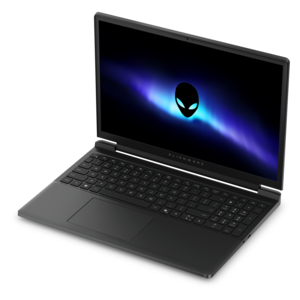
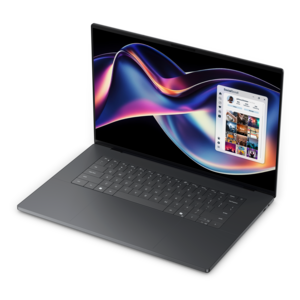
A streamlined gaming laptop delivering essential performance with up to NVIDIA GeForce RTX 50 Series graphics.
Browse laptops for game development with configurations suited to coding, game engines, 3D modeling, and rendering. Compare options by processor, graphics capabilities, memory, storage, display, and portability to find a laptop that fits your development workflow, from building 2D projects to creating detailed 3D experiences.
A streamlined gaming laptop delivering essential performance with up to NVIDIA GeForce RTX 50 Series graphics.
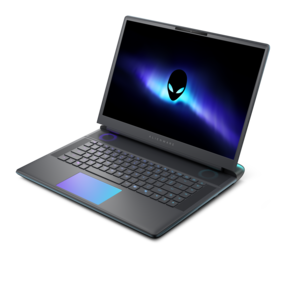
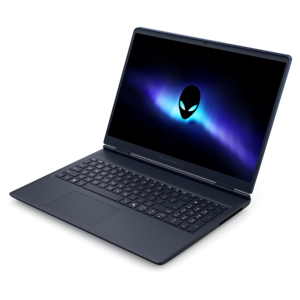
A flagship gaming laptop engineered for innovative, high-performance play by passionate gamers.
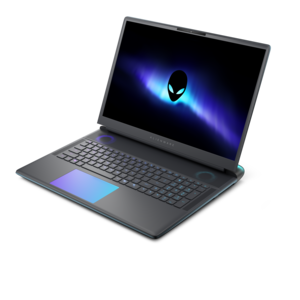
A gaming laptop powered by Intel Core Series 2 processors and NVIDIA GeForce RTX graphics.
A flagship gaming laptop engineered for innovative, high-performance gameplay.
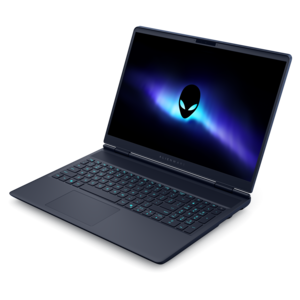
A gaming laptop with NVIDIA GeForce RTX 50 Series graphics in a streamlined design.
Laptops for game development need to do more than launch an engine and display a project window. They serve as a complete creative workspace for writing code, building environments, sculpting characters, importing audio, testing physics, and reviewing scenes as they take shape. A capable processor with several performance cores can help shorten compile times, manage background tasks, and keep an editor responsive while tools run side by side. For many developers, a modern multi-core processor in a higher performance class provides a strong foundation, especially when a project includes large scenes, complex lighting, extensive scripts, or frequent builds. Dedicated graphics are equally important for interactive 3D work. A laptop with a current dedicated GPU can help render detailed environments, preview visual effects, support real-time lighting, and make it easier to test the way a game will look on a finished system. When comparing graphics hardware, consider the amount of dedicated video memory as well as overall performance, since larger projects and high-resolution assets can place greater demands on the GPU. Memory also deserves careful attention. Sixteen gigabytes can be a practical starting point for students, beginners, and developers working primarily on smaller 2D projects, while 32GB offers more breathing room for 3D engines, asset editors, browser windows, code tools, and reference material running together. Developers working with especially ambitious scenes, extensive texture libraries, or demanding simulation tools may benefit from even more memory if the laptop supports an upgrade. Fast solid-state storage helps an engine open projects, load assets, and move between scenes with less interruption; a 1TB capacity is a useful target for many creators because project files, software development kits, source builds, sample libraries, and backups can grow quickly. A high-resolution display can make interface panels and detailed artwork easier to inspect, while accurate color and a comfortable viewing size help when adjusting materials, lighting, and user interface elements. A refresh rate above the basic standard can also make camera movement and playtesting feel smoother, though graphics performance and display quality should remain balanced with the intended workflow.
The right laptop depends on the kind of games being created and the way development time is divided. Someone learning a lightweight 2D engine may place greater value on affordability, quiet operation, keyboard comfort, and portability than on maximum graphics power. A student moving between classrooms, a library, and home may appreciate a slimmer design, dependable battery life, and a charger that is easy to pack, while still looking for enough performance to build prototypes and complete coursework. Developers creating detailed 3D games, virtual environments, or cinematic scenes should look more closely at processor class, dedicated graphics capability, memory capacity, cooling, and sustained performance. Thin designs can be convenient for travel, but a larger chassis may provide more room for airflow and stronger components that maintain performance during long sessions. Cooling is easy to overlook when browsing specifications, yet it can shape the everyday experience: a laptop that manages heat effectively is more comfortable during extended coding, rendering, and playtesting. Port selection matters as well. Multiple USB ports, a full-size video connection, fast wireless connectivity, and support for external displays can simplify a desk setup with a mouse, drawing tablet, development controller, headphones, or second screen. The keyboard should feel dependable for repeated coding sessions, and a precise touchpad can be useful when working away from a desk. Consider the operating system and the requirements of the preferred development tools before choosing, since some engines, graphics APIs, middleware packages, and console development workflows have specific compatibility needs. Developers who work with artificial intelligence tools, procedural generation, or machine learning features may also want to explore Laptops For AI Development for systems designed around those workloads. When comparing options, think beyond peak specifications and picture a normal afternoon: an engine open beside an editor, reference art in a browser, music playing in the background, and a test build running while notes are updated. The best fit is the laptop that can support that whole routine without forcing constant compromises.
A laptop for game development can be a thoughtful gift for a student, aspiring designer, hobbyist, or experienced creator who wants to work from more places. It can turn a quiet corner of a home into a small studio, support a portfolio project after class, or give an independent developer a dependable way to sketch ideas during travel and refine them later at a desk. For a first-time developer, an accessible configuration with a modern processor, dedicated or capable graphics, 16GB of memory, and a fast SSD can provide a comfortable introduction to game engines and coding tools. For someone already building ambitious projects, 32GB or more of memory, a higher-performance multi-core processor, stronger dedicated graphics, and at least 1TB of fast capacity can reduce friction when handling large assets and multiple applications. Expandability can add long-term value, particularly if the laptop allows memory or drive upgrades as projects become more demanding. It is also worth considering warranty coverage, service options, included accessories, and the cost of essentials such as a mouse, headset, external display, or cooling stand. A portable laptop may be used on a kitchen table during the cooler months, carried to a study group, or connected to a larger monitor for focused work at home, so a balanced design often serves more people than a system optimized for only one setting. Before choosing, review the engine requirements, the expected project size, preferred screen dimensions, and whether the recipient values portability or maximum performance. With the right combination of processing power, dedicated graphics, memory, fast SSD capacity, cooling, and comfortable controls, a game development laptop can support the entire creative cycle—from the first rough prototype and a character moving across a blank scene to polished lighting, final testing, and a finished build ready to share.
Add the products you would like to compare, and quickly determine which is best for your needs.