$1249.99
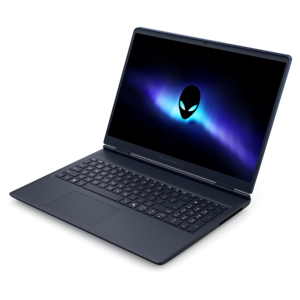
An AI-ready laptop with a spacious display, designed for creators and developers seeking high performance.
Shop computers for game development, including laptops and desktops for coding, game design, 3D creation, and testing. Explore available configurations alongside monitors and accessories to find the setup that fits your development workflow, workspace, and preferred way to create.
An AI-ready laptop with a spacious display, designed for creators and developers seeking high performance.
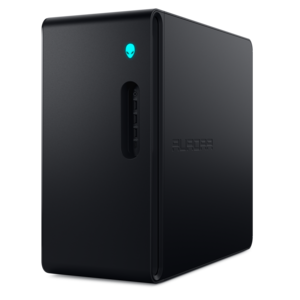
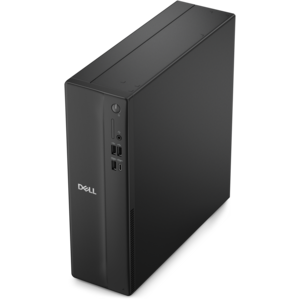
A gaming desktop with a purpose-built design, efficient airflow, and improved acoustics.
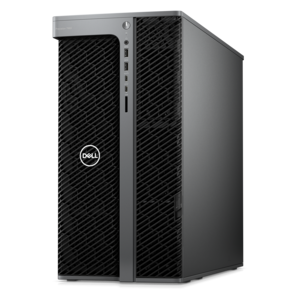
A scalable tower workstation with professional graphics and up to a 56-core Intel Xeon processor.
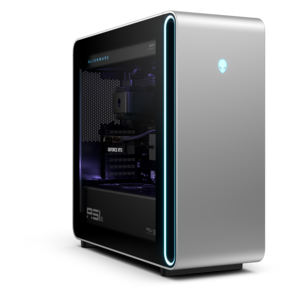
A flagship gaming desktop with advanced design and up to AMD Ryzen 9000X3D series processors for gameplay.
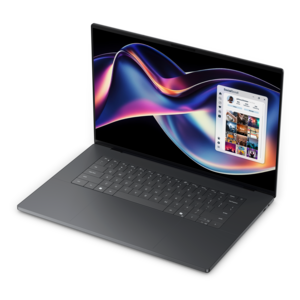
A creator-focused laptop with built-in AI, a spacious display, and Intel Arc graphics for demanding workflows.
A powerful desktop featuring advanced graphics and expansive upgradeability for creative workflows, gaming, and demanding performance.
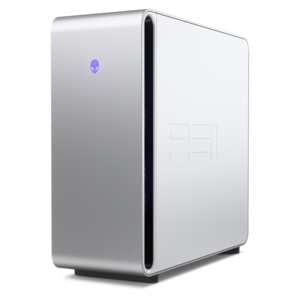
A powerful gaming desktop featuring an advanced design for legendary gaming performance.
Computers for game development need to support much more than gameplay testing. A developer may move between writing code, importing artwork, building levels, compiling shaders, rendering scenes, recording audio, and running a game engine at the same time. The right computer helps these tasks feel connected rather than interrupted by long pauses or sluggish menus. When comparing systems, begin with the processor, since a modern multi-core CPU can shorten code compilation, lighting builds, asset preparation, and other workloads that benefit from parallel processing. A processor with six to eight cores can provide a strong foundation for many 2D and mid-range 3D projects, while systems with higher core counts are well suited to large environments, complex simulations, virtual reality development, and frequent background builds. Memory is equally important. While 16GB may support entry-level projects, 32GB is a practical baseline for running an engine, code editor, browser windows, image tools, and audio software together. Developers working with detailed 3D scenes or demanding real-time workflows may appreciate 64GB or more, particularly when several large applications remain open throughout the day. Fast solid-state drives can also make a noticeable difference by reducing project loading times and helping large asset libraries, source files, and development tools open more quickly. A capacity of 1TB gives many creators room to begin, while 2TB or more can be useful for extensive texture libraries, captured footage, multiple engine installations, and several active projects. For a focused starting point, explore Game Development Desktop PCs and compare the balance of processing power, memory, graphics capability, and drive capacity that fits the way you create.
Graphics performance becomes especially important when development moves beyond simple 2D scenes. A dedicated graphics processor can provide smoother editor navigation, faster viewport playback, more responsive lighting previews, and stronger performance when testing a game at its intended resolution. It is valuable for real-time 3D engines, physically based materials, particle effects, ray-traced lighting, and virtual reality projects where a steady frame rate supports both accurate testing and comfortable use. Look for a system with enough dedicated graphics memory to handle the scale of your scenes; larger environments, high-resolution textures, and detailed character models can quickly increase demand. Developers creating stylized 2D games may not need the same graphics capability as someone building a photorealistic open-world experience, so the most expensive configuration is not automatically the most suitable one. A balanced computer should also include effective cooling, since compiling code and rendering scenes can keep the processor and graphics hardware working hard for extended periods. A desktop often offers more room for robust cooling, larger components, future memory expansion, and additional drives, making it a practical choice for a permanent studio, home office, classroom, or shared creative space. A laptop can be a better fit for students, freelance developers, educators, and teams that move between rooms or locations. When choosing a laptop, consider the weight and battery expectations alongside performance, and remember that demanding development work is usually best performed near a power outlet. A clear, high-resolution monitor can make code, timelines, node-based tools, and intricate level layouts easier to manage, while a second display can keep reference material or documentation visible without covering the main development workspace. Comfortable input accessories, accurate audio equipment, and a dependable webcam may also help turn a capable computer into a complete development station.
These computers can serve a wide range of creators, from a student learning the basics of level design to an experienced developer preparing a commercial release. A beginner building a small platform game may value quiet operation, straightforward setup, and enough performance to learn an engine without constant waiting. An independent developer may prioritize a fast processor and generous memory because one person often handles programming, modeling, animation, sound, testing, and project management from the same desk. A larger creative team may look for consistent performance across multiple workstations so artists and programmers can share a predictable workflow. Game development computers can also make thoughtful gifts for someone who spends hours experimenting with interactive stories, designing characters, creating mods, or learning to code. For a gift recipient, flexibility is often more useful than choosing hardware built for only one type of project: a capable processor, dedicated graphics, 32GB of memory, and a fast 1TB solid-state drive can provide a versatile starting point for many creative paths, with additional capacity or memory considered as projects grow. Before choosing a configuration, think about the intended engine, whether projects are primarily 2D or 3D, the target platforms, the size of expected art assets, and whether virtual reality or high-resolution rendering is part of the plan. It is also wise to leave some headroom for future tools and more ambitious scenes, since a computer that feels comfortable with today’s project can become strained as visual quality and project complexity increase. During the cooler months, a well-equipped computer can become a welcoming center for focused creative work, whether that means refining a level after class, testing a new mechanic at a home desk, or bringing a small team’s shared vision closer to a finished game.
Add the products you would like to compare, and quickly determine which is best for your needs.