Laptops With Advanced Cooling Systems
Laptops with advanced cooling systems are designed to deliver reliable performance even during demanding tasks. Whether you're working on complex projects, gaming, or multitasking throughout the day, these laptops help maintain optimal temperatures for smooth and efficient operation. Explore a range of options that prioritize thermal management, ensuring your device stays cool and responsive no matter how intense your workload gets. Find the perfect balance of power and stability with laptops featuring innovative cooling solutions.
This product is not available
Check out the following recommendations.


Laptops With Advanced Cooling Systems
Laptops with advanced cooling systems are designed for people who expect sustained performance from a portable computer, whether they are playing demanding games, creating high-resolution video, working with 3D models, compiling software, or managing large creative projects. Unlike a basic cooling setup that may rely on a single fan and a few heat pipes, these laptops can use multiple fans, expanded heat pipes, vapor chambers, liquid metal thermal materials, and carefully shaped air channels to move heat away from the processor and graphics hardware. A vapor chamber spreads heat across a broader surface area before it reaches the cooling fins, while dedicated heat pipes can direct warmth away from individual components. Some designs use two fans, and others add a third fan for more airflow through the chassis. Metal fan blades, larger exhaust vents, and software that adjusts fan speed according to workload can also help maintain more consistent performance during extended sessions. The result is not a laptop that stays completely cool under every condition; powerful components naturally produce heat. Instead, an advanced cooling system helps manage that heat so the computer can better sustain demanding workloads, reduce the chance of performance slowdowns caused by thermal limits, and make long periods of use feel more predictable.
When comparing laptops with advanced cooling systems, consider the type of work or entertainment that will place the greatest demand on the computer. A gamer may value strong graphics performance, a fast display, responsive input, and cooling that can support long play sessions without abrupt reductions in frame rates. A video editor, animator, engineer, or designer may place greater importance on processor performance, graphics capability, memory capacity, and a cooling design that can handle repeated rendering or export tasks. For additional graphics-focused options, browse Laptops With NVIDIA Graphics Cards. Pay attention to the balance between internal hardware and the physical design: a thin chassis may be easier to carry, while a larger chassis often provides more room for fans, heat pipes, exhaust vents, and a wider vapor chamber. Fan noise is another practical consideration. A laptop may run quietly during web browsing or document work, then increase fan speed when a game launches or a demanding application begins rendering. Features such as selectable performance modes can help users choose between quieter everyday operation and more aggressive cooling when maximum speed matters. It is also useful to review the display size, keyboard layout, port selection, battery capacity, and upgrade options alongside the cooling specifications, since the best fit depends on how the laptop will be used away from a desk as well as at one.
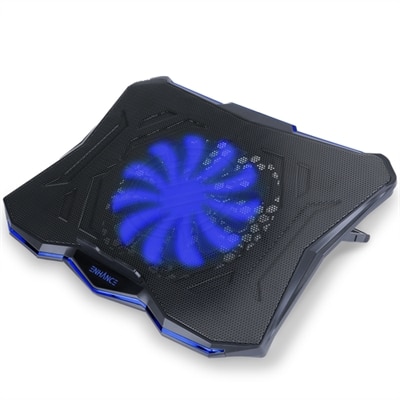
These laptops can suit students in technical or creative programs, professionals who travel between home and the office, streamers building a mobile setup, and households that want one capable computer for entertainment and productivity. They can also make a thoughtful gift for someone who has outgrown an entry-level laptop or needs a more dependable system for gaming, digital art, music production, photography, or coding. During the cooler months, a laptop may spend more time on a desk, kitchen table, or living-room workstation as people settle into longer indoor projects, making sustained comfort and reliable performance especially valuable. Even then, placement matters: keep the underside on a firm, level surface, leave clearance around the intake and exhaust areas, and avoid soft bedding or fabric that can block airflow. Periodically clearing dust from accessible vents can support the cooling system over time, while a compatible stand or cooling pad may improve airflow in a fixed setup. Whether the computer is used for a few focused hours of creation, an evening of gaming, or demanding work that continues throughout the day, advanced cooling is one part of a complete performance package. Reviewing the cooling architecture together with the processor, graphics, memory, storage, display, portability, and warranty details makes it easier to choose a laptop that feels responsive now and remains well suited to demanding applications as needs grow.
FAQs:
Advanced cooling systems in laptops help maintain optimal performance by efficiently dissipating heat, especially during intensive tasks like gaming, video editing, or running complex software. This prevents thermal throttling, allowing the processor and graphics card to operate at higher speeds for longer periods, and also contributes to the longevity of the device’s internal components.
Fanless or passive cooling laptops are ideal for users who prioritize silent operation, such as students in libraries, professionals in meetings, or anyone working in quiet environments. They’re also a great choice for travelers and remote workers who need a lightweight, low-maintenance device without moving parts.
Vapor chamber cooling spreads heat more evenly across a larger surface area compared to traditional heat pipes. This technology enables laptops to handle higher thermal loads, making them suitable for demanding applications while maintaining a thinner and lighter profile.
Yes, laptops with advanced cooling systems are excellent for creative professionals who work with resource-intensive applications like 3D rendering, graphic design, or video production. These systems ensure that the laptop can sustain high performance without overheating, which is crucial for uninterrupted creative workflows.
Look for laptops equipped with technologies such as vapor chambers, intelligent fan controls, expanded exhaust vents, and high-quality thermal materials like liquid metal. These features help keep internal temperatures low and performance steady during heavy multitasking or prolonged use.