$599.99
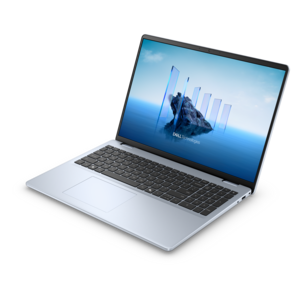
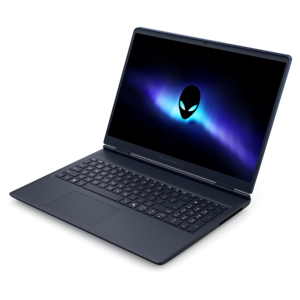
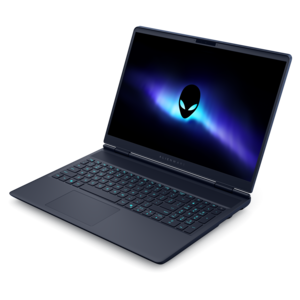
A laptop featuring Intel® 13th Gen processors, a built-in FHD camera, and an enlarged ergonomic keyboard.
Laptops with integrated graphics offer a streamlined solution for users seeking reliable everyday performance and energy efficiency. Perfect for work, study, or entertainment, these laptops are designed to handle daily tasks with ease while maintaining sleek portability. Explore a wide selection of laptops with integrated graphics to find the ideal balance of functionality and value for your needs.
A laptop featuring Intel® 13th Gen processors, a built-in FHD camera, and an enlarged ergonomic keyboard.
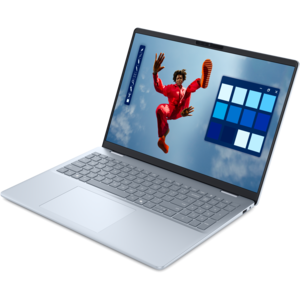
A thin, lightweight laptop crafted from eco-friendly materials with Series 3 Intel Core processors for productivity.
A slim, lightweight laptop with Intel® Core™ processors and graphics for productive work anywhere.
A modern laptop with Intel® Core™ processors and graphics for effortless productivity and captivating entertainment.
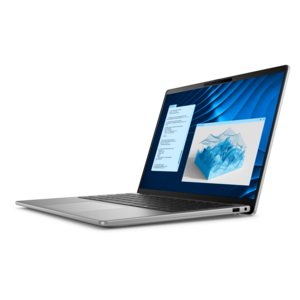
A lightweight AI-powered laptop designed for creative professionals and small businesses.
A lightweight AI-powered laptop with Intel Arc graphics, ideal for creative professionals and small businesses.
An AI-ready laptop with a spacious display, designed for creators and developers seeking high performance.
A spacious-display laptop with built-in AI and Intel Arc graphics for creative and development workflows.
A high-performance professional laptop with on-device AI and exceptional battery life for unplugged productivity.
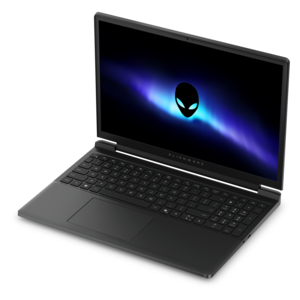
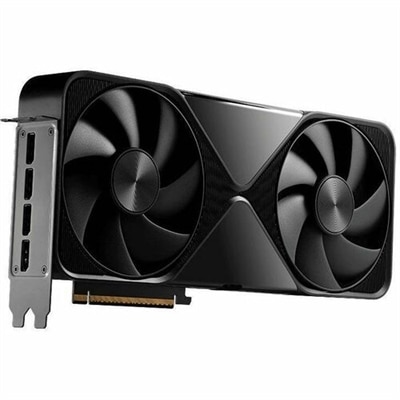
A powerful gaming laptop with Intel Core processors and NVIDIA GeForce RTX graphics for immersive gaming.
A streamlined gaming laptop delivering essential performance with up to NVIDIA GeForce RTX 50 Series graphics.
A streamlined gaming laptop delivering exceptional performance with NVIDIA GeForce RTX 50 Series graphics.
Laptops with integrated graphics place the graphics processor within the computer’s main processor rather than using a separate graphics chip. This design allows the laptop to handle image rendering, video playback, screen effects, and other visual tasks without the added size, power consumption, and cost of a dedicated graphics component. Integrated graphics typically share system memory with the processor, so the amount of RAM in the laptop can influence how smoothly it manages multiple applications, browser tabs, high-resolution video, and light creative work. For everyday computing, this arrangement is often an efficient and practical choice. A laptop with integrated graphics can support web browsing, email, video calls, streaming entertainment, word processing, spreadsheets, online learning, photo organization, and general multitasking. It can also be a comfortable fit for someone who moves from room to room throughout the day, carries a computer between home and school, or works in places where access to an outlet is limited. Because integrated graphics generally use less power than a separate graphics card, these laptops may run cooler, operate more quietly, and provide longer battery life for ordinary tasks. Their slimmer, lighter designs can make them easier to slip into a backpack or work bag, while their lower power demands can be helpful during a long flight, a day of classes, or an afternoon spent working from a café. They can also be a thoughtful gift for a student, remote worker, family member, or first-time laptop owner who needs a dependable computer for communication, research, documents, entertainment, and household tasks rather than advanced visual production.
When comparing laptops with integrated graphics, begin with the way the computer will be used most often. For schoolwork and office applications, look for a comfortable keyboard, a clear display, a responsive processor, and enough memory to keep research pages, documents, video meetings, and music open together. A solid-state drive can make startup, file access, and application loading feel quick, while a larger capacity provides room for photos, downloaded media, coursework, and personal files. Screen size is another practical consideration: a compact display may be easier to carry, while a larger screen can reduce scrolling and make tables, presentations, and split-screen work more comfortable. Resolution, brightness, and viewing angles matter as well, especially for people who spend hours reading or watching content. Battery capacity, charging options, webcam quality, microphone performance, and wireless connectivity can shape the daily experience just as much as graphics performance. It is also worth checking the available ports for accessories such as an external display, printer, wired headphones, memory card, or mouse. Build quality and weight may be especially important for students and commuters who will open and close the laptop repeatedly and carry it between locations. During the cooler months, a laptop may become the center of a quiet home workspace, supporting video calls near a window, streaming in the evening, or organizing family photos from a comfortable chair. Choosing a configuration with a little more memory and storage than the immediate minimum can help the computer remain useful as files, applications, and multitasking habits grow.
Integrated graphics are well suited to casual and light visual activities, including simple games, independent titles, older games, browser-based entertainment, basic photo adjustments, and short home videos. Newer integrated graphics solutions can be noticeably more capable than earlier generations, particularly when paired with a modern processor and sufficient system memory. Still, performance depends on the software, resolution, settings, and overall laptop configuration. Demanding modern games, complex three-dimensional scenes, professional 3D modeling, advanced animation, and intensive video editing can place substantial pressure on shared memory and may result in lower frame rates or longer rendering times. Shoppers who expect to work regularly with those applications should compare systems designed for heavier graphics workloads, including Discrete Graphics Laptops. For everyone else, integrated graphics can provide a balanced combination of portability, battery efficiency, affordability, and everyday capability. Consider the applications that matter most, the number of browser tabs and programs normally used at once, the amount of local storage needed, and whether the laptop will spend most of its time at a desk or in transit. A well-matched integrated graphics laptop can make ordinary routines feel uncomplicated: opening a lesson before class, reviewing a presentation at the kitchen table, catching up on a favorite show, joining a family call, or finishing a report while traveling. The best choice is the one that aligns graphics capability with real habits, leaving room for reliable performance without paying for hardware intended for work that will rarely be performed.
Add the products you would like to compare, and quickly determine which is best for your needs.