$429.99
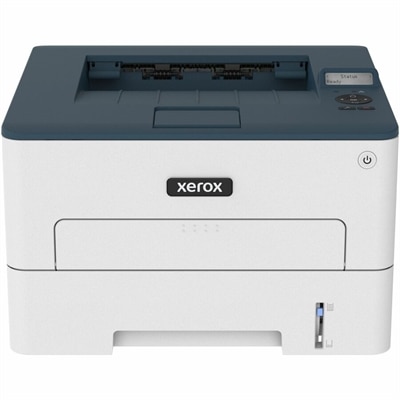
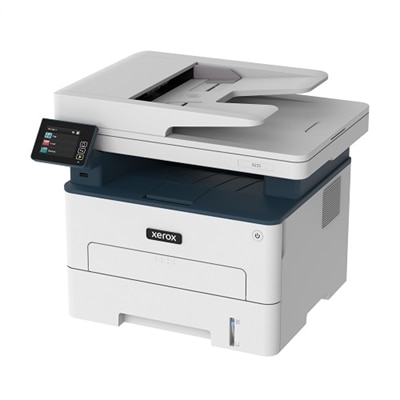
A color laser multifunction printer with wireless connectivity, 26-ppm printing, and an intuitive touchscreen.
Laser printers compatible with Windows 11 offer reliable performance for both home offices and businesses, ensuring seamless integration with the latest operating system. Designed to meet diverse printing needs, these printers provide efficient solutions for everyday tasks. Explore a wide selection of laser printers compatible with Windows 11 to find the perfect match for your workspace and enjoy smooth connectivity and enhanced productivity.
A color laser multifunction printer with wireless connectivity, 26-ppm printing, and an intuitive touchscreen.
Laser printers compatible with Windows 11 provide a dependable way to produce crisp documents, forms, labels, schoolwork, shipping materials and everyday household paperwork. Most modern laser printers are designed to work with Windows 11 through manufacturer-provided drivers, Windows Update or built-in network discovery, although compatibility can vary by exact model and connection method. Before choosing a printer, check the manufacturer’s Windows 11 support information for the model number you are considering, especially if it is an older device or if your computer uses a newer version of Windows 11. A USB connection can offer straightforward setup for one nearby computer, while Wi-Fi makes it easier to print from multiple computers, phones and tablets around a home or office. Some wireless printers also support Wi-Fi Direct, which can allow a compatible computer or mobile device to connect without relying on a traditional network. For shared workspaces, look for network printing features and user-friendly setup tools that make it simple to add the printer to several Windows 11 PCs. When Windows 11 recognizes a connected printer, it may install a basic driver automatically through Windows Update. For the fullest feature set, however, it is worth checking for the latest official driver and software package, particularly when using automatic two-sided printing, scanning, copying, faxing or advanced print settings. Version 4 drivers may be available for certain models and can be well suited to the Windows 11 interface and modern applications. Keeping both Windows 11 and the printer firmware updated can also help maintain reliable communication over time.
The right laser printer depends on the kind of work it will handle and the space available for it. A compact monochrome model can be a practical fit for a home office, apartment or student desk, particularly when most printing consists of contracts, receipts, return labels, invoices, recipes and black-and-white documents. Monochrome printing is often an efficient choice for text-heavy pages, with sharply defined letters that remain easy to read in reports and forms. A color laser printer may be more suitable for presentations, charts, classroom materials, marketing pages or documents where visual detail matters. If printing volume is high, compare rated print speeds, monthly duty cycles and paper capacity rather than focusing on speed alone. Automatic duplex printing can reduce paper use and save the small but persistent effort of turning pages by hand, which becomes especially helpful when preparing multipage documents. An all-in-one laser printer adds scanning and copying, making it useful for households managing school forms, medical paperwork, signed documents and archived records. A single-function printer may be a cleaner, simpler option when scanning is handled by a phone or separate device. Consider the printer’s physical dimensions, noise level, display controls and access to toner before placing it in a shared room. Toner cartridges are designed for a substantial number of pages, but page yield varies by cartridge and coverage, so compare replacement options as part of the ownership experience. Features such as an automatic document feeder, secure print release, multiple paper trays and envelope support can make a meaningful difference for a busy home office or small workgroup. If mobile printing is important, review support for the mobile operating systems and services used by the people who will print most often, including Apple Airprint Compatible Laser Printers for compatible Apple devices.
A Windows 11-compatible laser printer can serve many different routines. Remote workers may use one to keep signed paperwork, shipping labels and client-ready documents moving without leaving the desk. Families can print permission slips, study sheets, travel documents and household records, while students can prepare research assignments and reference materials with clean, consistent text. Small teams may benefit from a wireless or network-connected printer that is easy to share without adding cables to every workstation. For someone setting up a first home office, a compact all-in-one model can be a thoughtful and practical gift because it combines several everyday functions in one piece of equipment. A fast monochrome printer may suit a relative who manages bills, appointments or volunteer activities, while a color model can help a creative hobbyist bring invitations, schedules and project pages to life. During the warmer season and the cooler months that follow, a reliable printer can be useful for everything from organizing travel paperwork to preparing indoor projects and maintaining a tidy home filing system. Before completing a purchase, identify whether black-and-white or color output is the priority, estimate the usual number of pages printed each month, decide whether scanning and copying are necessary, and measure the intended location carefully. Confirm that the printer supports the paper sizes and media types you use, such as envelopes, cardstock or labels, and check whether the connection options match your Windows 11 setup. After installation, place the printer within dependable wireless range or connect it by USB, load the correct paper size, set it as the default printer if desired, and print a test page from Windows 11. These simple checks can help create a smoother experience from the first page through years of routine printing.
Add the products you would like to compare, and quickly determine which is best for your needs.