$449.99
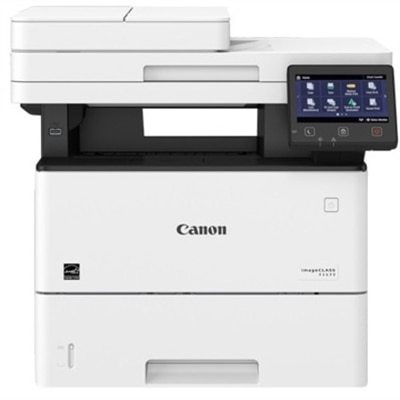
A monochrome multifunction printer delivering 45 ppm, automatic duplex printing, wireless connectivity, scanning, copying, and faxing.
Apple AirPrint compatible laser printers make wireless printing from your Apple devices simple and efficient. Designed for seamless integration with iPhones, iPads, and Macs, these printers allow you to print documents, photos, and more without the need for additional software or drivers. Discover a range of options that deliver crisp, professional-quality results while supporting the convenience of mobile printing. Find the ideal Apple AirPrint compatible laser printers to streamline your workflow and enhance productivity at home or in the office.
A monochrome multifunction printer delivering 45 ppm, automatic duplex printing, wireless connectivity, scanning, copying, and faxing.
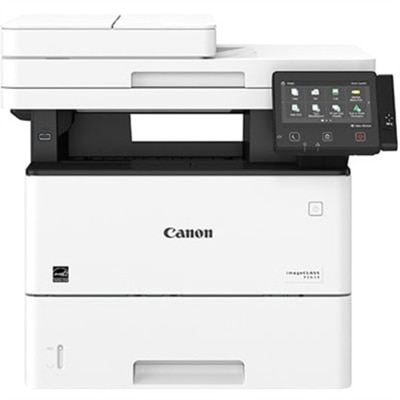
A monochrome laser multifunction printer delivering 45 ppm, duplex printing, wireless connectivity, and 600 dpi scanning.
Apple AirPrint-compatible laser printers offer a practical way to turn documents from an iPhone, iPad or Mac into crisp, readable pages without installing additional driver software. After the printer is connected to the same wireless network as the device, it can typically appear as an available printing option through the standard share or print menu. That straightforward setup is useful in a busy home office, where a document may need to move from a screen to a signed form in moments, and in a shared household where several people need access from different rooms. Laser printing is especially well suited to text-heavy work. Toner produces sharp letters, clean lines and clear spreadsheet grids, while printed pages dry immediately and resist the smudging that can occur when freshly printed ink is handled too soon. Many laser printers also move through multi-page documents at a quicker pace than standard inkjet models, making them helpful for invoices, shipping labels, school forms, meeting materials, recipes and other everyday paperwork. When comparing options, consider whether black-and-white printing meets your needs or whether color is important for charts, presentations, marked-up documents and visual projects. A monochrome model is often a focused choice for households and offices that primarily print text, while a color model can support a wider range of tasks. Print speed, measured in pages per minute, matters most when several people share the printer or when longer documents are common. For occasional home use, a moderate speed may be sufficient; for a small workspace, classroom corner or family command center, a faster printer can help prevent a line from forming beside the desk.
Wireless access is central to the AirPrint experience, so look for a printer with dependable Wi-Fi and an interface that makes network setup clear. Placement also deserves attention. A printer tucked into a cabinet may be out of sight, but it needs enough open space for paper trays, ventilation and access to toner. A compact design can fit on a shallow desk or a shelf near a workspace, while a larger multifunction model may require a sturdier surface and room to open its scanner lid. Automatic two-sided printing can reduce paper use and keep reports, contracts or class packets pleasantly slim, especially when a document runs several pages. An automatic document feeder is valuable for scanning or copying multiple sheets, while a flatbed scanner can better accommodate photographs, identification cards and pages from books. If scanning and copying are not part of your routine, a single-function printer may provide a simpler footprint and a more focused feature set. Check the paper capacity as well: a larger tray can be convenient for a home with frequent printing, while a smaller tray may be perfectly suitable for occasional forms. It is also worth reviewing supported paper sizes, envelope handling and the location of the output tray. These details become noticeable during ordinary moments, such as printing a stack of return labels, preparing a packet for a community meeting or making several copies of a permission form during the cooler months. Toner yield and replacement availability should be part of the purchase decision, not an afterthought. High-yield cartridges can be useful for people who print regularly, whereas standard-yield options may make more sense for light, intermittent use. A clear display, simple controls and quiet operation can make a meaningful difference when the printer sits close to a bedroom, shared living area or small office. For additional options designed to work with Apple computers, explore Wireless Laser Printers for Mac.
These printers can serve a wide range of users, from remote professionals organizing project paperwork to families keeping a reliable source of printed information close at hand. Someone who works from a kitchen table may appreciate the ability to send a document from a laptop without walking back and forth to connect a cable. A student can print reading notes, application forms and research outlines from a tablet, while a home-based business can produce invoices, packing slips and records with consistent text quality. They can also make considerate gifts for a new homeowner, college student, freelancer or relative setting up a dedicated workspace, particularly when the recipient values practical technology that saves small amounts of time every day. A printer is often used more than expected once it is easy to reach: a recipe beside a mixing bowl, a travel itinerary near the front door, a calendar posted on a bulletin board or a neatly printed checklist beside a workbench. Before choosing, estimate typical monthly volume and think about who will use the device. A single person printing a few pages each week may prioritize a small footprint and uncomplicated controls, while a household or shared office may benefit from a higher paper capacity, faster output and support for multiple simultaneous users on the same Wi-Fi network. Security features, firmware support and password-protected network access are also sensible considerations when documents may include personal, financial or work information. The best fit balances convenience with the way the printer will actually live in the space: how often pages are printed, where the device can sit, whether color is necessary, and whether scanning or copying belongs in the same unit. With the right combination of wireless access, crisp laser output, dependable paper handling and AirPrint compatibility, printing can become a quiet, reliable part of daily routines rather than a task that interrupts them.
Add the products you would like to compare, and quickly determine which is best for your needs.