Wireless Laser Printers for Mac
Discover seamless printing solutions with wireless laser printers for Mac, designed to enhance productivity and streamline your workspace. Enjoy the convenience of cable-free connections and effortless compatibility with your Apple devices. Whether outfitting a home office or upgrading your business setup, explore a wide selection of wireless laser printers for Mac that deliver reliable performance and professional results. Find the perfect fit to meet your printing needs and keep your workflow running smoothly.
This product is not available
Check out the following recommendations.




Wireless Laser Printers for Mac
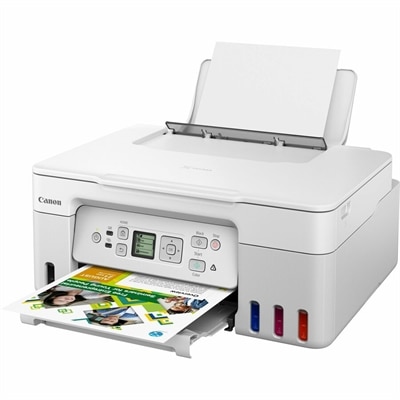
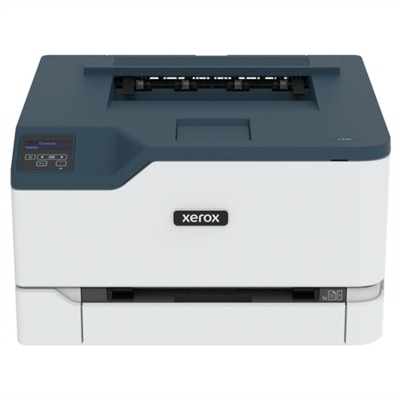
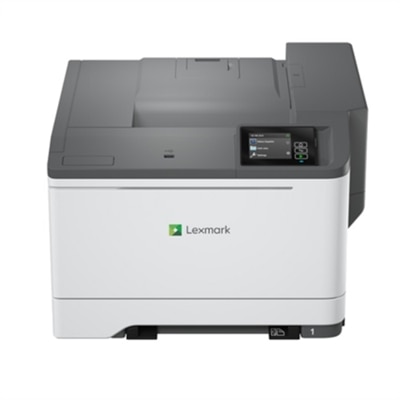
Wireless laser printers for Mac offer a practical way to bring fast, clean document printing to a home office, study area or small workplace without adding another cable to the desk. Instead of connecting directly to a computer, a wireless model joins the household or office Wi-Fi network, allowing a Mac to send files from across the room. Native AirPrint support is one of the most useful features to look for because it can help a Mac discover a compatible printer without requiring third-party drivers or a complicated installation process. After the printer is connected to the network, documents, forms, shipping labels and other everyday pages can typically be selected from a familiar print menu in macOS. Wireless access can also make printing more convenient for people who use several computers, tablets or phones in the same space. A compact print-only model may suit someone who mostly produces school assignments, invoices, recipes, return labels or black-and-white reference pages, while an all-in-one option can add scanning and copying for signed paperwork, identification documents, receipts and forms. Laser printing is especially well suited to text-heavy work because toner produces crisp, defined characters and does not remain wet after a page leaves the printer. That makes it a helpful choice for households that prefer to print a stack of pages at once, professionals who need polished documents or anyone who wants pages that can be handled and filed immediately. Print speed is another consideration. Entry-level wireless laser printers may be rated for roughly 25 to 30 pages per minute, while models intended for busier offices can offer faster output. Manufacturer speed ratings are useful for comparison, but actual performance can vary depending on page coverage, print quality, wireless traffic and whether the first page needs time to warm up. A printer with a paper tray sized for several hundred sheets can reduce interruptions during long reports or recurring paperwork, while a smaller footprint may matter more in a shared living space, apartment office or bedroom desk. Before choosing, measure the available area and remember to leave room for opening the paper tray, replacing toner and lifting the scanner lid on an all-in-one unit. Automatic duplex printing is another worthwhile convenience, helping conserve paper by printing on both sides of a page and making lengthy documents easier to carry. A quiet operating mode can also be welcome in homes where printing takes place near a sleeping area or shared workspace.
The main decision for many Mac users is whether they need monochrome or color output. Monochrome laser printers use black toner and are generally a sensible fit for letters, contracts, schoolwork, tax records, packing slips and other documents where clear text matters more than visual presentation. They usually have a simpler consumable setup and can be economical for frequent document printing, particularly when pages are produced in consistent volumes. Color laser printers are better suited to charts, presentations, classroom materials, branded documents and pages where colored graphics help communicate information. If color is part of the plan, compare the cost and availability of replacement toner, the printer’s color resolution and whether it can maintain the same sharpness across text, images and fine lines. For customers who want to explore that option, Color Laser Printers For Mac provides a related selection to consider. An all-in-one wireless laser printer may be especially useful for a home office because it combines several desk essentials in one device. The automatic document feeder can make a noticeable difference when scanning or copying multiple pages; instead of placing each sheet on the glass by hand, a stack can be processed with much less supervision. Look for a feeder capacity that matches typical workloads, as well as scan resolution, copy controls and the ability to handle different paper sizes if those functions are important. Office users should also consider monthly duty cycle guidance, maximum input capacity and dual-band wireless connectivity. A dual-band connection may help a printer communicate more reliably with compatible networks, especially in homes with many connected devices, though placement still matters. Keeping the printer within a reasonable distance of the wireless router and away from thick walls or crowded electronic areas can help maintain a stable connection. Security features, sleep settings and straightforward controls are also worth reviewing when a printer will be shared by family members or colleagues. These printers can be thoughtful gifts for someone setting up a first apartment, organizing a home workspace or preparing for a new school or professional routine, particularly when the recipient regularly prints paperwork but has limited desk space. During the cooler months, a wireless printer can be useful for handling indoor projects, household records and creative planning without making frequent trips to a print shop. The best choice ultimately depends on the balance between print volume, available space, color needs, scanning requirements, connection preferences and long-term toner use. A well-matched wireless laser printer can fade into the background when it is not needed, then respond quickly when a crisp, organized page is essential.
FAQs:
When choosing a wireless laser printer for Mac, prioritize models with native macOS driver support and Apple AirPrint compatibility for seamless setup and printing. Additional features such as automatic double-sided printing, mobile app integration, and secure wireless connectivity can enhance your printing experience. Look for printers that specify MacBook Air compatibility if you use Apple laptops, and consider options with intuitive touchscreens or easy-access controls for added convenience.
Yes, most modern wireless laser printers for Mac support multi-device connectivity, allowing you to print from various Apple devices, including MacBook, iMac, iPhone, and iPad. Features like AirPrint and cloud-based printing services make it easy for everyone in your household or office to send documents to the same printer without installing extra software.
Absolutely. A double sided printer for home use streamlines the process of printing on both sides of the page, which is especially useful for lengthy documents, school assignments, and reports. This feature not only saves paper and reduces waste but also helps keep your printed materials organized and professional-looking.
Yes, there are several affordable macOS wireless printer 2026 models designed for students, families, and home office users. These printers typically offer essential features such as fast print speeds, reliable wireless connectivity, and compact designs, making them ideal for smaller spaces and everyday document needs.
To maintain a stable connection between your wireless laser printer and Mac, place the printer within range of your Wi-Fi router and ensure both devices are connected to the same network. Regularly update your printer’s firmware and your Mac’s operating system to benefit from the latest compatibility enhancements. If you experience connectivity issues, restarting both devices and your router can often resolve the problem.