$264.99
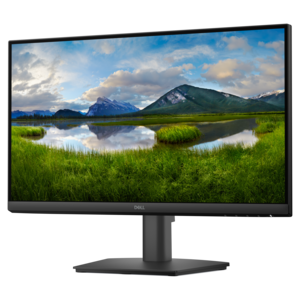
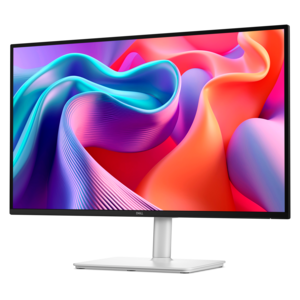
A TÜV-certified monitor offering 4-star eye comfort, enhanced productivity, and extensive connectivity.
Elevate your viewing experience with our diverse selection of LCD monitors, designed to cater to both professional and personal needs. Whether you're setting up a home office, enhancing your gaming setup, or seeking the perfect screen for creative projects, our range offers something for everyone. Discover cutting-edge displays that deliver crisp visuals and vibrant colors, making them ideal for multitasking, streaming, or diving into the latest video games. Explore options that blend style and functionality to find the perfect fit for your space and lifestyle.
A TÜV-certified monitor offering 4-star eye comfort, enhanced productivity, and extensive connectivity.
A smooth 100Hz monitor with TÜV Rheinland 3-star eye comfort certification for everyday productivity.
A crisp FHD monitor with smooth 144Hz visuals, built-in speakers, and TÜV 4-star eye comfort certification.
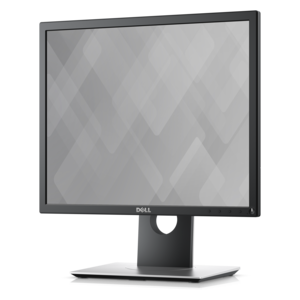
A productivity-focused fixed-stand monitor certified by TÜV Rheinland for 3-star eye comfort.
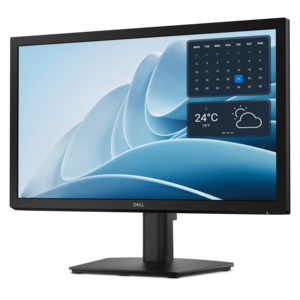
A productivity-focused monitor designed for workplace comfort and convenient everyday use.
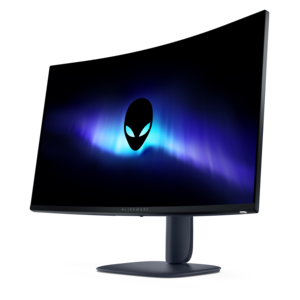
A color-critical gaming monitor with DisplayHDR True Black 500, anti-glare, built-in colorimeter, and remote calibration tools.
LCD monitors are flat-panel displays that use liquid crystals and a backlight to produce text, images, and video. Inside the screen, a thin liquid crystal layer sits between polarized layers and glass substrates. Applied voltage changes the orientation of the crystals, controlling how much light passes through the display; color filters help form the red, green, and blue elements that make up each pixel. Most modern LCD monitors use LED backlighting, so a display described as an LED monitor is often an LCD screen illuminated by LEDs rather than a different panel technology. This slim construction makes LCD displays practical for home offices, study spaces, creative workstations, and gaming desks. Screen size, measured diagonally, is only part of how a monitor feels in everyday use. Resolution determines the number of pixels on the screen, while pixel density affects how finely text and image details appear at a given viewing distance. Full HD, or 1920 by 1080, suits many everyday tasks; QHD, or 2560 by 1440, provides more workspace at comparable scaling settings; and 4K UHD, or 3840 by 2160, supports finer detail and room for complex layouts. A spreadsheet beside an email window, a research document alongside lecture notes, or a photo displayed next to editing controls all benefit from a screen layout that fits the task. Larger screens can make those arrangements more comfortable, although higher-resolution displays may need scaling to keep text comfortably readable. A compact monitor can feel right at home on a shallow writing desk, while a larger display needs enough depth for a comfortable viewing distance. Widescreen formats suit familiar documents and entertainment, while ultrawide formats can accommodate several windows across one continuous surface. Flat screens offer a straightforward fit for mixed tasks and shared viewing; curved screens can make the edges of a wide display feel more consistently positioned relative to a centered viewer.
Panel technology shapes the viewing experience as much as screen dimensions. IPS, short for in-plane switching, generally provides wide viewing angles and consistent color appearance, making it useful for collaborative work, photography, and everyday computing. VA, or vertical alignment, panels typically offer higher native contrast than IPS or TN panels, helping darker scenes and shaded image areas look more distinct. TN, or twisted nematic, panels are associated with fast pixel response, although their viewing angles and color consistency are generally more limited. Performance varies within each panel type, so the technology alone does not establish a monitor’s color accuracy or motion clarity. For creative work, color gamut coverage, calibration, and the intended output matter: preparing images for a website is different from matching photographs to printed results. For gaming and fast-moving video, refresh rate describes how often the screen updates each second, while response time describes how quickly pixels transition between shades. A higher refresh rate can make scrolling and motion look smoother, but the computer and connection must support the chosen resolution and refresh rate. Adaptive sync can reduce screen tearing with compatible hardware, and aggressive response-time settings can sometimes introduce visible artifacts rather than improve the picture. Brightness and screen finish also affect daily comfort. An antiglare surface helps soften reflections from nearby windows or ceiling lights, though placement still matters in a sunlit room. HDR capability is another consideration for entertainment and visual work, with the actual result depending on brightness, contrast, color capabilities, and backlight control rather than the label alone. Connections complete the setup: HDMI and DisplayPort carry video from compatible devices, while some USB-C monitors accept video and can supply power to a connected laptop through a single cable. USB-C features and charging capacity vary, so compatibility depends on the monitor, computer, and cable. Built-in USB hubs, speakers, webcams, or switching features can simplify a desk used for both meetings and personal tasks, but these functions are not standard across all LCD displays.
The physical design of an LCD monitor matters over years of use, especially on a desk that shifts between focused work, video calls, and evening entertainment. Monitor housings commonly use molded plastic, with metal components in stands or support structures; the exposed screen surface needs more careful handling than the surrounding enclosure. A stable base helps limit wobble when typing, while height, tilt, swivel, and pivot adjustments make it easier to position the screen without stacking books beneath the stand. Portrait orientation can suit long documents and coding, provided the stand or mounting arrangement supports rotation. For a monitor arm, compatible mounting-hole spacing is only one requirement: the arm also needs to accommodate the display’s weight and dimensions. Thin borders can reduce the visual gap between two adjacent screens, but the full width of the setup, stand footprints, and cable clearance still determine whether it fits comfortably. Positioning the display at a comfortable distance, with the top of the screen at or slightly below eye level for many users, can support a more relaxed posture; individual needs, including corrective lenses, may call for a different arrangement. Routine care is simple but important. Powering the monitor off before cleaning makes dust and fingerprints easier to see, and a clean, soft microfiber cloth helps protect the surface. Any cleaning solution should follow the manufacturer’s recommendations and be applied to the cloth rather than sprayed directly onto the screen. Excess pressure, harsh chemicals, moisture around openings, and blocked ventilation can damage finishes or components. For students, remote workers, designers, and players, a well-matched display can become a dependable part of a daily routine, and it can make a thoughtful graduation or new-job gift when desk space and computer compatibility are known. For presentations or movie nights that call for an image larger than a desktop screen, LCD Projectors offer a related display format suited to projection onto a wall or screen. LCD monitors remain a practical choice for close-up, everyday viewing, with the most useful combination of size, clarity, connectivity, and adjustability depending on the space and the work happening there.
Add the products you would like to compare, and quickly determine which is best for your needs.