$449.99
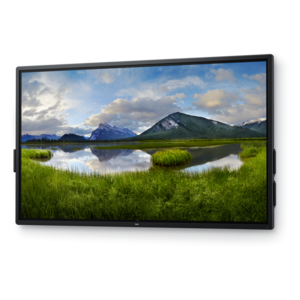
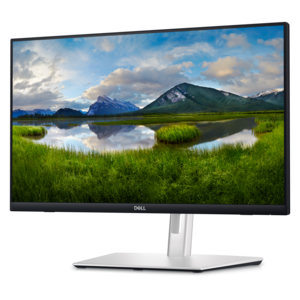
A touch-enabled productivity monitor with USB-C hub connectivity and an articulating stand.
LED touchscreens bring a modern, interactive experience to your workspace or home setup. Featuring vibrant displays and responsive touch capabilities, these screens are designed to enhance productivity, creativity, and entertainment. Whether you're updating your office technology or looking for an intuitive display solution for your personal use, LED touchscreens offer versatility and seamless integration with a variety of devices. Explore options that fit your needs and discover how LED touchscreens can elevate the way you connect, work, and play.
A touch-enabled productivity monitor with USB-C hub connectivity and an articulating stand.
A 4K touchscreen monitor featuring 20-point InGlass Touch, palm rejection, and up to 90W USB-C power.
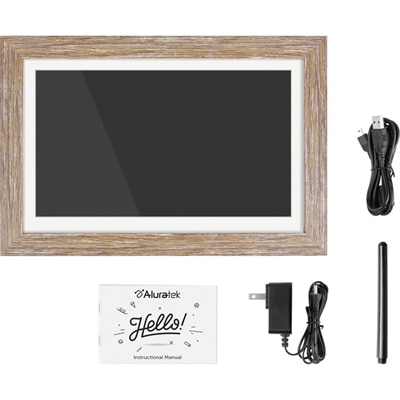
A distressed wood WiFi photo frame with touchscreen IPS LCD display delivers vibrant 1280x800 imagery.
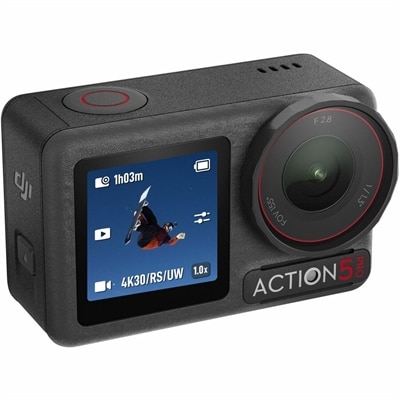
An action camera with a 1/1.3-inch sensor, subject tracking, Horizon Steady, dual OLED touchscreens, and extended battery.
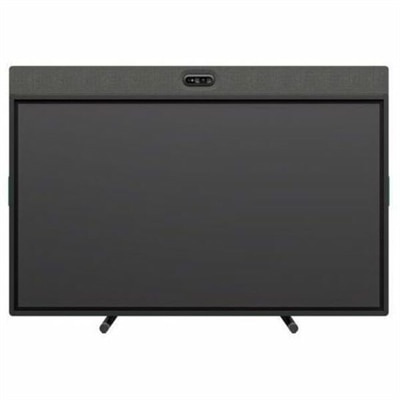
An all-in-one video conferencing device with brilliant audio, AI features, flexible camera placement, and graphite touchscreen.
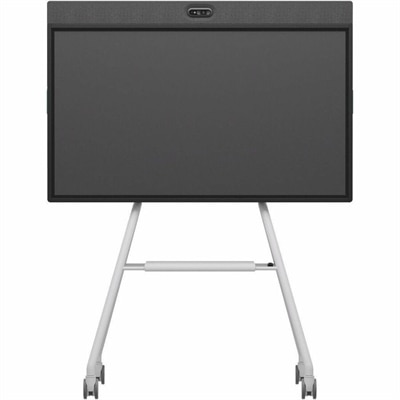
An all-in-one mobile conferencing system with touchscreen collaboration, AI-powered audio/video, recycled plastic, and lockable cart.
LED touchscreens combine a visual display with touch-sensing technology, allowing people to select, scroll, draw, and move on-screen content with a finger or compatible stylus. In laptops and desktop monitors, the term typically describes an LCD panel illuminated by an LED backlight, with a separate touch-sensitive layer that detects input. The backlight makes the image visible; the touch system translates contact into commands. This differs from a direct-view LED display, where LEDs form the image itself and touch capability requires an additional sensing system. For everyday computing, an LED-backlit touchscreen brings familiar phone-like gestures to a larger workspace. A student can enlarge a diagram during a study session, a designer can reposition a canvas, and someone working through a long document can scroll without reaching for a mouse. Touchscreen laptops, convertible computers, and external touch monitors suit different routines, while the broader range of Touchscreen Devices includes other formats for direct interaction. The sensing method influences how that interaction feels. Projected capacitive touch, common in modern personal devices, detects changes in an electrical field and often supports several simultaneous touch points for gestures such as pinching and rotating. Infrared touch uses a grid of invisible beams across the screen surface; interrupting those beams identifies the contact location. This approach is often found on larger interactive displays used for presentations and shared activities. Resistive touch registers pressure between layers and can accept input from objects or gloves that may not work with a standard capacitive panel. Glove support, stylus compatibility, and the number of supported touch points depend on the individual design. No single sensing method determines overall quality: accuracy, responsiveness, software support, and the physical display construction all contribute to the experience. A screen intended mainly for tapping large controls has different demands from one used for detailed handwriting or frequent multi-finger gestures.
The most comfortable LED touchscreen is one whose size, position, and image quality match the space where it will be used. A compact portable touch monitor can create a second workspace beside a laptop on a kitchen table or temporary desk, while a larger desktop display gives spreadsheets, creative applications, and shared documents more room. Screen size alone does not determine clarity. Resolution and pixel density affect how crisp small text and fine lines appear, especially when the display sits close enough for frequent tapping. Brightness helps maintain visibility in a well-lit room, but reflections also depend on the screen finish and nearby windows or lamps. Glossy surfaces can make images appear vivid while showing more reflections; matte or anti-glare treatments can soften reflected light, sometimes with a subtle effect on perceived sharpness. Wide viewing angles matter when two people review a layout side by side or when the panel is tilted for writing. For photo work and visual design, color accuracy and color-gamut coverage are separate considerations from touch support. Physical fit is equally important. A stable base helps keep the display from rocking under repeated taps, and an adjustable stand can bring the surface lower and closer for comfortable interaction. Convertible hinges offer different working positions, but their supported angles and intended uses vary. An upright monitor may feel natural for reading yet tiring for extended drawing with an outstretched arm. Connections also shape everyday convenience. HDMI and DisplayPort usually carry the image rather than touch input, so an external touchscreen often needs a separate USB connection to the computer. A compatible USB-C setup may carry video, touch data, and power through one cable, but the capabilities of the computer port, monitor, and cable must all align. Some displays still require separate power. Operating-system support and application design determine which gestures work, and connecting a touchscreen does not automatically make every program easy to operate by touch. Interfaces with generous buttons tend to feel more natural than densely packed menus designed around a mouse pointer.
Materials and construction influence how an LED touchscreen holds up to daily use, from quick taps during homework to hours of annotation. Glass touch surfaces provide a smooth feel and can offer useful scratch resistance, but they are not scratchproof or shatterproof. A screen carried between classrooms, home, and an office benefits from a protective sleeve or case that keeps keys, chargers, and other hard objects away from the panel. On a desk, a secure stand and a clear cable path reduce the chance of an accidental pull or tip. Frequent-touch surfaces naturally collect fingerprints, and regular gentle cleaning helps preserve visibility without aggressive rubbing. Cleaning should follow the device manufacturer’s directions, with the screen powered off and a clean, soft microfiber cloth used to lift dust and smudges. Where a cleaning solution is permitted, it belongs on the cloth rather than sprayed directly onto the display; excess moisture can enter the bezel or ports. Abrasive pads and unapproved chemicals can damage coatings. A screen protector may change glare, texture, or touch response, so fit and compatibility matter, particularly around edge sensors. For handwriting and illustration, a basic capacitive stylus generally behaves like a finger, whereas a supported active pen may add pressure sensitivity, palm rejection, or other writing features. Those capabilities depend on the display, pen, and application working together. A touchscreen can be especially useful for students marking up reading assignments, home users navigating recipes, and professionals sketching an idea while talking through a project. Shared classroom and meeting-room displays support group annotation when the software allows multiple participants, while a personal touch monitor keeps that interaction within arm’s reach. As a gift, a touch-enabled display is most useful when it fits the recipient’s computer connections, workspace, and preferred activities. Touch can also offer an alternative input method for people who find direct selection easier, though it is not universally more accessible. Keyboard navigation, mouse support, voice tools, and adjustable positioning remain valuable companions, giving each person more than one comfortable way to work.
Add the products you would like to compare, and quickly determine which is best for your needs.