$900.00
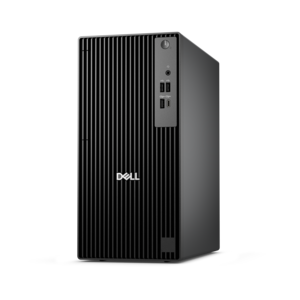
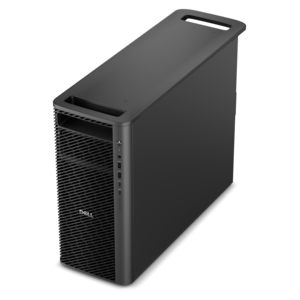
A business-ready tower desktop delivering reliable everyday performance with essential security features for productive workflows.
Long lasting desktop computers are an essential choice for those seeking dependable performance and durability in their daily computing tasks. Ideal for both home and office environments, these desktops are designed to support productivity and efficiency over time. Whether you're managing complex projects, editing multimedia, or simply browsing the web, long lasting desktop computers offer a reliable foundation for your digital needs. Explore a range of options that combine quality construction with consistent operation to help you get the most out of your investment.
A business-ready tower desktop delivering reliable everyday performance with essential security features for productive workflows.
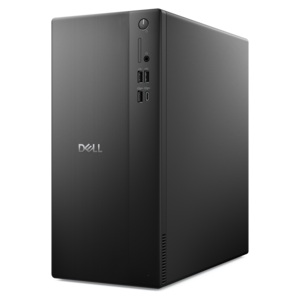
A powerful desktop designed to boost everyday productivity in a streamlined setup.
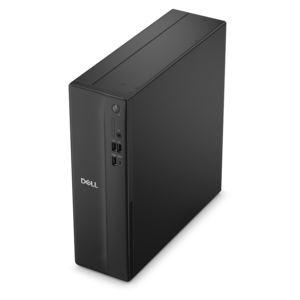
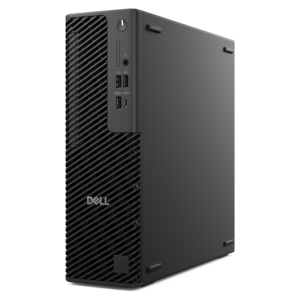
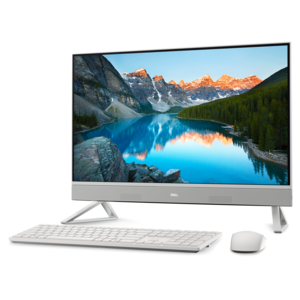
A space-saving desktop delivering reliable performance and security for everyday productivity.
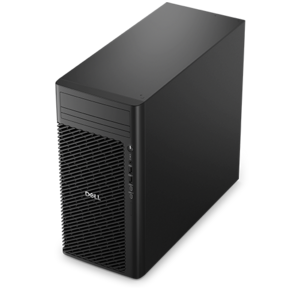
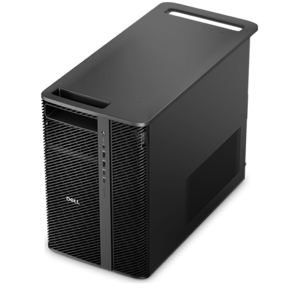
A reliable workstation desktop delivering excellent performance with professional graphics for demanding productivity and creative workloads.
A business-ready tower desktop with Copilot+ PC options, robust security, manageable features, and expandable performance.
A space-saving business desktop delivering reliable everyday performance with essential security features for productive work.
A high-performance AI-ready business desktop with security, seamless manageability, and expandable capabilities for demanding tasks.
A business-ready tower desktop with AI-enhanced productivity, robust security, seamless manageability, and expandable performance.
A powerful, space-saving desktop designed to boost everyday productivity.
A high-performance desktop combining Intel Xeon 6 processors and advanced graphics for demanding professional workloads.
A compact desktop delivering reliable performance and security for everyday productivity.
A scalable professional desktop delivering elite computing power with massive expandability.
A space-saving desktop engineered for exceptional speed and efficiency in a sleek, compact design.
A slim desktop delivering exceptionally fast CPU and GPU performance for demanding professional workloads.
A scalable, high-performance workstation designed to handle critical professional tasks and evolving workloads.
Long lasting desktop computers are designed for people who want dependable performance today and practical options for tomorrow. A traditional tower desktop is often a strong choice for longevity because its individual components are easier to access, clean, repair and replace than those in more compact designs. Separate parts can also make it simpler to refresh a system as needs change, whether that means adding memory for heavier multitasking, replacing a worn drive, installing a more capable graphics card or moving to a newer processor when compatible components become available. This flexibility can help a desktop remain useful through years of schoolwork, office tasks, creative projects, communication and entertainment. When comparing long lasting desktop computers, consider more than the processor name or advertised speed. Look for a balanced configuration with enough memory for the applications you use, efficient cooling, a sturdy chassis, accessible internal components and a power supply with enough headroom for future upgrades. A well-planned tower can handle a family’s changing routines: a student may begin with research and online classes, then add photo editing or programming; a home office user may later connect multiple monitors; and a creator may eventually need more graphics capability for video, design or 3D work. For shoppers who place a high value on upgrade potential, Expandable Desktop PCs for Long-Term Upgrades can provide a useful starting point for comparing designs that leave room for continued growth. Compact desktops and all-in-one computers can be appealing when a clean, space-conscious setup matters most, but a traditional tower generally offers more physical room for cooling and component access. The best choice depends on the desk, the workload and the length of time you expect the computer to serve, with upgrade-friendly construction giving many households more ways to extend its useful life.
Long term reliability begins with choosing performance that matches the way a desktop will actually be used. For everyday productivity, prioritize a responsive processor, sufficient memory for browser tabs and office applications, quick startup, clear display support and comfortable connectivity for accessories. People working from home may value a quiet design, multiple video outputs and dependable support for a webcam, headset, keyboard and mouse, while students and shared-family users may benefit from a system that can move easily between writing assignments, research, streaming and light creative work. Gaming desktops require a different balance, including a capable graphics card, effective airflow, adequate power and room for later improvements. Systems used for photo, video, music or design work may benefit from a stronger processor, generous memory and expansion options that can keep demanding applications feeling responsive as projects become more complex. A desktop with a little performance overhead can age more gracefully than one selected only for the minimum requirement, especially as software becomes more capable. Consider the physical environment as well. Leave space around air vents, avoid placing a tower on thick carpeting, and keep the computer away from heat sources, direct sunlight and areas where dust gathers quickly. During the cooler months, a desktop may become the center of a home office, study area or hobby corner, so a comfortable chair, properly positioned monitor and organized cables can make long sessions easier. A reliable desktop can also be a thoughtful gift for a college student setting up a first workspace, a relative learning new creative skills or a household replacing an older computer, provided the configuration reflects the recipient’s interests and available space. The most satisfying choice is one that feels useful on the first day while retaining enough flexibility to support new responsibilities and hobbies later.
Regular care plays an important role in keeping long lasting desktop computers dependable. Dust can collect around fans, vents and heatsinks, restricting airflow and allowing internal temperatures to rise, so inspect the exterior periodically and use appropriate compressed air to clear buildup according to the manufacturer’s instructions. Keeping the area around the tower open helps fans work efficiently, while a clean, dry workspace reduces the chance that debris will enter the chassis. Install operating system and application updates from trusted sources, use reputable security tools, and remove programs that are no longer needed to keep the software environment organized. Leave a reasonable amount of free capacity on the primary drive so the system can manage temporary files and routine operations without becoming unnecessarily crowded. A quality surge protector or uninterruptible power device can help protect a desktop from inconsistent household power, and shutting down or restarting occasionally can allow updates and maintenance tasks to complete properly. Pay attention to changes in fan noise, unusual heat, sluggish performance or unexpected shutdowns; addressing small symptoms early is often easier than waiting for a larger problem. When an upgrade is appropriate, confirm compatibility with the motherboard, power supply, operating system and available internal space before purchasing a component. Memory, graphics hardware and drives are not universally interchangeable, and careful planning helps prevent wasted time or incompatible parts. Keep important documents and photos protected with a separate backup routine, since hardware longevity cannot prevent accidental deletion or unexpected damage. With sensible selection, routine cleaning and occasional upgrades, a durable desktop can remain a familiar part of a home or office for many years, adapting to changing workloads while providing a stable place to work, learn, create and relax.
Add the products you would like to compare, and quickly determine which is best for your needs.