$12.99
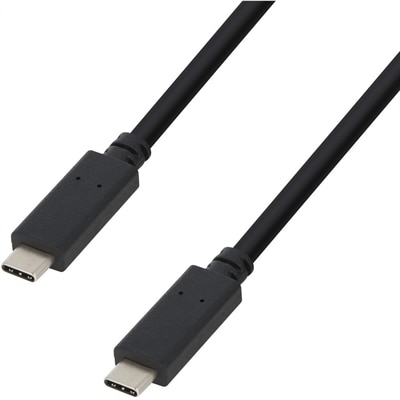
A durable USB-C cable delivering 100W Power Delivery and 480Mbps data transfer through reversible connectors.
Long USB cables offer the flexibility and convenience needed to connect your devices across greater distances, whether you're setting up a home office, enhancing your gaming station, or simply looking for more freedom of movement. With a variety of lengths and types available, finding the right long USB cable ensures seamless connectivity for charging devices, transferring data, or powering accessories. Explore options that help you stay connected and organized, no matter where your devices are located.
A durable USB-C cable delivering 100W Power Delivery and 480Mbps data transfer through reversible connectors.
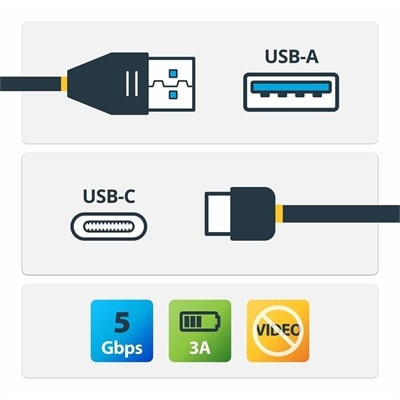
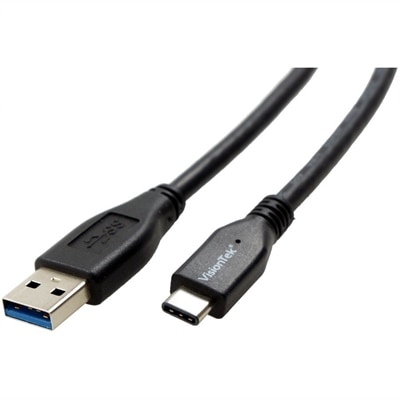
A USB-A to USB-C cable supporting 5Gbps data transfer, 3A charging, and device synchronization.
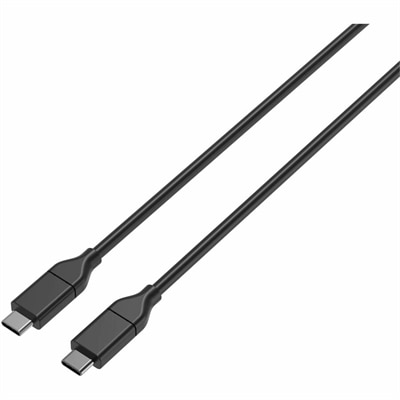
A USB-C cable supporting 100W Power Delivery, 10Gbps transfers, and 4K 60Hz DisplayPort Alt Mode.
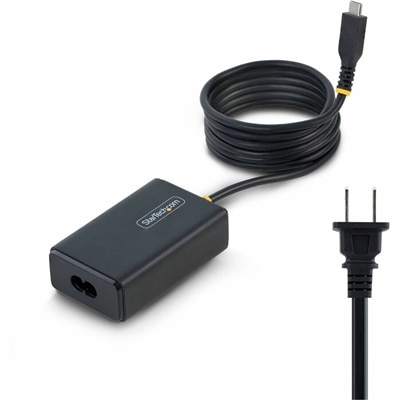
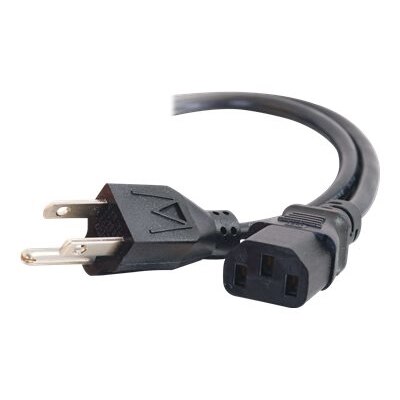
A 65W USB-C Power Delivery adapter with tethered cable, broad voltage support, certifications, and comprehensive safety protections.
Long USB cables make it easier to keep a computer, monitor, charger, phone, or other compatible accessory where it works best instead of positioning everything around a short cord. A little extra reach can make a noticeable difference at a desk, in a home office, or beside a bed: the computer can stay neatly tucked away while a phone remains within reach, a monitor can sit at a comfortable viewing distance, and a charging setup can extend from an outlet behind furniture to a nightstand or work surface. When choosing a cable, begin with the devices you plan to connect and inspect both ports carefully. USB-C describes the connector shape, but it does not automatically indicate the cable’s data speed, charging capability, or video support. A cable may connect two USB-C devices while offering basic charging and data transfer only, whereas another may support faster file transfers, higher power delivery, or display output. Check the requirements listed for the computer, monitor, charger, phone, tablet, or accessory, then choose a cable that meets or exceeds those specifications. Length also matters. A cable that is long enough to follow the edge of a desk or run behind a media console can reduce tension at the connectors, but extra slack should be managed with a soft hook-and-loop strap rather than tightly coiled, bent sharply, or tucked where it can be pinched. For everyday setups that need moderate reach, a six-foot USB cable can provide a practical balance between flexibility and easy cable management.
The longer the cable, the more important signal quality and intended use become. For standard passive USB 2.0 connections, the commonly recommended maximum length is about 5 meters, or approximately 16 feet, before resistance and signal loss may affect reliable operation. High-speed USB 3.0, USB 3.1, and many USB-C data connections generally perform best over shorter distances, often around 1 to 3 meters depending on the cable design, connected devices, and required transfer rate. A long cable that works well for charging may not deliver the same performance for moving large photo libraries, backing up files, connecting an external drive, or sending video to a display. Cable construction can offer useful clues: braided outer jackets may provide added flexibility and abrasion resistance for cords that are moved frequently, while reinforced connector housings can help withstand repeated plugging and unplugging. Shielding and certification are also worth considering when the cable will carry high-speed data or sit near other electronics. For runs beyond the typical passive range, an active repeater cable can refresh the signal along the way. For especially long paths, a USB-over-Ethernet extender may be more appropriate, using compatible transmitter and receiver units to maintain communication across a greater distance. These options are different from simply buying the longest available passive cord, and they should be selected according to the connection standard and distance involved. If reliable performance is important, avoid assuming that a cable will support every feature simply because its plugs fit.
Long USB cables are useful for people who want a cleaner, more comfortable, and less restrictive setup. A remote worker may place a laptop on a riser while keeping a charger or accessory on the floor or behind the desk. A student can connect a device without having to sit directly beside an outlet. In a living room, extra reach can help keep a phone or tablet powered from a sofa without stretching the cord across a walkway. A photographer, musician, or content creator may use a longer connection to position compatible equipment where it is easiest to access, though high-speed data requirements should be confirmed before choosing a cable. They can also be a thoughtful practical gift for someone setting up a first home office, refreshing a study area, or organizing a travel kit, particularly when the cable has a durable jacket and the right connector arrangement for the recipient’s devices. Before purchasing, measure the actual route rather than the straight-line distance, allowing enough length to travel around furniture and leave gentle curves at both ends. Confirm whether the devices use USB-C on both ends or require a different connector, and verify charging wattage, data speed, display support, and any need for an active solution. A well-matched long cable should reach comfortably without being pulled tight, preserve the functions the devices require, and make daily connections feel simple rather than improvised.
Add the products you would like to compare, and quickly determine which is best for your needs.