Long USB Printer Cables
Long USB printer cables provide the flexibility and reach needed to connect your printer to your computer or other devices, even across larger spaces. Ideal for home offices, classrooms, or business environments, these cables help ensure a reliable connection while accommodating various setup requirements. Explore a range of long USB printer cables designed to support seamless data transfer and keep your workspace organized and efficient.
This product is not available
Check out the following recommendations.




Long USB Printer Cables
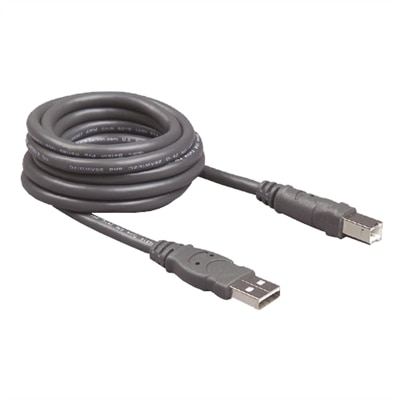
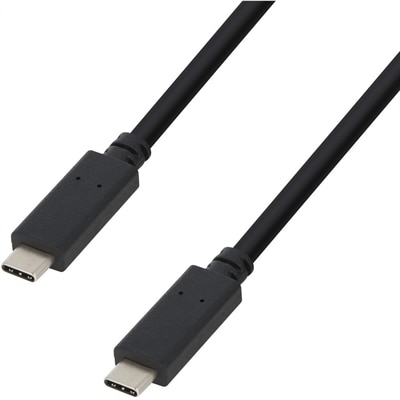
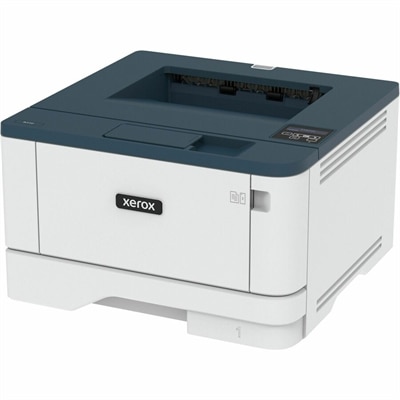
Long USB printer cables make it easier to place a printer where it is most useful instead of limiting the setup to the space immediately beside a computer. A longer connection can help keep a compact home office tidy, move a printer to a nearby shelf, or position a shared device where several people can reach it without rearranging desks and furniture. They are useful for home offices, classrooms, reception areas, small businesses, creative workspaces and family workstations where a laptop or desktop computer may sit several feet away from the printer. A longer cable can also be helpful when a printer needs to remain near paper supplies, an accessible power outlet or a comfortable loading area while the computer stays on a larger work surface. During the warmer months and into the cooler months, people often refresh work areas, settle into new routines or prepare a more organized space for projects, schoolwork and household paperwork. A carefully chosen cable is a small accessory, but it can make the entire arrangement feel more deliberate. When browsing long USB printer cables, begin by checking the ports on both devices. Many traditional printers use a USB-B port, which has a squarish shape with gently bevelled corners, while computers commonly use a flat USB-A port. A standard printer cable for this arrangement typically has a USB-A male connector on one end and a USB-B male connector on the other. The connector shape matters just as much as the length; a cable that is too short creates tension and an awkward layout, while a cable with the wrong connector will not plug in without an appropriate adapter. Some newer computers use USB-C ports, so shoppers should inspect the computer carefully and determine whether the cable itself, an adapter or a compatible hub is needed. Checking the printer and computer specifications before ordering can prevent a frustrating setup experience, particularly when the printer is already mounted in a hard-to-reach location. For shoppers comparing printers and accessories together, USB Connected Printers can provide a useful starting point for exploring compatible printing setups.
Cable length should be selected with the actual route in mind rather than measured as a straight line from one device to the other. Measure from the computer’s port to the printer’s port, then account for the way the cable will run around a desk, behind a monitor, along a wall or through a cable-management channel. Leaving a little extra length allows the printer to be moved for loading paper, replacing ink or clearing a paper jam without pulling sharply on the connector. At the same time, excessive slack can collect behind furniture, catch on chair wheels or become tangled with power cords and other accessories. Standard passive USB printer cables generally work reliably at lengths up to about 16 feet, or 5 meters, when the devices and cable are compatible. These cables carry the signal directly and are typically simple to connect: plug one end into the computer, plug the other into the printer, and allow the computer to recognize the device. For distances in the roughly 20- to 33-foot range, an active USB cable with a built-in repeater or signal amplifier is usually a better choice. The electronics in an active cable help maintain the USB signal over a longer run and can reduce communication problems that may appear with an ordinary passive cable. Some active options extend to approximately 50 feet, although performance depends on the cable design, the printer, the computer and the environment in which the cable is installed. Shoppers planning a particularly long connection should read the length and active-cable specifications closely instead of assuming that any longer cord will perform the same way. USB 2.0 printers commonly support transfer rates up to 480 Mbps under ideal conditions, but the practical speed of a print job depends on the printer, document size, image content, computer and software. A longer cable does not make printing faster; its purpose is to preserve a dependable connection across the distance needed for a convenient layout.
Construction and everyday handling deserve attention as well. A cable that will remain behind a desk can prioritize the right length and dependable connectors, while one that will be moved between workstations benefits from a flexible jacket, strain relief and connectors designed to withstand repeated plugging and unplugging. Gold-plated contacts may help resist corrosion, but connector fit, shielding and overall construction are more important indicators of a suitable everyday cable than appearance alone. Look for a cable with a jacket that is flexible enough to route without sharp bends, yet durable enough to protect the conductors from the occasional tug. Avoid folding any USB cable tightly near the connector, since repeated stress at that point can eventually lead to intermittent recognition or failed print jobs. It is also best not to run the cable where it will be pinched under a desk leg, rolled over by an office chair or placed beside sources of heat. For medium and longer runs, avoid joining several passive extension cords together. Each additional connection can introduce signal loss, voltage drop or a loose contact, leading to stalled jobs, missing pages or a printer that repeatedly disconnects. A single cable of the appropriate length is generally cleaner and more dependable than a chain of shorter cords. If a connection becomes unreliable, check both ends first, confirm that the printer is selected in the computer’s print settings, and test the cable directly without passing it through unnecessary adapters or hubs. Long USB printer cables can be practical additions to a home office refresh, a new desktop setup or a workspace gift for someone who enjoys an orderly, functional desk. They are especially helpful for people who print forms, labels, photographs, recipes, study materials or project documents from a computer positioned away from the printer. With the correct connector type, a sensible length and an active design where the distance calls for it, a long USB printer cable can provide a neat, stable connection that quietly supports daily printing.
FAQs:
A long USB printer cable allows you to position your printer in a more convenient or discreet location, freeing up desk space and reducing clutter. It also makes it easier to share a single printer among multiple computers or workstations in a home office without having to move devices around.
Yes, long USB printer cables are designed specifically for such scenarios. By choosing an active or repeater cable with built-in signal boosting, you can maintain a reliable connection and high print quality even when your printer is set up in a different room from your laptop.
When selecting a long USB printer cable, consider features such as active signal boosting for extended lengths, robust shielding to minimize interference, and gold-plated connectors for enhanced durability and connectivity. These factors help ensure stable data transmission and long-lasting performance.
Most long USB printer cables feature standard Type-A to Type-B connectors, which are compatible with a wide range of printers from leading brands. Always check your printer's input port to confirm compatibility before purchasing a cable.
Absolutely. Long USB printer cables are ideal for classrooms, libraries, and business offices where printers need to be accessible from multiple workstations. They provide the flexibility to arrange devices efficiently and support collaborative workspaces.