USB Connected Printers
Experience seamless printing solutions with our selection of USB connected printers, designed to meet your home and office needs. These versatile printers offer reliable connectivity through a simple USB interface, ensuring you can quickly and easily print documents, photos, and more. Whether you're looking for high-quality prints for professional projects or everyday tasks, our range of USB connected printers provides the performance and convenience you need to stay productive. Explore our collection today and find the perfect printer that fits your requirements.
This product is not available
Check out the following recommendations.




USB Connected Printers
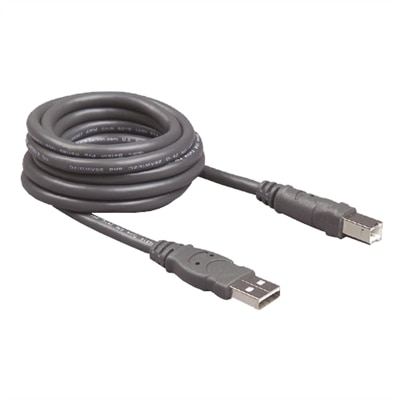
USB connected printers offer a straightforward way to print from a compatible computer using a physical cable, making them a practical choice for home offices, classrooms, small businesses and shared family workspaces. A direct USB connection can be especially useful when you want a dependable link between a laptop or desktop and a printer without relying on wireless setup. Many modern consumer printers include a standard USB port alongside wireless and mobile printing options, so you can choose the connection method that best suits the task. Plugging in directly may help simplify initial setup, support consistent printing in locations with limited wireless coverage and provide a familiar workflow for documents, forms, labels, recipes, school projects and household records. Before choosing a printer, check the available ports on the computer and confirm whether the printer uses a traditional USB connection or a newer USB-C connection. A standard USB printer cable may not always be included, and some computers may require an adapter, so reviewing cable requirements in advance can help avoid interruptions when the printer arrives. It is also helpful to confirm operating system compatibility, available desktop drivers and the amount of space needed for the printer, including room to open trays, replace supplies and handle printed pages. For a compact desk, a smaller print-only model may be easier to place beside a laptop, while an all-in-one printer with print, scan and copy functions can provide more flexibility without requiring several separate devices.
The right type of USB connected printer depends on what you print and how often you print it. Inkjet models are often a versatile option for households, students and creative work because they can produce crisp text, colorful graphics and detailed photos on a range of paper types. They may be well suited to occasional printing, family images, school presentations, travel documents and richly illustrated projects. Laser printers are commonly chosen for frequent text-heavy printing, especially when speed, sharp lettering and efficient handling of multi-page documents are priorities. Some laser models print only in black and white, while others support color, so reviewing the printer’s output capabilities is important before purchase. Print speed, measured in pages per minute, can make a meaningful difference when preparing meeting materials, classroom packets or several copies of a form. Automatic two-sided printing can reduce paper use and make longer documents easier to manage, while an automatic document feeder can save time when scanning or copying multiple pages. For occasional users, consider the printer’s startup process, standby behavior and supply replacement options. For busier workspaces, look at paper capacity, duty cycle guidance, input tray design and the cost of replacement ink or toner over the life of the printer. USB connected printers can also be a thoughtful gift for a student moving into a dorm or apartment, a remote worker creating a dedicated workspace, a photographer printing favorite images or a family organizing important paperwork. A simple print-only model may suit someone who mostly needs tickets, shipping labels and written documents, while an all-in-one model can be more useful for scanning signed forms, copying identification paperwork or preserving older photographs. During the warmer and cooler parts of the year alike, a printer can support practical routines such as organizing travel confirmations, preparing learning materials, labeling storage boxes or printing keepsakes for a family album.
Connection details deserve attention because they affect how smoothly a printer fits into an everyday setup. A direct wired connection is typically easy to understand: connect the appropriate cable between the printer and computer, install the recommended software or driver, select the printer in the computer’s print settings and send a test page. Keeping the printer near the computer can make cable management easier, although the cable should have enough length to avoid pulling on either device. If the printer will be shared among several computers, confirm whether it also supports wireless printing or another approved connection method, since USB alone generally creates a direct link to one connected computer at a time. Mobile devices may require a separate app or wireless feature, so shoppers who plan to print from a phone or tablet should verify mobile compatibility rather than assuming a USB port provides every connection option. Pay attention to paper handling as well. Standard letter paper is common, but some users may need envelopes, photo paper, cardstock or specialty labels, and each printer has limits for paper size and thickness. A printer’s footprint, noise level and front-access design can matter just as much as its print specifications when it sits in a bedroom, apartment, kitchen corner or compact office. Keep ventilation and access to power in mind, and place the printer on a stable, level surface where pages can be collected easily. USB connectivity can complement other desk accessories, including USB Displays, helping create a practical workstation for writing, reviewing documents and managing printed materials. By comparing connection type, print technology, output quality, speed, paper support, scanning features, supply needs and available workspace, you can choose a USB connected printer that feels natural to use and remains useful for everyday tasks well beyond its initial setup.
FAQs:
USB connected printers offer a straightforward, reliable connection between your computer and the printer, minimizing setup time and reducing the risk of connectivity issues. They are ideal for users who value plug and play convenience and stable performance, especially in environments with limited or unreliable wireless networks.
A printer with cable connection is perfect for students, home office workers, small business owners, and anyone who prefers a direct, secure connection. It’s also a great option for those with limited technical experience, as setup is typically quick and easy.
Yes, USB wired printers do not require an internet connection to operate. As long as the printer is connected to your computer via the USB cable and the necessary drivers are installed, you can print documents and photos without being online.
When searching for the best all-in-one printer with USB port, consider features like print speed, scanning and copying capabilities, ease of use, and compatibility with your operating system. Additional benefits may include high-quality photo printing, automatic document feeders, and energy-efficient operation.
Most modern plug in printers are designed to be compatible with both Windows and Mac operating systems. It’s always a good idea to check the printer’s specifications for supported platforms and ensure the necessary drivers are available for your device.