$244.99
A versatile portable monitor designed to expand productivity wherever you work.
USB displays offer a convenient and flexible way to expand your workspace or enhance your viewing experience. Perfect for professionals, students, and creatives alike, USB displays connect easily to compatible devices and provide additional screen space for multitasking, presentations, or entertainment. Whether you're working from home, at the office, or on the go, discover how USB displays can help you stay productive and organized in any environment.
A versatile portable monitor designed to expand productivity wherever you work.
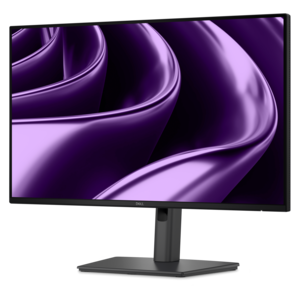
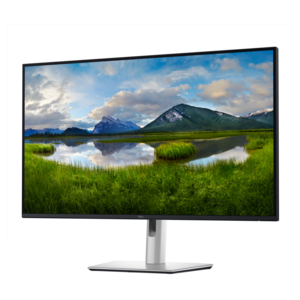
A Full HD USB-C hub monitor offering extensive connectivity, 100W power delivery, and TÜV-certified eye comfort.
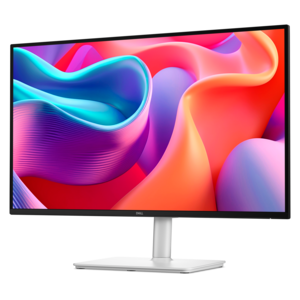
A QHD monitor with 144Hz refresh rate, USB-C connectivity, built-in speakers, and TÜV-certified eye comfort.
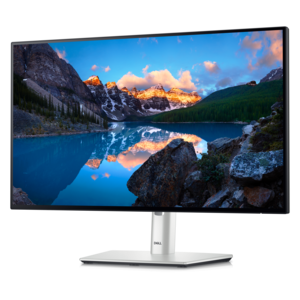
A TÜV-certified USB-C hub monitor offering 4-star eye comfort, enhanced productivity and extensive connectivity.
A QHD monitor with USB-C hub connectivity and TÜV-certified four-star eye comfort for productive, comfortable viewing.
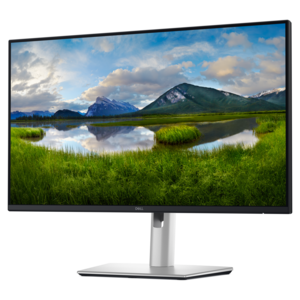
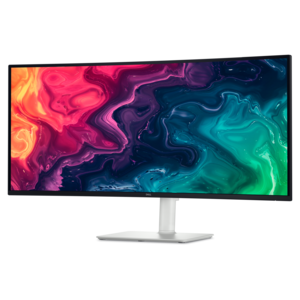
A curved WQHD USB-C monitor with 120Hz refresh and dual 5W speakers for entertainment.
A 4K USB-C hub monitor with extensive connectivity and TÜV-certified four-star eye comfort.
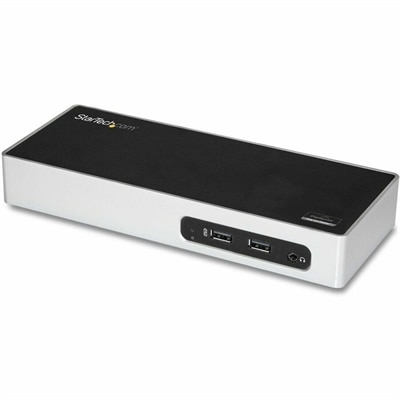
A USB 3.0 docking station with dual-monitor HDMI, DVI/VGA, six USB-A ports, Gigabit Ethernet, and audio.
USB displays are monitors that use a compatible USB connection to carry video, support connected accessories, or provide power, depending on the display and the computer attached to it. The distinction matters: a monitor with USB ports does not necessarily accept a video signal through those ports. Some ports serve only as connections for a keyboard, mouse, or other peripheral, while a video-capable USB-C input can receive a picture from a compatible laptop or desktop. With the right combination of monitor, computer, and cable, a single USB-C connection may carry video, transfer data, and charge a laptop, keeping a desk clear of extra cords. Other USB display connections rely on graphics technology that requires compatible software or drivers. These different approaches make USB monitors useful across several settings, from a permanent home office to a temporary workspace at a kitchen table. A larger desktop display gives spreadsheets, documents, and browser windows room to sit side by side, while a lightweight portable monitor adds a second screen beside a laptop without requiring a full-size desk. Extended desktop mode creates additional workspace for separate applications; mirrored mode shows the same content on both screens, which can be helpful when sharing a presentation or reviewing photos with someone across the table. Support for either arrangement depends on the connected device and its operating system. Screen-sharing software is a separate consideration from the physical display connection, and features such as remote control, media transfer, and on-screen annotation are not inherent to every USB monitor. Touch input likewise requires a touch-capable screen and a supported data connection. For everyday work, the appeal is often more straightforward: notes remain visible during a video call, reference material stays open beside a draft, and a laptop can become the center of a more comfortable workspace with fewer repeated window changes.
The most useful USB display is one that fits both the work and the space around it. Screen size describes the diagonal measurement, but the width of the panel, depth of the stand, and room needed for cables determine how comfortably a monitor fits on a desk. A compact screen can suit a narrow writing surface, while a larger panel may make detailed layouts or multiple open documents easier to manage. Resolution affects how much detail the screen can show, and pixel density influences how crisp text looks at a normal viewing distance. Higher resolutions can provide more workspace, although scaling settings may need adjustment to keep menus and lettering comfortable to read. Panel characteristics also shape the experience. Broad viewing angles help preserve a consistent picture when a screen is shared, an antiglare finish can reduce distracting reflections, and sufficient brightness helps in a room with changing daylight. Color coverage and accuracy matter more for photography and design than for routine email, while refresh rate and response time become more important for fast-moving games or video. Compatibility deserves equally close attention because the shape of a USB-C connector alone does not establish its capabilities. Direct USB-C video commonly requires support for DisplayPort Alt Mode or another compatible video-capable connection, and the cable must support the intended signal. Charging also depends on the monitor’s power output, the cable’s rating, and the laptop’s power requirements; some setups still need a separate power adapter. A USB graphics adapter or software-driven display connection may have different driver requirements and performance limits, particularly with protected video or demanding graphics applications. Supported resolution, refresh rate, and the number of external screens can also vary by computer. Supporting connections have a role beyond the picture itself: compatible cables, adapters, and hubs from the USB Accessories category can help connect peripherals or accommodate a device’s port layout, provided their specifications match the intended setup.
Construction and adjustability influence how pleasant a USB monitor remains to use after the initial setup. Desktop displays commonly combine a plastic enclosure with a reinforced stand, while portable designs may use plastic or metal housings to balance weight, rigidity, and everyday handling. A metal enclosure does not by itself guarantee better durability; hinge quality, stand stability, connector placement, and protection for the panel all matter. A height-adjustable stand makes it easier to position the screen near eye level, and tilt or swivel adjustments help accommodate different chairs, desk heights, and lighting. Pivot support can be especially useful for long documents or coding, provided the computer supports the desired screen orientation. Mount-compatible displays offer another way to free desk space, though the mounting pattern and weight limits must match the arm or bracket. For a portable USB display, the folded dimensions, stand design, and protective cover affect how easily it travels beside a laptop. A stable support is valuable on a shallow hotel desk, and a padded sleeve helps keep pressure and loose objects away from the screen inside a bag. Cables should have enough slack to avoid pulling on the connectors, especially when a laptop is moved or a monitor is rotated. Routine care is simple but important: turn the display off before cleaning, use a soft microfiber cloth, and follow the manufacturer’s directions for any cleaning solution. Spraying liquid directly onto the panel or using abrasive materials can damage finishes, while blocked ventilation and excessive heat can affect operation. Students may appreciate a second screen for research and writing, remote workers can keep meeting controls separate from their main task, and creative users can dedicate a display to reference images or editing tools. A USB monitor can also be a thoughtful gift for someone building a study area or refreshing a home office, as long as the recipient’s device connections and available desk space are understood. Across these uses, a well-matched display supports a practical rhythm: connect the computer, settle the screen into a comfortable position, and keep the information needed for the next task clearly in view.
Add the products you would like to compare, and quickly determine which is best for your needs.