$75.99
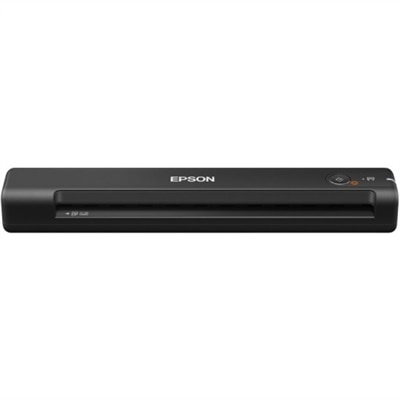
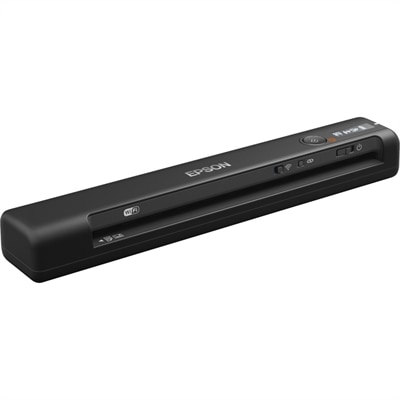
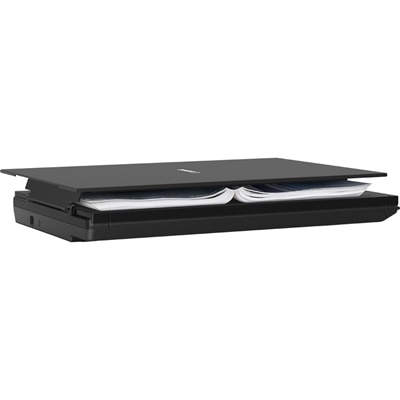
A compact flatbed scanner delivering 2400 x 2400 dpi resolution, 10-second scanning, and four convenient EZ buttons.
Discover a wide selection of Mac compatible flatbed scanners designed to streamline your workflow and enhance productivity. Perfect for both home offices and professional environments, these scanners offer reliable performance and seamless integration with your Mac devices. Whether you’re digitizing documents, photos, or artwork, find the ideal solution to meet your scanning needs while enjoying compatibility and ease of use. Explore the latest options in mac compatible flatbed scanners to support your creative and business projects.
A compact flatbed scanner delivering 2400 x 2400 dpi resolution, 10-second scanning, and four convenient EZ buttons.
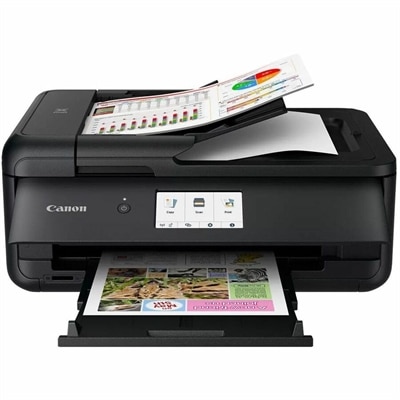
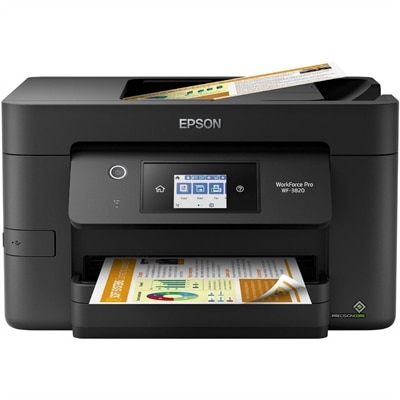
A versatile wired and wireless color inkjet multifunction printer with duplex printing, touchscreen controls and a 20-page ADF.
Mac compatible flatbed scanners turn printed photographs, handwritten pages, artwork, and everyday paperwork into digital files while keeping the original stationary on a glass scanning surface. That design is especially useful for materials that should not travel through a document feeder: a curled family photograph, a delicate certificate, a pencil sketch, or a recipe card softened at the corners from years of use. A flatbed lets you position each piece deliberately, straighten its edges, and preview the image before saving it. For a household, that might mean bringing several generations of photographs into one organized digital collection. For a student, artist, or home office user, it can mean capturing research notes, illustrations, signed forms, and receipts without the uneven lighting or perspective distortion that can accompany a quick camera snapshot. The most important purchase consideration is compatibility with the exact operating system version on your computer, not simply a general statement that a scanner supports Mac. Check the supported versions, connection requirements, and availability of current drivers or scanning software. Some compatible scanners work through built-in scanning utilities, while others need software supplied by the manufacturer or a separately purchased application. Compatibility with a basic scanning utility does not necessarily mean that every advanced feature will be available there, so confirm support for any restoration, text recognition, or specialized media functions you expect to use. Connection details matter just as much in everyday use. A USB-powered model can reduce cable clutter, but the included cable still needs to match an available port or a suitable adapter. Other scanners require a separate power supply and a nearby outlet. Measure the space for the scanner with its lid open as well as closed; a slim unit that fits neatly beneath a shelf may still need more clearance to accommodate a book or an oversized photograph. These practical details help distinguish a scanner that fits your workspace from one that becomes awkward after the first project.
Image quality depends on more than the largest resolution number printed in a specification list. Optical resolution describes the detail captured by the scanner’s hardware, while interpolated resolution uses software to add pixels and does not recover detail that was never recorded. For ordinary text documents, around 300 dots per inch is a common starting point that keeps lettering readable without creating unnecessarily large files. For photographic prints, 600 dpi is often useful for preservation and modest enlargement, although the best setting depends on the original’s size, condition, and intended use. Higher optical resolution can help when capturing small originals or fine illustration details, but it also increases scanning time and file size. A faded snapshot will not automatically become sharp simply because it is scanned at the highest available setting. Color accuracy, tonal detail, clean glass, and careful placement all contribute to the result. Someone digitizing watercolor paintings may care most about subtle transitions in a pale wash, while a person preserving black-and-white portraits may notice whether detail remains visible in dark clothing and bright backgrounds. Scan bed dimensions deserve equal attention. A letter-size surface suits much routine paperwork and many photographs, but larger drawings, scrapbook pages, and longer documents may require a larger bed or multiple scans joined in software. Check the actual usable scanning area rather than assuming that the scanner’s outside dimensions indicate what will fit. A raised or removable lid can make positioning thicker originals easier, although it does not guarantee a sharply focused image where a book page curves away from the glass. Sensor design and depth of field can affect performance on uneven materials. Film and slide scanning require specific support, typically including a transparency light source and appropriate holders; a scanner intended for reflective prints cannot be assumed to handle negatives. For treasured originals, gentle handling matters more than speed. Avoid forcing a tight binding flat, and keep both the scanning surface and the back of each original free of loose grit.
The software experience often determines how comfortably a flatbed scanner becomes part of a regular routine. Useful capabilities can include preview scanning, adjustable cropping, automatic separation of several photographs, multipage PDF creation, and optical character recognition. Availability varies by model and application, so look for the functions that match your actual projects rather than assuming every scanner includes them. Optical character recognition can make typed documents searchable or editable, which is helpful when a drawer of paperwork needs to become a usable digital archive, but handwriting and damaged text may still require manual transcription. File format choices also shape the workflow: JPEG is convenient for sharing photographs, TIFF is often useful for preserving high-quality image files, and PDF keeps document pages together. Keeping an untouched master scan alongside an edited copy gives you room to correct color, crop borders, or prepare prints later without repeatedly handling the original. For a family history project, a simple filename with a date, location, and names can be as valuable as another increase in resolution. Think of a shoebox of summer photographs becoming folders that relatives can browse, with handwritten notes from the backs preserved as separate images. A flatbed scanner can also make a thoughtful gift for a family historian, a college student working with printed sources, or a creative hobbyist who wants digital copies of drawings and handmade cards. Confirm the recipient’s computer compatibility and available desk space before choosing. If placing a scanner away from the computer is a priority, Wireless Photo Scanners For Mac offer another category to explore, with wireless connectivity, scanning method, and operating system support still worth checking individually. For frequent stacks of loose pages, a document feeder may be more efficient than lifting a flatbed lid between sheets. For mixed collections of photographs, fragile pages, and artwork, however, the flatbed’s appeal is its control: each original stays visible, supported, and easy to reposition. Matching that hands-on approach with suitable software, sufficient scanning area, and realistic image-quality needs makes it easier to choose equipment you will continue using long after the first folder is saved.
Add the products you would like to compare, and quickly determine which is best for your needs.