$474.00
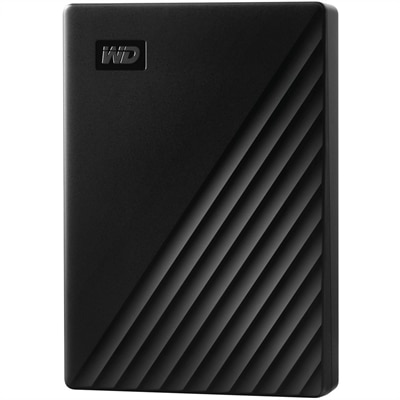
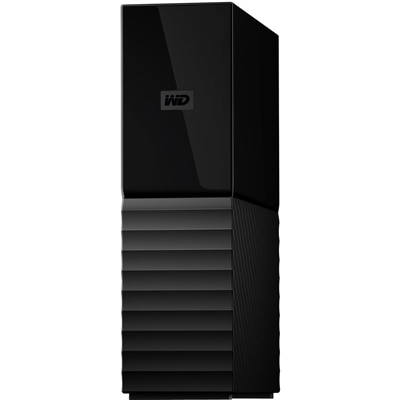
An 8TB USB 3.0 desktop hard drive with 256-bit AES encryption, password protection and automatic backups.
Mac storage drives provide an efficient solution for expanding your device’s capacity and keeping important files secure. Whether you’re managing large creative projects or simply need extra space for photos and documents, these drives are designed to seamlessly integrate with your Mac setup. Explore a wide selection of Mac storage drives to find the ideal option that matches your workflow and storage needs.
An 8TB USB 3.0 desktop hard drive with 256-bit AES encryption, password protection and automatic backups.
Mac storage drives provide a practical way to expand available space, protect important files, and make a Mac computer more comfortable to use over time. Internal storage can fill quickly with photos, downloaded videos, creative projects, applications, music libraries, and large work folders, especially when high-resolution files are part of a regular routine. An external drive adds capacity without requiring a change to the computer itself, making it useful for home offices, classrooms, creative workspaces, and shared family computers. Before choosing a drive, consider how it will be used and where it will spend most of its time. A compact drive that slips into a backpack works well for students, photographers, remote workers, and anyone who moves between locations, while a larger-capacity desktop-style drive may be better suited to a permanent workspace. Check the available ports on the Mac and compare them with the drive’s connection type, since USB-C and other USB connections can differ in speed, included cables, and adapter requirements. It is also worth confirming compatibility with the version of macOS in use and considering whether the drive will be shared with other computers. A drive formatted for broad compatibility can be convenient when moving files between systems, while a format designed for Mac use may be preferable for dedicated backups and everyday file storage.
Hard disk drives, often called HDDs, are a practical choice when capacity is the priority. They use moving internal components and generally provide more space for the cost, making them well suited to routine backups, photo archives, older project folders, downloaded media, and files that need to remain available but are not opened constantly. Many people use an HDD as part of a backup routine, including with Time Machine, to preserve a history of documents and settings that could otherwise be difficult or impossible to replace. Keeping the drive connected to a home computer can allow backups to run regularly, while disconnecting it after a backup adds another layer of protection against accidental deletion, device damage, or unexpected software problems. Solid-state drives, or SSDs, use flash memory rather than moving parts. They are typically faster, quieter, and more resistant to the bumps that can happen during travel, which makes them a strong fit for active projects, large photo libraries, video editing, music production, application storage, and transferring files between locations. A fast SSD can make it easier to work directly from an external drive instead of moving large folders back and forth, although performance depends on the drive, cable, port, and computer connection. Capacity should reflect both current needs and likely growth. A smaller drive may cover documents and selected backups, while a larger option gives creative libraries and long-term archives room to expand. Leaving some free space can also help maintain a smoother experience, particularly when working with temporary files or large media projects.
Portability, durability, security, and ease of organization matter just as much as capacity and speed. A drive carried between home, school, a studio, and a shared office should have a compact design and a cable that is easy to pack without tangling. People who work on location may appreciate added protection against drops, dust, or moisture, while a drive that stays beside a desktop can place greater emphasis on capacity and sustained performance. For a closer look at portable solid-state storage for a professional Mac notebook, explore External SSDs For MacBook Pro. Security is another important consideration when a drive contains tax documents, client files, travel photos, or personal records. Look for support for password protection or hardware encryption when appropriate, and keep a second copy of irreplaceable data in a separate location. A simple folder structure with clear names and dates can prevent an archive from becoming a digital attic where useful files disappear. These drives can also make thoughtful gifts for college students, new remote workers, photographers, gamers, musicians, and family members who are always managing a growing collection of pictures. A drive chosen around the recipient’s habits is often more useful than one selected only by appearance: an SSD suits someone who edits on the go, while a high-capacity HDD may better serve a household preserving years of photos and videos. During the cooler months, when more time is often spent indoors sorting memories or finishing creative projects, a dependable external drive can bring welcome order to a Mac and added confidence that meaningful files have a safe place.
Add the products you would like to compare, and quickly determine which is best for your needs.