$576.99
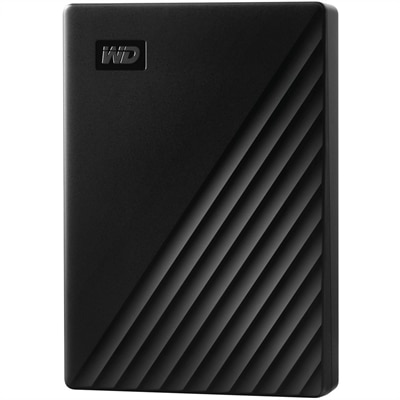
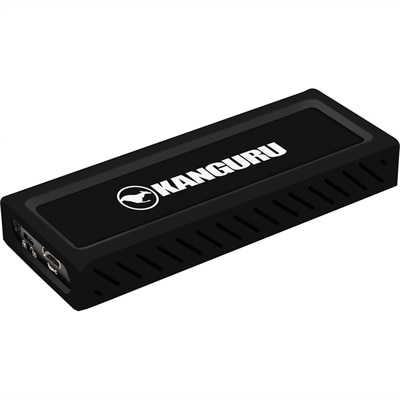
A sleek metal USB-C NVMe SSD delivering 675MB/s reads, 575MB/s writes, and write protection.
Discover a world of possibilities with our diverse range of memory solutions, designed to enhance performance and optimize storage across all your devices. Whether you're looking to expand your computer's capacity, boost your gaming console's speed, or ensure seamless multitasking on your smartphone, our selection caters to every need. With cutting-edge technology and reliable options, finding the perfect fit for your digital lifestyle has never been easier. Explore our offerings to unlock the full potential of your devices and enjoy a smoother, more efficient experience.
A sleek metal USB-C NVMe SSD delivering 675MB/s reads, 575MB/s writes, and write protection.
Memory solutions for laptops and desktops center on random access memory, or RAM: the fast, temporary working space a computer uses for active applications and information currently in use. Unlike saved files, the contents of standard system RAM are cleared when power is turned off. Its role becomes especially noticeable during everyday multitasking, whether that means keeping a video meeting open alongside a presentation, switching between research tabs and a document, or editing photographs while another application runs in the background. When a compatible computer has enough memory for its workload, applications have room to operate without the slowdowns that can occur when available RAM runs short. Additional capacity does not automatically make every task faster, but it can make a meaningful difference on a system that regularly reaches its memory limit. For students, that might mean a smoother transition between online coursework, reference materials, and collaborative projects. For a home office, it can support the overlapping demands of spreadsheets, browser-based tools, messaging, and calls. Creative work often places heavier demands on memory, particularly with large images, layered designs, complex audio projects, or high-resolution video. Gaming also involves more than the game itself when voice chat, recording software, and other applications are running at the same time. Capacity is commonly expressed in gigabytes, with the appropriate amount depending on the operating system, applications, and complexity of the work. A 16 GB configuration can accommodate many everyday computing routines, while 32 GB may provide useful headroom for heavier multitasking and some creative workloads. More demanding projects may benefit from 64 GB or more, provided the computer supports it and the software can put that capacity to use. These figures are starting points rather than guarantees; a modest workload and a large creative project have very different needs. The most useful memory upgrade addresses what the computer actually does, including the tasks that overlap during its busiest moments.
Compatibility gives computer memory its practical boundaries. A module needs to match the computer’s supported memory generation, physical form factor, capacity limits, and electrical requirements before its performance specifications become relevant. Desktop systems commonly use full-size DIMMs, while many laptops with replaceable memory use smaller SO-DIMMs. Some compact desktops also use these smaller modules, and some laptops have memory attached directly to the main board rather than installed in removable slots. A thin enclosure alone does not reveal which design is inside. The model’s technical documentation establishes whether an upgrade is possible, how many slots are present, and the maximum supported capacity per slot and across the system. Memory generations such as DDR4 and DDR5 are not interchangeable: their physical keying and operating requirements differ, even when two modules appear similar at a glance. Speed ratings also need context. Transfer rate, often expressed in megatransfers per second, describes how quickly memory can transfer data, while timing specifications describe aspects of access delay. Neither number independently predicts how responsive a computer will feel. The processor, main board, firmware, memory arrangement, and application all influence the result, and a higher-rated module may operate at a lower supported setting. Capacity distribution matters as well. On systems that support multiple memory channels, an appropriate arrangement of compatible modules can increase memory bandwidth compared with certain single-module configurations. The benefit varies by workload and can be particularly relevant when integrated graphics share system memory. The Memory Configurations page provides related context for considering how memory capacity and arrangement fit together. Matching modules with compatible specifications can reduce uncertainty, although the computer’s documented requirements remain the deciding factor. Mixing capacities or speeds may be supported in some systems, but it can affect operating settings and channel behavior. For someone adding memory to an existing computer, the details of the installed configuration are just as important as the specifications of the new module. An empty slot, a replaceable pair, and a fully occupied system each create a different path toward more working space.
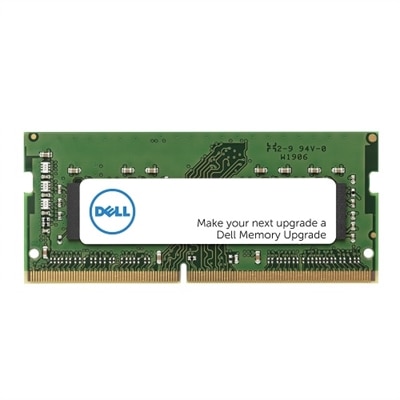
The construction and care of memory modules reflect their role as internal electronic components rather than accessories handled every day. A typical module consists of memory chips mounted on a rigid printed circuit board, with precisely positioned edge contacts that connect to a matching socket. Some desktop modules include metal heat spreaders, which help move heat away from the chips, but their added height can affect clearance around a processor cooler or within a compact case. Laptop memory generally has tighter space constraints, making exact physical fit especially important. Decorative elements do not establish compatibility, durability, or a meaningful performance advantage on their own. Long-term reliability depends more on supported operating conditions, suitable airflow, stable settings, and careful handling. Static electricity, moisture, excessive heat, and physical force can damage components that otherwise have no moving parts to wear down through normal use. During installation, handling a module by its edges helps protect its contacts and circuitry, and appropriate antistatic precautions reduce the risk of an unseen electrical discharge. The computer’s service documentation should govern power disconnection, battery precautions, access, and seating; a module should never be forced into a slot with a mismatched notch. Once correctly installed, RAM ordinarily needs no direct cleaning or routine adjustment. Keeping the computer’s ventilation unobstructed and maintaining the enclosure according to its care instructions helps preserve an appropriate environment for internal components. For a shared family desktop, a reliable configuration may support school assignments in the afternoon, household paperwork in the evening, and creative hobbies on the weekend. For a portable work computer, the priority may be enough capacity to keep a demanding set of applications open throughout the day without sacrificing the machine’s intended portability. Memory can also be a thoughtful gift for a computer enthusiast, but only when the recipient’s exact system requirements and upgrade options are known. Whether supporting an existing routine or making room for more demanding work, well-matched RAM offers a practical way to align a compatible laptop or desktop with the demands placed on it.
Add the products you would like to compare, and quickly determine which is best for your needs.