$114.99
A professional 2K QHD webcam delivering clear visuals, secure features, and seamless collaboration across leading platforms.
Enhance your video conferencing experience with microsoft teams webcams designed for seamless communication and collaboration. Whether you're working from home, connecting with colleagues, or hosting virtual meetings, these webcams deliver the clarity and reliability you need for every call. Explore a selection of options tailored to support productive and professional interactions on Microsoft Teams. Find the right webcam to elevate your setup and stay connected with confidence.
A professional 2K QHD webcam delivering clear visuals, secure features, and seamless collaboration across leading platforms.
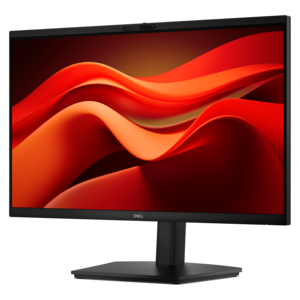
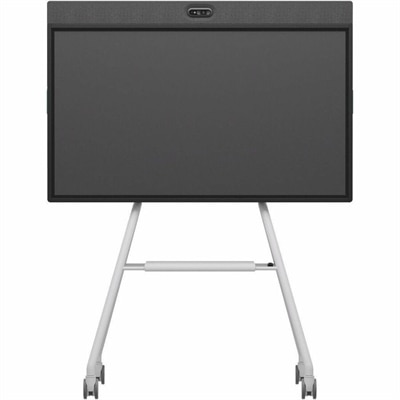
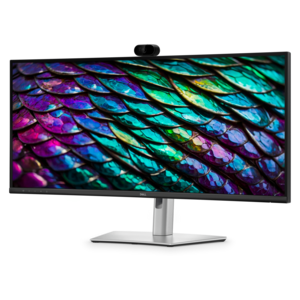
A Full HD conferencing monitor with built-in webcam, speakers, and microphone for seamless everyday collaboration.
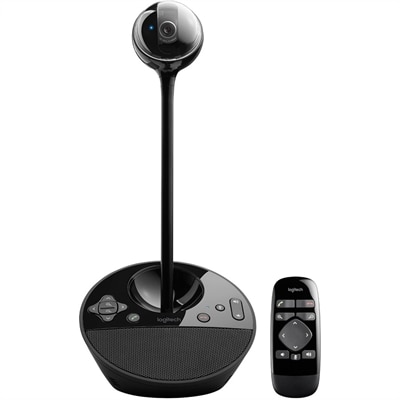
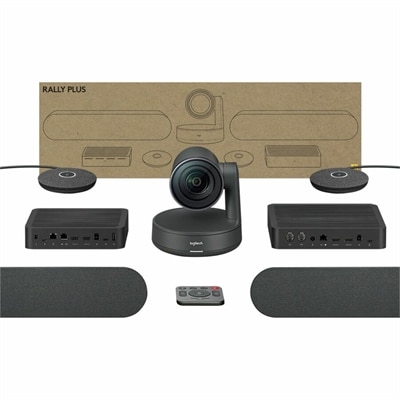
A 1080p conference camera with full-duplex speakerphone audio, autofocus, remote pan-tilt-zoom, and echo cancellation.
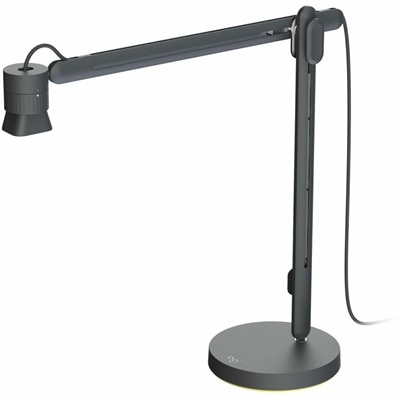
An articulating overhead camera arm with base mount, 1080p60 video, USB connectivity, and versatile pivoting controls.
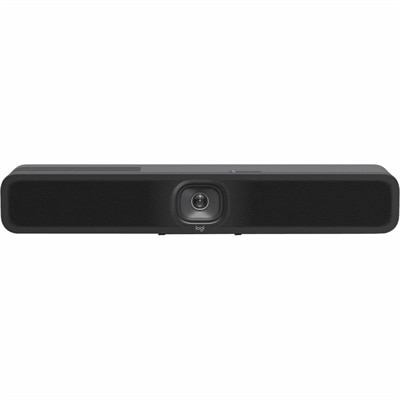
An AI-powered USB conference camera with intelligent audio, video features, flexible mounting, and BYOD compatibility.
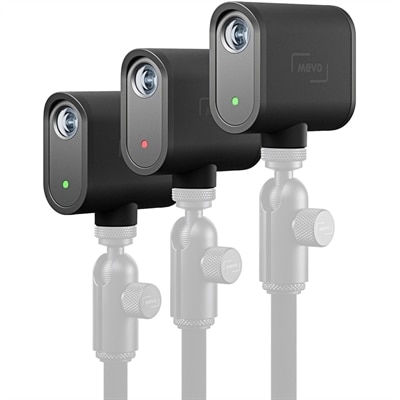
A three-camera black webcam kit delivering 1080p streaming, 12-megapixel capture, USB-C connectivity, and smartphone control.
An all-in-one mobile conferencing system with touchscreen collaboration, AI-powered audio/video, recycled plastic, and lockable cart.
Microsoft Teams webcams help create a more natural, polished presence for video meetings, whether you work from a home office, share a workspace with family, or move between a desk and a laptop during the day. A built-in laptop camera can be useful for quick calls, but a separate webcam often provides a clearer view, more flexible positioning and a better perspective for meetings, presentations and virtual appointments. Look for a model with at least 1080p resolution for sharp, balanced video that keeps facial details, text and hand gestures easy to see. A 4K webcam can add even more detail and may improve digital zoom, cropping and background effects, particularly when you need to frame yourself from farther away. High dynamic range, often called HDR, can help preserve detail when a bright window is behind you, while low-light correction can soften the grainy, shadowed appearance that often shows up during the cooler months when daylight fades earlier. Autofocus is another useful feature for people who move during a call, hold documents toward the camera or shift between sitting and standing. Instead of forcing you to remain perfectly still, autofocus adjusts as you move so your image remains crisp. A wide field of view can include more than one person or show a small presentation area, while a narrower view can keep attention centered on you and reduce distractions around the room. Consider the layout of your workspace before choosing. A webcam with a flexible clip can sit on top of a monitor or laptop display, while a threaded mount may work better with a small tripod or adjustable arm. USB connectivity should match the ports on your computer, and plug-and-play compatibility can make setup straightforward without requiring complicated configuration. Microsoft Teams-certified devices are designed to work smoothly with the platform and may offer convenient access to meeting controls such as mute, camera activation and call functions. Certification can be especially helpful in a shared household or busy office, where a simple control can prevent an unintended interruption.
Audio quality deserves equal attention because a meeting can remain productive even when video is modest, but muffled speech, keyboard noise and room echo can make conversation tiring. Many Microsoft Teams webcams include built-in microphones with noise reduction or beamforming technology to focus on your voice and reduce sounds from nearby fans, air conditioning, typing and general household activity. These microphones are practical for everyday calls, though people who lead frequent presentations, teach remotely or work in a room with considerable background noise may prefer to pair a webcam with a dedicated headset or microphone. Before choosing, think about where calls usually take place. A quiet office with soft furnishings may need less noise control than a kitchen with hard surfaces, a living room near a television or a shared desk near a busy hallway. Camera controls can also make a meaningful difference. Automatic exposure and white balance help maintain a consistent appearance as clouds pass a window or indoor lighting changes, while automatic framing can keep you centered if you lean forward to read notes or stand to explain something. Some advanced webcams use intelligent tracking to follow movement, which can be useful for instructors, presenters, fitness professionals and anyone who demonstrates a process on camera. A physical privacy shutter or lens cover offers a reassuring way to block the camera when a meeting ends, and a hardware mute button can provide an additional layer of control. These small details matter in real routines: closing a laptop after a long day, joining a call from a temporary workspace or switching between personal and professional meetings. A webcam can also be a thoughtful gift for a student attending virtual classes, a relative who stays connected through video calls, a new remote employee building a home setup or a creative professional sharing work with clients. Pairing one with a comfortable desk arrangement and Laptops for Microsoft Teams can create a dependable space for collaboration, learning and everyday communication.
The best choice depends on how you use Microsoft Teams, the room around you and the impression you want to make on screen. For occasional conversations, a compact 1080p webcam with reliable autofocus, a privacy shutter and straightforward USB connection may provide everything needed. For frequent meetings, look for stronger low-light performance, clear microphones, automatic framing and controls that are easy to reach without interrupting the discussion. People who present slides, demonstrate products or move around a room may benefit from a wider viewing angle and intelligent tracking, while anyone who sits close to a monitor may prefer a tighter frame that keeps the background discreet. Resolution should be considered alongside lighting and placement; a high-resolution camera cannot fully compensate for a dim room or a lens aimed toward a bright window. Position the camera close to eye level, leave a little space above your head and place a light in front of you rather than directly behind you. A monitor-mounted webcam can provide a natural angle for daily calls, while an adjustable stand can help when a laptop is docked or the display is used for reference materials. Check the operating system requirements, available USB ports and any app-based controls before purchasing, especially if the webcam will move between computers. It is also worth considering how easy the device will be for everyone in the household or office to use. Simple controls, automatic adjustments and clear status indicators reduce the time spent troubleshooting and help meetings begin on schedule. During the cooler months, when more conversations may take place indoors, a dependable webcam can make a home office feel less isolated and help distant colleagues, classmates and family members share a clearer sense of connection. Whether the goal is to improve daily work calls, support remote learning or make virtual conversations more comfortable, choosing the right combination of video quality, microphone performance, privacy features, compatibility and placement can turn an ordinary computer setup into a more capable Microsoft Teams workspace.
Add the products you would like to compare, and quickly determine which is best for your needs.