$1029.00
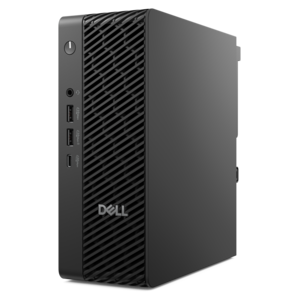
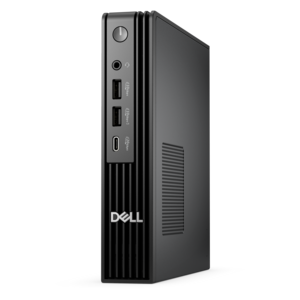
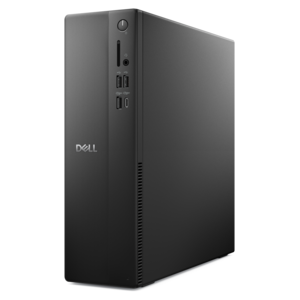
A compact desktop delivering reliable performance and security for everyday productivity.
Mini Desktop PCs for Small Spaces offer a smart solution for those looking to maximize their work area without sacrificing performance. Perfect for home offices, dorm rooms, or compact workstations, these streamlined computers fit neatly into tight spots while keeping your space organized and clutter-free. Explore a range of options designed to help you get the most out of every square inch, making it easy to create an efficient and tidy workspace with Mini Desktop PCs for Small Spaces.
A compact desktop delivering reliable performance and security for everyday productivity.
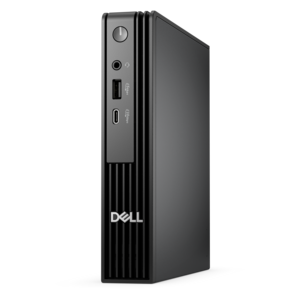
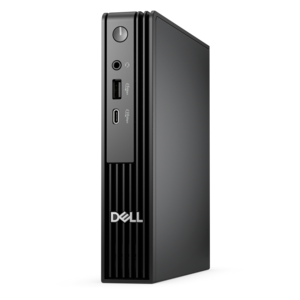
A space-saving desktop engineered for exceptional speed and efficiency in a sleek, compact design.
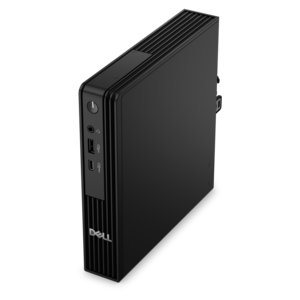
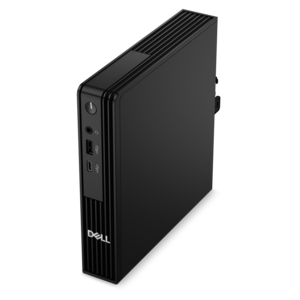
An ultracompact business desktop with Copilot+ PC options, AI-enhanced productivity, robust security, and streamlined manageability.
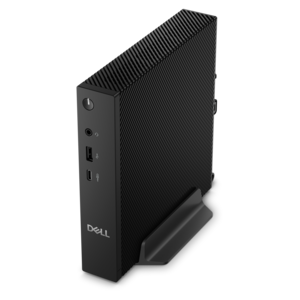
A compact thin client supporting cloud software, ThinOS, Windows 11 IoT Enterprise, or no operating system.
An AI-powered Copilot+ PC featuring Series 3 Intel Core Ultra processors for efficient performance.
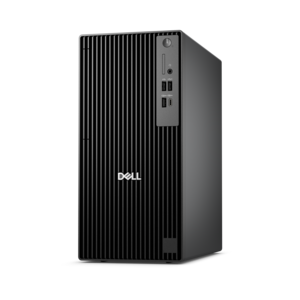
An ultracompact AI-ready business desktop with robust performance, exceptional security, and seamless manageability.
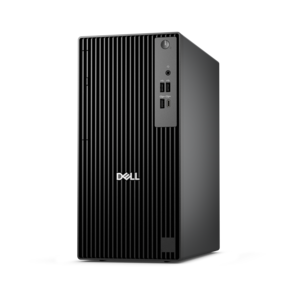
A micro desktop with AI PC options, robust security and seamless manageability for business productivity.
Mini desktop PCs bring everyday computing to spaces where a traditional tower would crowd the desk, interrupt legroom, or compete with other essentials. These compact computers house their main components in a small enclosure and connect to a separate monitor, keyboard, and mouse, giving a workspace the familiar feel of a desktop without the same physical footprint. Depending on their dimensions and mounting options, they can sit beside a screen, tuck beneath a monitor riser, or attach to a compatible bracket behind a display. That flexibility makes them useful in apartment offices, shared family workspaces, dorm rooms, and kitchen work nooks where a clear surface matters. A shallow desk can still have room for a notebook and coffee cup, while a multipurpose table can shift more easily between computer work and other activities. Mini desktop PCs commonly support document editing, web browsing, video calls, and media streaming; more demanding uses depend on the processor, memory, graphics capabilities, and cooling design. Some configurations also suit light gaming, though their small size alone says nothing about gaming performance. Many use less electricity than larger, higher-powered desktops during comparable everyday tasks, but actual consumption varies with the hardware and workload. Their enclosures may combine metal panels with molded plastic, balancing structure, weight, ventilation, and appearance. A matte finish can blend into a home office, while a sturdy chassis helps protect internal components during normal handling. Compact does not necessarily mean pocket-size, so the usable footprint includes more than the enclosure itself: cable connectors, an external power adapter, and breathing room around vents all need space. For households and professionals who prefer a separate screen but have little room for a tower, this format offers a practical middle ground between a laptop-based setup and a larger desktop arrangement. It also allows the display to stay at a comfortable viewing height without tying that position to the computer itself.
The right mini desktop PC has enough capability for the work happening on the screen, not simply the smallest case on the shelf. For someone balancing email, spreadsheets, browser tabs, and occasional video meetings, a responsive processor and sufficient memory help keep routine tasks moving smoothly. A student working with large research documents, presentation software, and several open applications may benefit from more memory than a computer used mainly for checking messages or streaming movies. Photo editing, software development, and other sustained workloads place different demands on the processor and cooling system, while games and visually intensive applications depend heavily on graphics performance. Integrated graphics can support everyday visuals and some lighter games, but demanding titles, high detail settings, and specialized creative applications may require capabilities that not every compact system provides. The internal drive’s capacity matters for locally saved photographs, videos, applications, and project files, and a solid-state drive can contribute to quick startup and responsive file access. Connections deserve equal attention because they shape how comfortably the computer fits into an existing workspace. A home office might need ports for a keyboard, mouse, webcam, headset, and an external drive, while a dual-screen arrangement needs compatible display outputs and support for the intended screen resolutions. A connector’s shape does not guarantee every function; for example, not every USB-C port carries a video signal. Wireless accessories can reduce visible cables, although charging needs and connection compatibility still matter. For a computer placed behind a monitor, easy access to the power button and frequently used ports can make a noticeable difference throughout the day. Upgrade options also vary: some designs allow access to memory or the internal drive, while others offer fewer changes after purchase. A configuration suited to expected workloads can remain useful longer than one selected only for its dimensions, especially when work involves applications that may become more demanding over time.
A comfortable small-space setup depends as much on placement and care as on computing power. A mini desktop PC needs a stable surface or a mounting accessory designed for its chassis, with ventilation openings left unobstructed. An enclosed drawer, a tightly packed shelf, or a stack of papers pressed against a vent can restrict airflow and increase heat. A little open space around the computer helps its cooling system work as intended, and routing cables along the back edge of the desk keeps them from pulling against ports when a chair or monitor moves. Fan sound varies with the design and workload; a system that is unobtrusive during browsing may become more noticeable during a long video export or other intensive task. That distinction matters in a quiet bedroom, a shared study area, or a workspace used for recorded meetings. Routine care is generally straightforward: shut the computer down, disconnect power before cleaning, and follow its care instructions when removing dust or wiping exterior surfaces. Keeping drinks away from the enclosure and avoiding tension on cables can help prevent everyday damage. For long-term use, accessible support information, software compatibility, and an appropriate operating system matter alongside the physical build. Small desktops can also make thoughtful gifts for college students, adults setting up a home office, or relatives who prefer a full-size keyboard and an easy-to-read monitor. The complete setup should account for those separate accessories rather than assuming they come with the computer. Someone joining frequent video calls may also need a webcam and microphone, while a shared household computer benefits from a screen position that works for different users. For related space-conscious layouts, Compact Desktop Computers for Small Workspaces offer another way to consider a manageable desktop footprint. With suitable performance, compatible connections, and room for airflow, a mini desktop PC can support a productive everyday workspace without making the computer the largest object on the desk.
Add the products you would like to compare, and quickly determine which is best for your needs.