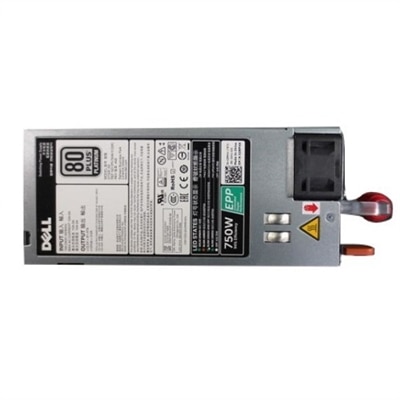
Modular Power Supplies
Modular power supplies offer a flexible and efficient solution for building or upgrading your PC. Designed to help reduce cable clutter and improve airflow, modular power supplies allow you to customize your setup with ease. Whether you're assembling a high-performance gaming system or streamlining your workstation, explore a selection of modular power supplies to find the perfect fit for your needs.
This product is not available
Check out the following recommendations.
Related Products
Modular Power Supplies
Modular power supplies are internal desktop computer components with detachable power cables, allowing a compatible PC to use only the connections its hardware requires. A power supply unit, or PSU, converts incoming AC electricity into the regulated DC power used by the motherboard, processor, graphics card, and other internal components. Modularity changes how its cables attach, not its fundamental job. In a fully modular power supply, all power cables detach from the unit, including the main motherboard cable. In a semi-modular power supply, essential cables are permanently attached, while selected peripheral and graphics power cables are removable; the exact arrangement varies by design. A non-modular unit has permanently attached cables throughout. For someone assembling a gaming desktop, refreshing a home office computer, or building a PC for photo and video editing, detachable cables can make the interior easier to organize and work inside. Instead of tucking an unused bundle beside a fan or behind a side panel, the builder can leave unnecessary cables out altogether. That can free routing space and reduce obstructions, although actual cooling performance still depends on the enclosure, fans, component placement, and room temperature. The difference is especially noticeable in a compact case with narrow cable channels or a windowed tower where every visible connection contributes to the finished appearance. Modularity also makes it easier to route cables separately before connecting them to the PSU, provided the case leaves enough access to the sockets. Within the broader category of System Power Supplies, modular designs suit people who value a tidy assembly and straightforward access during future maintenance. They are not automatically more powerful, quieter, or more efficient than other designs. Those qualities come from the electrical platform, rated output, cooling system, and operating conditions, so the most suitable choice balances cable flexibility with the needs of the complete computer.
Physical fit and electrical compatibility matter as much as detachable connections. Common desktop PSU form factors include ATX, SFX, and SFX-L, but a case’s motherboard size does not by itself establish which power supply will fit. A small desktop may require a compact PSU, while a larger tower may accommodate several lengths within the same form factor. The enclosure’s specifications should establish the supported format, mounting arrangement, and maximum PSU length, with additional room for modular plugs and cable bends. A unit that fits into its mounting bay can still leave too little clearance for comfortable cable routing. Cable length also deserves attention: a tall tower may need a longer processor power cable to reach the upper edge of the motherboard through the rear routing channel. Electrical fit involves the motherboard connections, processor power sockets, graphics card requirements, and any powered accessories inside the case. Some prebuilt desktops use proprietary dimensions or connectors, so a familiar-looking enclosure is not proof that a standard replacement will work. Rated wattage should reflect the expected demand of the whole system and the component manufacturers’ recommendations, including allowance for brief power excursions and realistic future upgrades. A desktop used for documents and video calls has different requirements from a machine running a high-performance graphics card through a lengthy rendering session. Extra rated capacity does not force a computer to consume that amount of electricity, but a larger number alone does not establish better quality. Modern graphics hardware may also call for a particular connector type and compliance with an appropriate power supply standard. Processor and graphics power plugs should never be treated as interchangeable simply because their shapes look similar. Most importantly, modular cables are not universally compatible at the PSU end. Even connectors that physically fit can have different wiring arrangements. Only cables supplied with the unit or explicitly approved for that exact model should be used; old cables should not remain in place during a replacement unless their compatibility has been verified.
Construction, cooling, and everyday care shape how a modular PSU performs over time. Desktop power supplies typically combine a protective metal housing with insulated copper wiring, molded connectors, and internal electronic components designed to regulate output and manage heat. Cable finishes may include flat insulated bundles, mesh sleeving, or individually sleeved conductors. These affect appearance, flexibility, and routing convenience, but decorative sleeving alone says little about electrical quality. Secure connector engagement, suitable wire specifications, stable output, and documented protective features are more meaningful considerations for dependable use. Protections against excessive current, voltage, temperature, and short circuits help address abnormal operating conditions, though they do not replace correct installation. An efficiency certification describes how effectively the unit converts incoming power under defined test conditions; it is not a complete measure of durability, noise, or overall construction. Fan size, fan control behavior, ambient temperature, and workload influence acoustics. Some designs stop the fan at lighter loads, while others maintain continuous airflow, making their behavior worth considering for a desktop positioned near a microphone or used in a quiet shared room. During installation, fully seated plugs, gentle cable curves, and adequate clearance around ventilation openings help support reliable operation. High-power graphics connections deserve particular attention to the manufacturer’s seating and bend-clearance instructions rather than a sharp turn pressed against the side panel. Routine care generally means keeping case filters and exterior ventilation openings clear of dust according to the equipment manufacturer’s directions, with the computer shut down and disconnected from power before cleaning. A PSU enclosure should never be opened for household maintenance because internal components can retain dangerous electrical charge after disconnection. Unused modular cables are best kept together and clearly associated with their original unit for later changes. For an experienced PC hobbyist, a compatible modular power supply can also be a thoughtful component gift, but exact case and hardware requirements should be confirmed first. Whether supporting a first custom desktop or a carefully planned rebuild, its practical appeal is a cleaner interior, purposeful cable routing, and dependable power matched to the computer’s intended work.
FAQs:
Modular power supplies offer improved cable management by allowing you to connect only the cables you need, resulting in a cleaner and more organized interior. This enhances airflow, makes future upgrades easier, and contributes to a more aesthetically pleasing build.
Anyone building a new PC or looking to upgrade an existing system can benefit from a modular power supply, especially those who value neatness, plan to upgrade components frequently, or want to maximize airflow for better cooling performance.
A fully modular power supply allows all cables, including essential ones, to be detached and connected as needed. A semi-modular power supply has some permanently attached cables (usually the motherboard and CPU connectors), while the rest are optional and can be added as required.
With fewer unnecessary cables inside the case, cleaning and maintaining your PC becomes much simpler. Dust accumulation is reduced, and accessing components for upgrades or troubleshooting is more straightforward without the obstruction of excess wiring.
Yes, modular power supplies are versatile and suitable for a wide range of systems, from high-performance gaming setups to professional workstations. Their customizable cable management and robust features make them an excellent choice for any demanding or specialized build.