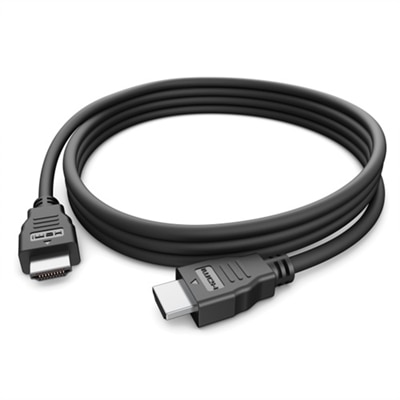
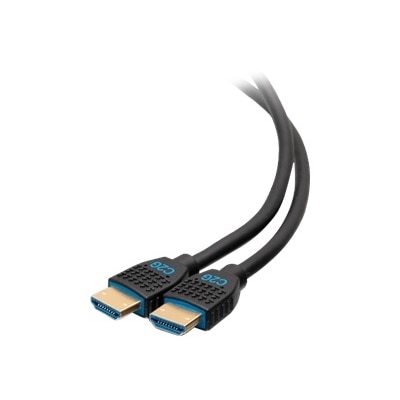
Monitor HDMI Cables
Elevate your visual experience with our selection of monitor HDMI cables, designed to deliver crystal-clear images and vibrant colors. Whether you're setting up a new gaming rig or enhancing your home office, these cables ensure seamless connectivity between your monitor and devices. Explore a variety of lengths and styles to find the perfect match for your setup, ensuring that every pixel counts. With options that cater to both casual users and tech enthusiasts, our range of monitor HDMI cables is crafted to meet diverse needs and preferences, providing reliable performance for all your digital displays.
This product is not available
Check out the following recommendations.




Monitor HDMI Cables
Monitor HDMI cables provide a straightforward connection between a computer and a display, carrying digital video and, when supported by the connected devices, digital audio through a single cable. They are commonly used with desktop computers, laptops, monitors, televisions, docking stations, game consoles and other home or office electronics. For many setups, an HDMI connection is the easiest way to extend a laptop screen, mirror a computer display, add a second monitor or enjoy a larger screen for movies and games. The cable itself does not improve an image beyond what the computer and monitor can produce, but it must have enough bandwidth for the resolution, refresh rate and features you plan to use. A basic display running at 1080p and 60Hz typically has modest requirements, while a modern 4K monitor at a higher refresh rate needs a cable designed to carry more data. HDMI 2.0, often associated with High Speed HDMI specifications, is generally suitable for many 1080p setups and 4K video at up to 60Hz, depending on the capabilities of the source and display. HDMI 2.1, commonly associated with Ultra High Speed HDMI specifications, is intended for higher-bandwidth applications such as 4K at 120Hz or 8K at 60Hz when every part of the connection supports those settings. Checking the specifications of both devices before choosing a cable helps prevent paying for capabilities that a monitor or computer cannot use, while also avoiding a cable that limits the performance of a newer display.
Connector type is another important consideration when selecting monitor HDMI cables. Most full-size monitors, desktop computers and televisions use the familiar full-size HDMI Type-A connector, but some thin laptops, tablets and compact devices use Mini HDMI or Micro HDMI ports. These smaller connectors are not interchangeable with one another, so inspect the port carefully or consult the device documentation before ordering. An adapter may be useful when a computer has USB-C, DisplayPort or another output instead of HDMI, but an adapter does not automatically make every combination compatible. The source device, adapter and monitor must all support the desired video signal, and some adapters are directional. Resolution and refresh rate are also worth checking in the monitor’s specifications rather than relying only on the cable name. A monitor may support a high refresh rate through one input but a lower rate through another, and a computer’s graphics hardware may place its own limit on output. Features such as HDR, variable refresh rate, audio return or copy-protection support can also depend on the complete setup. A cable that is long enough to reach comfortably is usually preferable to one stretched tightly behind a desk, but unnecessary extra length can make cable management harder. Measure the route from the computer to the monitor, allowing room for a gentle curve and for repositioning the display. Avoid sharp bends, pinching the cable under furniture or placing heavy objects on the connectors. In a home office, a properly sized cable can run neatly along the back edge of a desk; in a gaming space, a little extra slack can make it easier to move the monitor without pulling on the port.
The right HDMI connection can make everyday computing feel much more settled. Someone working from home may use a laptop with an external monitor for documents, video calls and a broader desktop, then disconnect the cable when moving to another room. A student can connect a computer to a larger display for research, presentations or group work, while a creative professional may use a second screen to keep editing tools open beside a full-size preview. During the cooler months, a cable can also help turn a compact laptop into a comfortable entertainment setup by sending video and audio to a larger screen, provided the devices support audio over HDMI. It is a practical addition to a new monitor, replacement for a misplaced cable or useful gift for someone updating a desk, gaming area or study space. Before purchasing, confirm the HDMI output on the computer, the HDMI input on the monitor, the maximum resolution and refresh rate, and the length needed for the space. Look for clearly stated specifications rather than assuming that a newer-looking connector or thicker jacket guarantees better performance. Gold-plated contacts and decorative features are not substitutes for compatibility and certified bandwidth. If a setup shows no image, begin with the simple checks: make sure the monitor is set to the correct HDMI input, reseat both connectors, verify that the computer recognizes the display and test the cable with compatible equipment if available. For additional connection options and lengths, browse HDMI Cables to compare choices for workstations, home entertainment areas and flexible multi-monitor arrangements. A thoughtfully selected cable should fit the ports, support the display settings you intend to use and leave enough room for a clean, reliable connection.
FAQs:
When selecting an HDMI cable for a Dell monitor, consider the HDMI version supported by your devices, such as HDMI 2.0 or HDMI 2.1, to ensure compatibility with higher resolutions and refresh rates. Look for cables with strong build quality, durable connectors, and adequate length for your setup. Features like gold-plated connectors and braided shielding can also enhance durability and signal quality.
Yes, you can use the same HDMI cable for Dell monitor to laptop or desktop connections, provided both devices have compatible HDMI ports. Simply unplug the cable from one device and connect it to the other as needed. For frequent switching, consider a cable that is flexible and easy to handle.
A Dell HDMI 2.1 cable supports higher bandwidth, enabling advanced features such as 4K and 8K resolutions, faster refresh rates, and enhanced audio return channels. Standard HDMI cables may not support these advanced features, so choosing an HDMI 2.1 cable is ideal for future-proofing your setup and maximizing performance with the latest monitors and devices.
Professionals working with high-resolution graphics, gamers seeking smooth frame rates, and home entertainment enthusiasts will all benefit from a high-quality HDMI cable for Dell monitor setups. These cables ensure reliable signal transmission, vivid visuals, and clear audio, making them a valuable addition for anyone looking to enhance their digital experience.
For multi-monitor setups, it’s important to use HDMI cables that match the resolution and refresh rate requirements of your displays. Opt for cables that are labeled for high-speed or HDMI 2.1 compatibility to ensure smooth performance across all connected monitors. This helps maintain consistent image quality and responsiveness when extending or duplicating displays.