$104.99
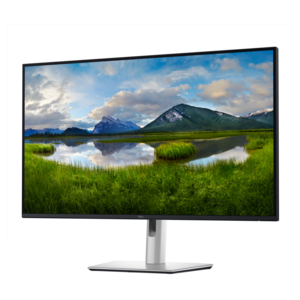
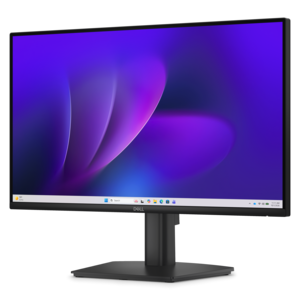
A fixed-stand monitor certified by TÜV Rheinland for three-star eye comfort and enhanced productivity.
Monitors for control rooms play a crucial role in supporting efficient operations and real-time decision-making across various industries. Designed to handle the demands of continuous monitoring, these displays help teams stay connected to vital information and maintain high levels of productivity. Explore a wide selection of monitors for control rooms that deliver reliable performance and seamless integration into your workspace, ensuring your team has the visual clarity needed to excel in any environment.
A fixed-stand monitor certified by TÜV Rheinland for three-star eye comfort and enhanced productivity.
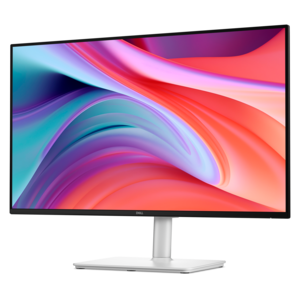
A crisp FHD monitor with smooth 144Hz visuals, built-in speakers, and TÜV 4-star eye comfort certification.
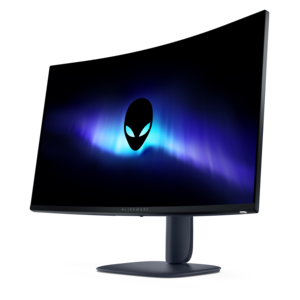
A color-critical gaming monitor with DisplayHDR True Black 500, anti-glare, built-in colorimeter, and remote calibration tools.
Monitors for control rooms help operators keep essential information visible, organized, and easy to interpret across long shifts. In a security operations center, a monitor may display camera feeds, access alerts, visitor activity, and building status panels. In a transportation office, it may support route maps, schedules, service updates, or dispatch software. Facilities teams can use large, clear displays to track room conditions, maintenance notifications, occupancy information, and other day-to-day activity from a central workstation. The right monitor setup gives each operator enough screen space to review several applications without constantly minimizing windows or switching between tabs. That extra visibility can make a busy desk feel more manageable, especially when an operator needs to compare live information with logs, maps, messages, or response procedures. When selecting monitors for a control room, consider the amount and type of information users need to view at the same time, the distance between the operator and the screen, the number of displays that will fit comfortably on each desk, and the arrangement that best matches the workflow. A single large screen may be useful for shared dashboards or overview panels, while two or more displays can help separate alerts from reference information. A monitor with a thin bezel can create a cleaner multi-screen arrangement, reducing the visual interruption between adjoining displays. Screen size, resolution, brightness, and viewing angle also matter. Fine text, small map labels, and detailed camera images are easier to review on a display with a sharp resolution, while consistent brightness and wide viewing angles help information remain readable when several people are gathered around a workstation. Matte or low-glare screens may be helpful in rooms with overhead lighting, windows, or reflective surfaces. Before purchasing, measure the desk, wall, or console area and account for the monitor stand, mounting hardware, cable routing, and space needed for comfortable movement. A well-planned layout should support a neutral viewing position rather than forcing operators to turn or tilt their heads repeatedly throughout a shift.
Control room displays are used by a wide range of professionals, including security personnel, building managers, dispatchers, laboratory staff, school administrators, retail loss-prevention teams, and event or venue coordinators. Each group may have different priorities, so the best monitor configuration depends on the work being performed. An operator reviewing several live video windows may value a larger screen and clear image detail, while someone working with dashboards and spreadsheets may prefer additional horizontal space for side-by-side applications. For text-heavy workflows, look for a display that presents letters, numbers, and icons with crisp definition and comfortable scaling. For image-based monitoring, color consistency and strong contrast can make subtle changes easier to spot. Ergonomics should remain part of the decision rather than an afterthought. Height adjustment, tilt, swivel, and rotation can help align the screen with the user’s posture and seating position. A monitor arm or compatible mounting option may free valuable desk space and make it easier to create a consistent layout across multiple stations. When several operators share a room, matching displays can provide a more uniform experience, simplify replacement, and give the control area a neat, professional appearance. Connectivity is another practical consideration. Check that the monitor supports the video connections used by the computers and workstations in the room, and confirm that the available inputs are sufficient for the intended setup. Integrated speakers, USB connectivity, or built-in camera features may be useful in some offices, but they are not necessary for every monitoring application. Prioritize the features that support the actual job rather than adding functions that will remain unused. Teams comparing display options can also browse Monitors For Teachers for ideas on clear text presentation, flexible workstation layouts, and comfortable viewing in shared environments.
A dependable control room monitor should fit naturally into the operator’s routine, from the first review of the day to the final handoff between shifts. Think about how information is arranged during a typical busy period: urgent alerts may need a fixed position, reference documents may stay open for hours, and shared dashboards may need to remain visible without covering other work. A screen with a stable stand and straightforward controls can reduce distractions, while a consistent multi-monitor layout can help new team members learn the workstation more quickly. Color modes, scaling settings, and brightness adjustments can be useful when a room’s lighting changes between daylight and the cooler, darker months, but settings should be chosen with comfort and legibility in mind. Reliability is also important for workspaces that operate for extended hours. Review the manufacturer’s stated usage recommendations, warranty coverage, adjustability, and support options before building a larger installation. For a replacement or expansion, matching the size, resolution, and aspect ratio of existing displays can help maintain a balanced appearance and reduce differences in text size from one screen to the next. If the monitors will be mounted, verify compatibility with the selected mounting pattern and check the weight limits of the arms or brackets. Leave enough room for ventilation and make cable connections easy to reach during maintenance. Cleaning access matters as well, particularly in shared rooms where screens are touched or adjusted by multiple users; use a soft, dry cloth and follow the care instructions for the display surface. Whether outfitting a compact security desk, refreshing a facilities workstation, or creating a wall of shared status screens, the goal is a clear and comfortable visual workspace that helps people recognize important information, stay organized, and respond with confidence.
Add the products you would like to compare, and quickly determine which is best for your needs.