$10.99
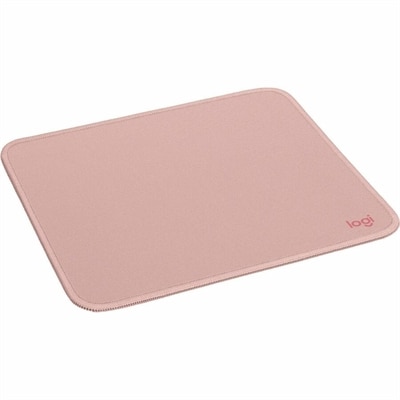
A dark rose mouse pad with a smooth recycled-polyester surface, spill-resistant coating, and anti-slip rubber base.
A dark rose mouse pad with a smooth recycled-polyester surface, spill-resistant coating, and anti-slip rubber base.
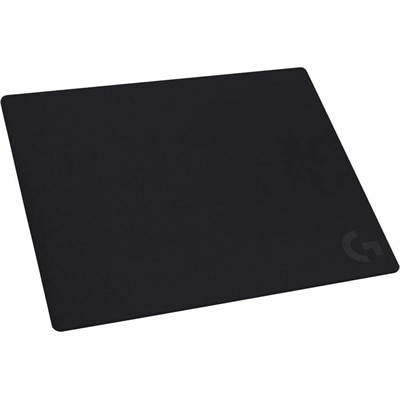
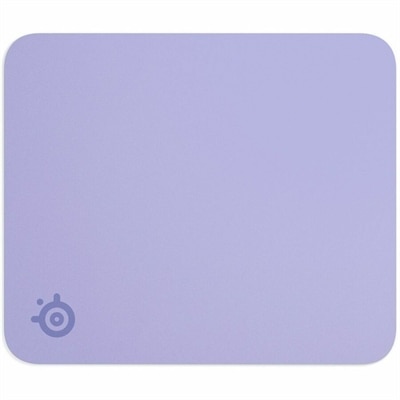
A cloth gaming surface with precise friction, accurate tracking, wrist comfort, and a nonslip rubber base.
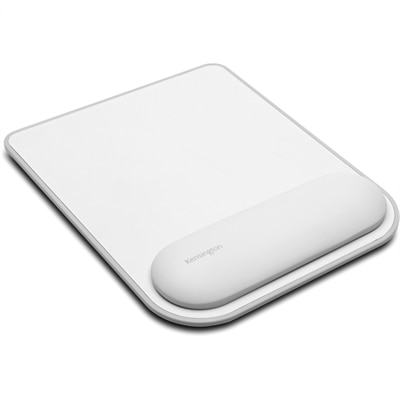
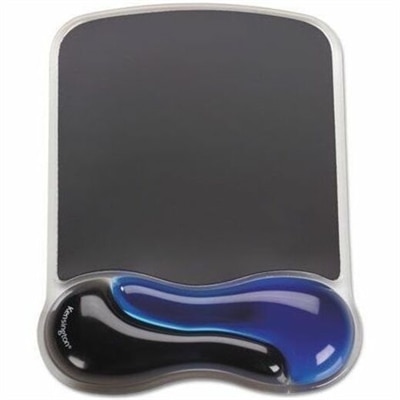
A faux leather, gel-cushioned mouse pad offering ergonomic wrist support, non-skid stability, and precise tracking.
Mouse pads provide a dedicated surface for moving a computer mouse, helping improve tracking accuracy, control, and everyday comfort. While a mouse can function directly on some desks, a purpose-built pad creates a more consistent glide and helps reduce interruptions caused by seams, dust, wood grain, or uneven finishes. The right surface can also make long work sessions feel easier on the hand and wrist by providing a smoother area for repeated movement. Cloth mouse pads are a familiar choice for home offices, classrooms, and general desktop use because their woven surfaces offer balanced glide with enough stopping power for precise cursor placement. They are typically soft, quiet, and easy to roll or store, making them convenient for shared workspaces and flexible setups. Hard mouse pads use rigid plastic or similar materials to create a smooth, fast surface that can suit users who make broad, quick movements or prefer minimal friction. Glass mouse pads offer an especially slick, consistent glide and a distinctive modern appearance, though they benefit from regular cleaning to remove dust and fingerprints that may affect movement. Extended desk mats cover a much larger area, allowing both a keyboard and mouse to rest on one continuous surface. These larger pads can help visually organize a workstation, protect the desk beneath, and keep the keyboard from shifting during typing or gaming. When comparing options, consider the dimensions of the available desk, the mouse’s tracking technology, preferred glide speed, and the amount of space needed for comfortable movement. A compact pad works well where desk space is limited, while a larger or extended design can be more comfortable for low-sensitivity settings that require wider mouse motions.
Different users may prefer different mouse pad characteristics based on how they spend time at a computer. Someone handling documents, spreadsheets, email, or creative applications may value a soft, controlled surface that makes small cursor adjustments feel natural. A gamer may look for an even texture, dependable tracking, and enough room to move quickly without lifting the mouse repeatedly. For competitive play, surface consistency is particularly important because repeated movements should feel predictable from one side of the pad to the other. A fast surface can support rapid turns and sweeping gestures, while a more controlled surface may help with careful aiming, photo editing, design work, or detailed selections. Size deserves close attention: standard formats are suitable for everyday navigation, medium designs provide additional freedom, and extended desk mats can accommodate a full keyboard-and-mouse arrangement. Thickness also affects the experience. A thin pad can sit neatly beneath the edge of a keyboard, while a thicker cushioned design may soften contact with the desk and create a more comfortable transition for the wrist. Look for a stable, nonslip backing, especially if the desk has a smooth finish or the user tends to make quick movements. A stitched or reinforced edge can help a soft pad hold its shape over time, while a rigid pad may be easier to wipe clean. Surface color and pattern are matters of personal style, but darker or busier designs may make everyday marks less noticeable. Cleaning needs vary by material: fabric surfaces generally benefit from gentle spot cleaning and thorough drying, while hard and glass surfaces can usually be wiped with a soft, nonabrasive cloth. Keeping the surface free of crumbs and dust helps preserve smooth movement and protects the mouse feet from unnecessary wear.
A mouse pad can be a thoughtful gift for someone setting up a home office, refreshing a study area, building a gaming station, or spending more time with a personal computer during the cooler months. It is useful without requiring extensive knowledge of the recipient’s system, and many sizes and surface types make it easy to match different desk arrangements. Students may appreciate a durable, portable design that fits beside notebooks and other supplies, while remote workers may enjoy an extended mat that gives a compact desk a more unified feel. Creative users, casual gamers, and frequent travelers can also benefit from a surface chosen around their habits and available space. Pairing a mouse pad with a comfortable mouse can further improve the feel of a workstation; users who want extra control may explore Programmable Mice with customizable buttons for shortcuts and frequently used commands. Before choosing, measure the usable area rather than the entire desk, leaving room for a monitor stand, speakers, notebooks, or charging accessories. Think about whether the mouse is moved with the wrist or the whole arm, since broader arm movement usually calls for more surface area. Also consider portability, cleaning preferences, desk protection, and the visual character of the workspace. A well-matched mouse pad quietly improves the daily routine: the pointer follows each movement with less resistance, the keyboard stays anchored, and the desk feels more intentional from the first message of the morning through the final task of the evening.
Add the products you would like to compare, and quickly determine which is best for your needs.