Programmable Mice
Elevate your computing experience with programmable mice, the perfect fusion of precision and customization. Whether you're a dedicated gamer seeking an edge in competitive play or a professional aiming for peak productivity, these versatile tools offer unparalleled control at your fingertips. With cutting-edge technology designed to enhance performance, programmable mice allow you to tailor button functions and sensitivity settings to suit your unique needs. Discover the possibilities and unlock new levels of efficiency and enjoyment with every click.
This product is not available
Check out the following recommendations.
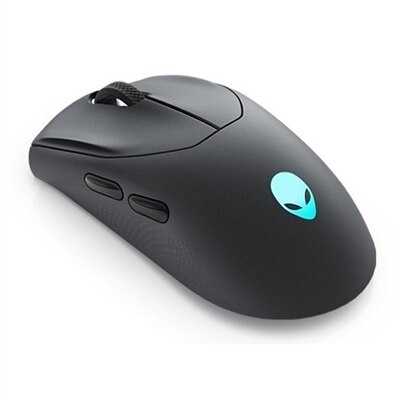
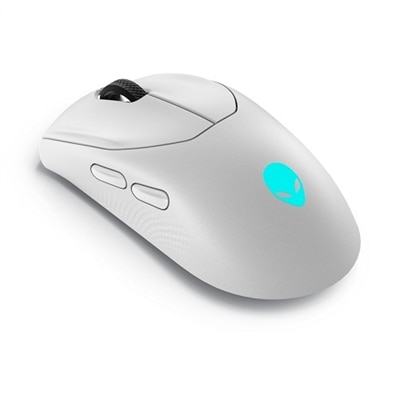
Programmable Mice
Programmable mice give a standard computer mouse a more flexible role by allowing selected buttons to perform shortcuts, commands, or multi-step macros. Instead of reaching for the keyboard every time you need to copy and paste, open a frequently used tool, mute audio, switch applications, or activate an in-game action, you can assign that function to a button within easy reach. The software used to configure a programmable mouse typically lets you create button assignments for individual applications, adjust pointer behavior, save profiles, and fine-tune other controls. This makes the category useful for far more than gaming. A video editor may map timeline controls to the thumb buttons, a designer may assign repetitive commands to reduce trips across the keyboard, and a programmer may create shortcuts for navigation or commonly used text functions. In an office setting, a few well-placed buttons can make everyday work feel smoother, especially when moving between documents, browser tabs, spreadsheets, and communication tools. When comparing options, consider the number and placement of programmable buttons rather than choosing the highest count automatically. Two to six thumb buttons can provide a practical balance for general productivity, while a larger grid may suit complex games, creative applications, or workflows with many repeated commands. Button placement matters as much as quantity: controls should be easy to distinguish by touch without forcing your hand to change position, and each click should feel deliberate rather than stiff or overly sensitive.
The sensor and control system also deserve close attention. Adjustable sensitivity, often expressed in DPI, allows the pointer to travel farther across the screen with less hand movement or to move more slowly for careful aiming and precise selection. High sensitivity can be convenient when using a large display or multiple monitors, while a lower setting may feel more controlled during detailed design work, photo adjustments, or strategy games. Many programmable mice allow sensitivity to be changed with a dedicated button or through configuration software, and some support separate profiles for different applications. Tracking consistency, lift-off behavior, scroll-wheel feel, and the texture of the surface can have a noticeable effect during long sessions. Connectivity is another important choice. A wired mouse provides a direct connection and does not require charging, making it a dependable fit for a fixed desk. Wireless options can create a cleaner workspace and make it easier to move between a desktop and laptop, with 2.4GHz receivers generally designed for responsive performance and Bluetooth offering convenient compatibility with supported devices. For wireless use, check battery life, charging options, receiver storage, and whether the mouse can connect to more than one device. Built-in memory is especially useful when you want saved button assignments and sensitivity settings to travel with the mouse. With onboard profiles, your preferred configuration may remain available even when you use a shared or restricted computer where configuration software cannot be installed. Compatibility should also be confirmed before purchase, including operating system support, available USB ports, Bluetooth requirements, and whether advanced features depend on a desktop application.
Comfort can determine whether the extra controls become a daily advantage or sit unused. Look for a shape that supports your preferred grip, whether your hand rests over the mouse, arches with the fingers, or holds it more lightly with the fingertips. Size, weight, thumb-rest design, surface texture, and the angle of the shell all influence how the mouse feels after several hours. Adjustable weights can help some users find a steadier glide, while a lighter design may be preferable for fast movements or frequent repositioning. Left-handed users should check whether the shape and button layout are symmetrical or specifically designed for their hand, since many programmable controls are arranged with right-handed use in mind. A mouse with extra buttons can be a thoughtful gift for a student, home-office worker, gamer, artist, or anyone who spends substantial time at a computer, particularly when the recipient enjoys tailoring equipment to personal habits. It can also complement a laptop setup by adding comfortable control and reducing reliance on keyboard shortcuts. For buyers building a more comfort-focused workspace, pairing programmable functionality with Ergonomic Mice can help prioritize hand support and a natural posture. Before choosing, consider the applications the recipient uses most, the number of commands worth assigning, preferred wired or wireless operation, available desk space, and the importance of saved profiles. The strongest fit is usually the mouse that feels natural during ordinary tasks while offering enough customization to remove small frustrations from the work, play, and creative routines that fill the day.
FAQs:
A programmable mouse allows users to assign custom functions or macros to its buttons, streamlining repetitive tasks and enhancing productivity. This is especially useful for gamers who need quick access to in-game commands, professionals who want to automate workflow shortcuts, and creatives who rely on specific tools within design software.
Programmable mice are ideal for gamers, graphic designers, video editors, software developers, and anyone who spends significant time on a computer. Students and remote workers can also benefit from the ability to customize shortcuts for multitasking and improving efficiency.
Most programmable mice come with dedicated software that allows you to assign macros, keyboard shortcuts, or specific functions to each button. After installing the software, you can create and save different profiles for various applications or games, making it easy to switch between custom setups.
Key features to consider include the number of programmable buttons, ergonomic design, adjustable DPI settings, wired or wireless connectivity, and compatibility with your operating system. Some models also offer customizable weights and RGB lighting for a personalized experience.
Absolutely. Programmable mice are popular among professionals who use productivity or creative software. Assigning frequently used commands, shortcuts, or tools to mouse buttons can save time and reduce repetitive strain, making everyday tasks more efficient and comfortable.